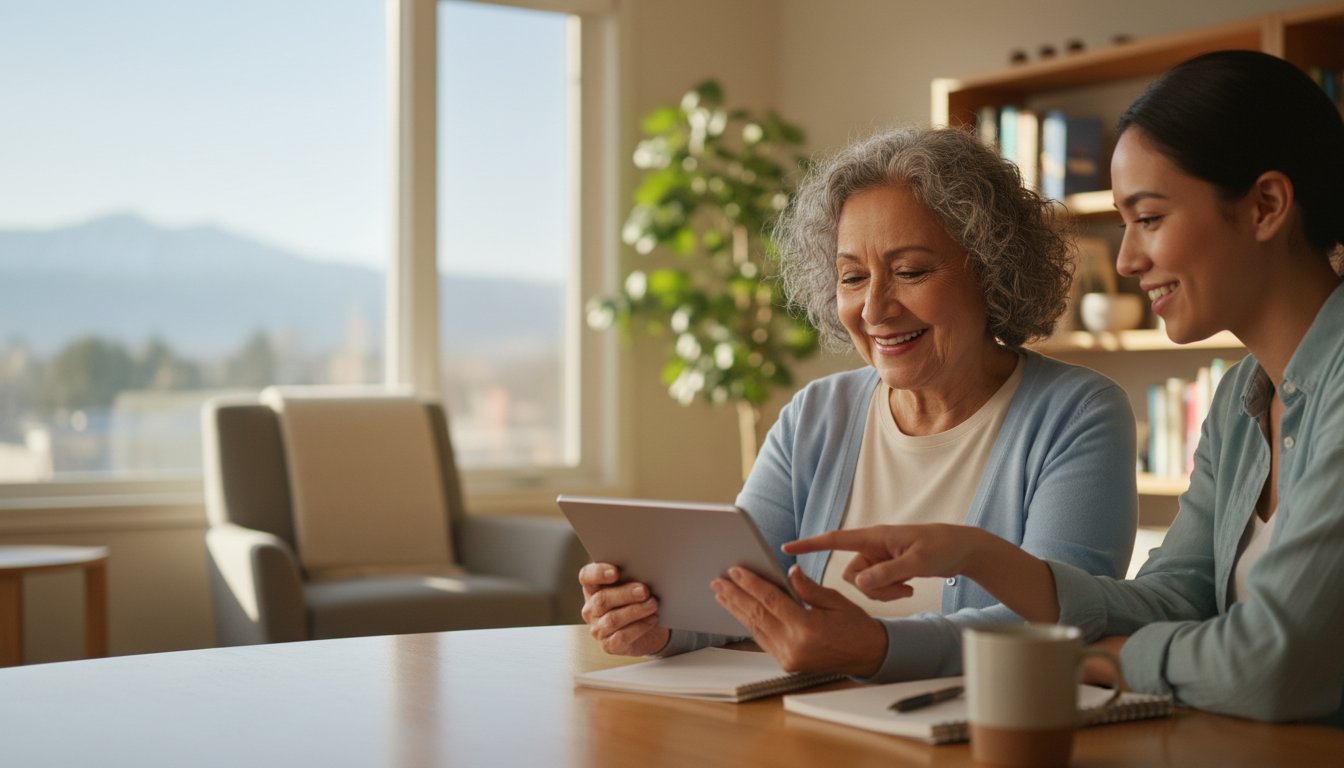
The most talented tech expert in the room is often the least qualified person to teach you how to use your tablet. Real learning doesn't happen through speed or complex jargon. It happens through patience and emotional comfort. You might feel left behind by new gadgets, or perhaps you're tired of "help" from family members who sigh when you ask a question twice. It's natural to feel anxious about online safety or accidentally clicking the wrong link.
You deserve to feel safe and capable when you open your email or start a video call with your grandkids. Finding the right computer tutors near me means looking for a mentor who speaks your language and respects your pace. In this guide, you'll discover how to find a technology mentor who makes you feel like an expert. We will cover current pricing trends from April 2026, which show private rates typically ranging from $25 to $80 per hour. You'll also learn how to vet a tutor for safety and reliability so you can reclaim your digital independence with total confidence.
Key Takeaways
- Identify mentors who specialize in the 55-plus community. These experts translate complex terms into everyday language to help you understand your devices better.
- Search for computer tutors near me who offer in-home visits. Learning on your own computer in a familiar setting reduces stress and builds practical skills faster.
- Prioritize patience as the most important technical skill. A great mentor waits for you to feel comfortable before moving on to the next step.
- Start your journey by writing down your three biggest technology frustrations. This simple list gives your tutor a clear roadmap to help you achieve your goals.
- Focus on building digital independence so you can safely manage emails and photos. Learning the "why" behind technology turns a chore into a helpful tool for staying connected.
What is a Senior-Focused Computer Tutor?
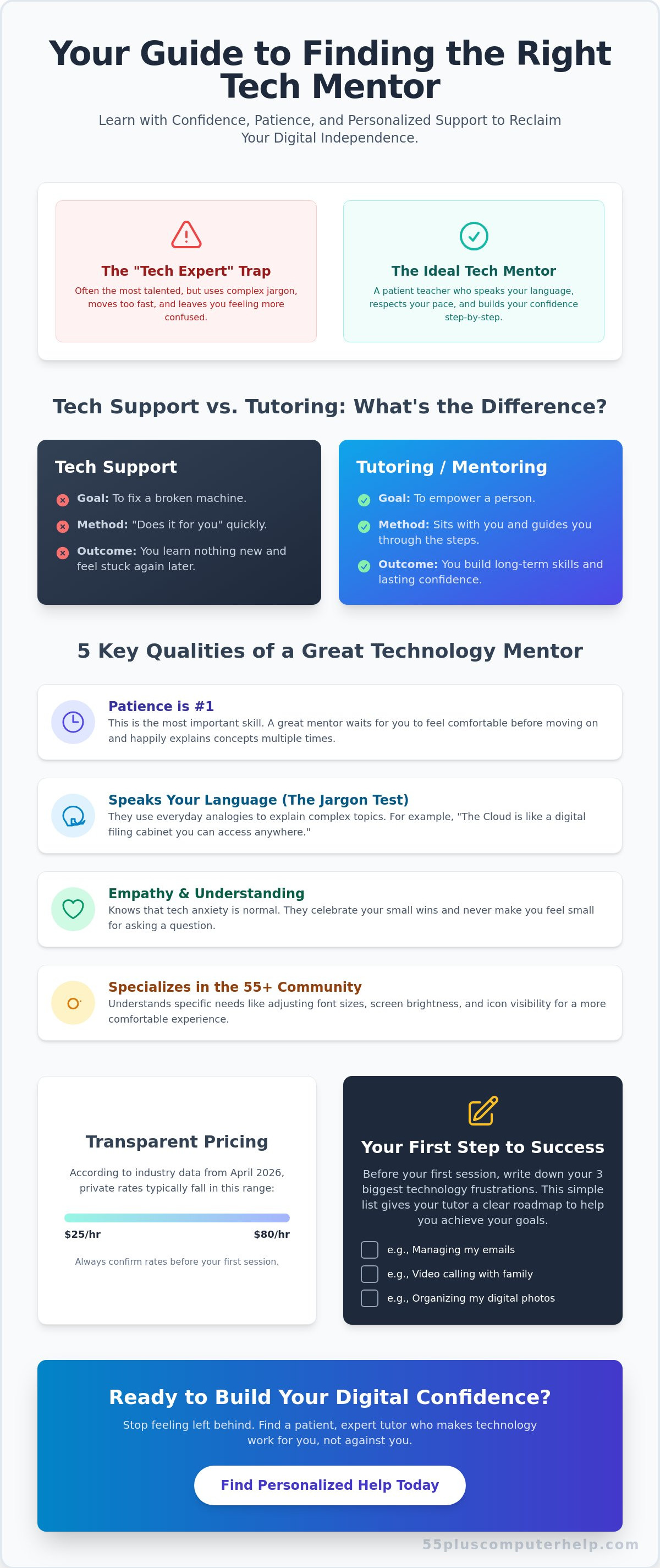
A senior-focused computer tutor is a specialist who acts as a translator between you and your technology. Most technical experts speak in a language that sounds like code. A patient mentor does the opposite. They use everyday words to explain how your tablet or laptop works. This type of support focuses on building your digital literacy so you can use your devices without fear. When you look for computer tutors near me, you aren't just looking for a repairman. You're looking for a teacher who prioritizes your comfort and confidence.
These specialists don't offer quick fixes that leave you confused five minutes after they leave. Instead, they focus on long-term skills. They tailor every lesson to the specific devices you already own. If you have an older iPad, they won't tell you to buy a new one. They will show you how to make that iPad work better for your needs. This personalized guidance reduces technology-related anxiety. It turns a frustrating chore into a helpful tool for your daily life.
The Difference Between Tech Support and Tutoring
Tech support is designed to fix a machine. Tutoring is designed to empower a person. If a technician "does it for you," you haven't learned anything new. You'll likely feel stuck again the next time a window pops up. A mentor sits beside you and guides you through the steps. They help you write down instructions in your own words. These personalized notes are much more helpful than a generic manual. You'll remember the steps because you performed them yourself under friendly supervision.
Why Specialized Help for Seniors Matters
Specialized help takes physical needs into account. Many seniors struggle with small font sizes or low screen brightness. A dedicated tutor knows how to adjust these settings to make the screen easier to read. They also understand that learning takes time and repetition. They move at a steady pace and welcome every question. Instead of teaching complex software, they focus on tasks that improve your life. This might include organizing photos of your family or using health portals safely. Many people searching for computer tutors near me find that this specialized approach makes all the difference in their success.
Key Qualities to Look for in a Technology Mentor
A common mistake is hiring a tutor based only on their technical resume. You might find an expert with a computer science degree who can build a complex website in minutes. However, that doesn't mean they have the patience to teach you how to attach a photo to an email. When searching for computer tutors near me, look for a mentor who values emotional support as much as technical knowledge. Patience is the most important skill in this field. A great teacher creates a safe space where you feel comfortable making mistakes.
Experience with the 55-plus community is essential. A mentor who works specifically with seniors understands that technology can feel intimidating. They don't rush the process. They also understand practical needs like adjusting screen contrast or making icons larger for better visibility. Reliability is another key factor. You need a tutor who shows up on time and offers a clear, transparent pricing structure. According to industry data from April 2026, private rates typically fall between $25 and $80 per hour. Knowing what to expect helps build a relationship of trust from the very first visit.
Communication Style: The Jargon Test
Before you hire someone, give them a small test. Ask them to explain a term like "the cloud" or "Wi-Fi." If they use even more technical words to explain the first one, they might not be the right fit. A talented mentor uses analogies that make sense in everyday life. They might compare the cloud to a digital filing cabinet that you can reach from any room in your house. Pay attention to their reaction when you ask them to repeat an instruction. A patient mentor will happily explain a concept three or four times until it clicks. If you are looking for this kind of support, you can find personalized technology guidance that prioritizes your peace of mind.
Empathy and Understanding Digital Anxiety
Many seniors feel "behind" or worry about accidentally breaking their devices. A good tutor knows these feelings are completely normal. They lead with empathy and never make you feel small for asking a basic question. Instead, they celebrate your progress. Whether you've learned to send your first text or successfully logged into a health portal, these small wins build your confidence. This supportive environment prevents you from giving up when things get tricky. When you look for computer tutors near me, prioritize someone who makes you feel capable and respected. This emotional connection is what turns a confusing gadget into a helpful tool for staying connected with your family.
Comparing Your Options: In-Home, Online, or Group Tutoring?
Choosing the right way to learn is just as important as finding the right teacher. There are three main ways to get help with your devices. Each option has different benefits depending on your goals and your current comfort level. Some people prefer one-on-one attention in their own living room. Others enjoy the social atmosphere of a local class at a senior center. When you search for computer tutors near me, you should think about which environment makes you feel most relaxed.
A hybrid approach is often the most successful strategy for seniors. Many students start with in-person sessions to set up their equipment and learn the basics. Once they feel confident, they move to shorter online check-ins for specific questions. This saves time and money while keeping the support consistent. According to data from April 2026, private tutoring rates range from $25 to $80 per hour. Group sessions at tutoring centers often cost between $150 and $200 per month for weekly meetings. Understanding these choices helps you pick the path that fits your budget and your learning style.
The Benefits of In-Home Technology Lessons
In-home tutoring is the gold standard for many seniors. It allows the mentor to see your actual setup in the place where you use it every day. They can check your Wi-Fi signal in the back bedroom or make sure your printer is properly connected to your laptop. You don't have to unplug heavy desktop computers or carry monitors to a shop. Learning in your own environment reduces stress. It also ensures that the steps you learn will work exactly the same way after the tutor leaves your house.
When Online Tutoring Makes Sense
Online tutoring is a great choice once you master the basics of video calling. These sessions are often more affordable, with average rates between $25 and $60 per hour as of April 2026. They're perfect for quick "how-to" questions about Facebook, email, or organizing digital photos. You won't have to wait for a scheduled home visit to get an answer. However, this option requires a stable internet connection and the ability to share your screen. If your internet is currently slow or unreliable, an in-person visit is usually the better first step. Many people who look for computer tutors near me find that having a local expert they can eventually call online provides the best of both worlds.
How to Prepare for Your First Tutoring Session
Preparation is the best way to feel calm before your first meeting. You don't need to be a tech expert to get ready for your lesson. In fact, a little bit of organization goes a long way in making your time productive. Start by writing down your "Top 3" most frustrating tech problems. Your list doesn't have to use technical words. You can simply write "I want to see my grandkids on the screen" or "I want to share photos from my phone." These goals give your mentor a clear roadmap to follow.
Next, gather all your passwords in one secure physical notebook. It's much easier to learn when you aren't struggling to remember a login code for your email or Facebook. Make sure your devices are fully charged or plugged into a power outlet before the tutor arrives. Finally, clear a comfortable space where you and the teacher can sit side-by-side. A kitchen table or a quiet desk works perfectly. This setup allows you to see the screen clearly while the mentor guides your hands through each step. If you're ready to start your journey, you can schedule a patient technology lesson with a local expert who understands your concerns.
Setting Realistic Learning Goals
It's tempting to try and learn "the whole computer" in sixty minutes. However, this often leads to feeling overwhelmed. Instead, focus on one or two specific outcomes for your first session. You might choose to master sending an email attachment or learning how to use a new video call app. Remember that repetition is a natural part of the learning process. You might need to perform a task four or five times before it feels like second nature. A good teacher will encourage this repetition because it builds long-term memory and confidence.
Safety First: Learning to Avoid Scams
Many people searching for computer tutors near me are deeply worried about online safety. This is a very valid concern. Use your first session to talk about spotting "fake" emails and text messages. A patient mentor can show you the small signs that an email is a scam, such as a strange sender address or urgent threats about your bank account. They can also show you what a real software update looks like compared to a virus warning. You can even discuss how to use "Two-Factor Authentication" in a way that doesn't feel complicated. Learning these safety steps is the first step toward true digital independence. This kind of hands-on training is exactly why finding computer tutors near me is so beneficial for the 55-plus community. It provides a human layer of protection that a generic manual simply cannot offer.
Building Your Digital Confidence with Specialized Support
True confidence comes from understanding why a button does what it does. It isn't enough to just follow a list of steps that someone else wrote for you. When you understand the logic behind your tablet or phone, you stop feeling like you're walking on eggshells. Friendly, personalized support turns technology into a tool you control. It stops being a chore that causes a headache. This shift in perspective is the most important part of the learning journey. It transforms your device from a source of stress into a window to the world.
The demand for this specialized help is rising rapidly. The U.S. tuition market is projected to grow by $28.85 billion between 2025 and 2029 according to TutorCruncher data from April 2026. This growth shows that more people are seeking personalized guidance to bridge the technology gap. 55 Plus Computer Help LLC bridges this gap for seniors nationwide. We specialize in making technology feel neighborly and approachable. If you've been looking for computer tutors near me, you're part of a growing community of adults reclaiming their digital lives. We offer a calm, methodical environment where no question is too small.
The Long-Term Rewards of Digital Literacy
Mastering your computer offers rewards that go far beyond the screen. It's about staying connected with the people you love. You can view photos of your grandkids the moment they're sent. You can also manage your health records and banking from your favorite chair. This independence provides a sense of security and accomplishment. Beyond the practical benefits, learning a new skill provides vital mental stimulation. Engaging with modern tools keeps your mind active and connected to the current world. It's a way to ensure you never feel left behind by the pace of change.
How to Get Started with a Patient Mentor
Taking the first step is often the hardest part of the process. Start by reaching out for a consultation to discuss your specific needs. Every senior has different goals. You might want to learn email, while another person wants to master digital photography. Start with a single session to test the "patience fit." This ensures you feel comfortable with the tutor's teaching style before you commit to more lessons. Many people who search for computer tutors near me find that a local expert provides a sense of accountability and trust. You deserve to feel capable and safe in the digital world. Empower yourself with a patient computer tutor today and start your journey toward digital independence.
Take Control of Your Technology Today
Mastering your devices is about more than just clicking buttons. It's about staying connected to your family and protecting your personal information. When searching for computer tutors near me, remember that a patient mentor who speaks your language is your best resource. You don't need to feel frustrated by confusing manuals or hurried explanations anymore. Focus on small, achievable goals like organizing photos or spotting online scams to build your confidence one step at a time.
Since 2014, 55 Plus Computer Help LLC has specialized in providing friendly, one-on-one support for the senior community. Our "Patient Mentor" approach ensures you never feel rushed or judged. We focus on practical skills like virus removal and scam prevention so you can browse the internet with total peace of mind. Technology should be a helpful tool that makes your life easier, not a source of stress. You have the ability to learn these modern skills at your own pace. Book a patient, friendly computer lesson today and discover how simple technology can be with the right guidance. You're just one session away from feeling truly independent and secure online.
Frequently Asked Questions
How much do computer tutors for seniors typically cost?
Private tutoring rates often average $24.61 per hour according to 2026 data from platforms like Care.com. Some specialized senior services charge $85 for a standard one-hour session. These costs vary based on the tutor's experience and whether the lesson is in-person or online. You'll find that many centers offer monthly packages for about $150 to $200 for weekly sessions.
Can a tutor help me with my smartphone and tablet as well as my computer?
Yes, most technology mentors are experts in all mobile devices including iPhones, iPads, and Android tablets. They can help you sync your photos across different gadgets or show you how to download helpful apps. This is a common request for those looking for computer tutors near me. Learning to use your phone for video calls is often a primary goal.
I am worried about my privacy; is it safe to have a tutor help me?
It's safe if you choose a reputable professional who prioritizes your security and digital safety. You should never share your master passwords or banking PINs with any service provider. A good tutor will teach you how to enter this information privately. For added peace of mind, ask if the service provider has a general business license or performs background checks on their staff.
How many sessions will I need to feel confident on my own?
Most seniors feel a significant boost in confidence after just three targeted sessions. The first meeting usually covers the basics and your specific safety concerns. The second and third sessions focus on the "Top 3" goals you identified during your preparation. Consistent practice for at least 15 minutes a day between visits helps you retain these new skills much faster.
Do I need to buy any special software before my first lesson?
You don't need to purchase any new software before your first meeting. A tutor will evaluate the programs you already have on your device to see if they meet your needs. They might suggest free tools like Zoom or Google Photos to help you stay connected with family. If you do need a specific program, your mentor will help you install it safely during your lesson.
Can a tutor help me set up a new printer or Wi-Fi router?
Yes, tutors often assist with physical hardware setup and basic troubleshooting. They can ensure your printer is connected to your home network so you can print wirelessly from any room. This hands-on help is a major benefit of finding computer tutors near me. They will also make sure your Wi-Fi password is secure and easy for you to find when needed.
What if I forget everything the tutor showed me after they leave?
Your tutor will help you create a personalized "cheat sheet" written in your own everyday language. This notebook will contain step-by-step instructions for the specific tasks you practiced together. Having these physical notes prevents the frustration of forgetting a single step. You can also schedule a quick 30-minute online follow-up session to refresh your memory on a specific task.
Is it better to learn on a Mac or a Windows PC as a senior?
Neither system is objectively better; the best one is the one you already own and use. Mac computers are often praised for their simple interface, while Windows PCs are very common and versatile. A patient mentor can teach you either system with ease. The goal is to make you feel comfortable with the specific screen and keyboard that are already in your home.


