
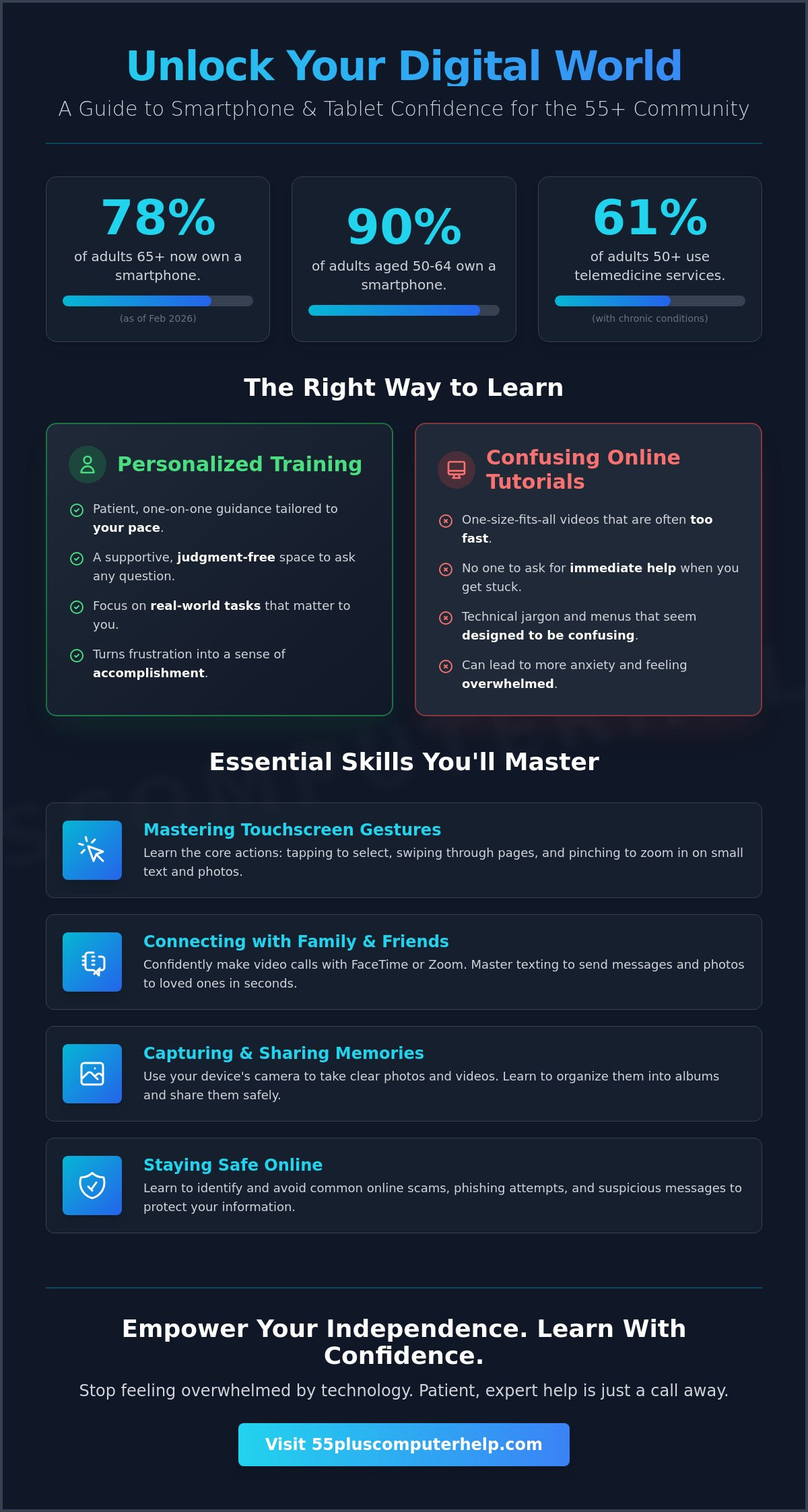
Did you know that 78% of adults aged 65 and older now own a smartphone as of February 2026? While most of us carry these powerful tools, many feel like the technology is moving far too fast to keep up. Finding the right smartphone and tablet training shouldn't feel like a test of your intelligence. You might worry about accidentally deleting a precious photo or feel frustrated by complex menus that seem designed to be confusing. It's common to feel a bit of anxiety when you see a new update like iOS 26.4.2 on your screen.
We believe technology should be a tool for connection, not a source of stress. This guide will show you how patient, one-on-one guidance tailored for the 55-plus community can help you use your mobile devices with total confidence. We'll explain how you can learn to FaceTime your grandkids independently, organize your digital photos, and stay safe from the latest online scams. You don't have to figure it all out alone; a little expert help goes a long way toward digital independence.
Key Takeaways
- Understand how personalized support turns technical frustration into a sense of accomplishment.
- Learn why professional smartphone and tablet training offers a more patient and effective alternative to confusing online tutorials.
- Discover the essential touchscreen gestures and home screen tips that make using your device much easier.
- Explore the benefits of a methodical teaching style that prioritizes your comfort and specific learning goals.
- Gain the confidence to handle daily digital tasks like photo sharing and video calls without feeling overwhelmed.
What is Smartphone and Tablet Training for Seniors?
Professional smartphone and tablet training is more than just a quick fix for a technical glitch. It's a personalized educational service designed to help you use your mobile devices with ease. Many seniors feel like technology changes too fast. This is understandable; major updates like iOS 26.4.2 arrive frequently. Our training doesn't use cold, clinical manuals. Instead, we focus on real-world tasks that matter to you. This includes:
- Sending a quick text or photo to your family.
- Watching a movie or listening to a favorite song.
- Checking your bank balance safely from home.
We provide a supportive space where you can ask any question. You won't face any judgment here. Our goal is to move beyond basic instructions. We want to help you build genuine digital confidence. This specialized smartphone and tablet training ensures you never feel like a burden for asking why something works the way it does.
The Difference Between Smartphones and Tablets
Choosing the right device depends on your specific needs. Smartphones are small and portable. They're perfect for making calls and sending texts while you're out. However, the small screen can be tough on the eyes. Tablets offer a much larger display. This makes them better for reading books or watching videos of your grandkids. Both devices usually share the same brain or operating system. If you learn how to use an iPhone, you'll find an iPad feels very familiar. Understanding the connection between Technology and Aging helps us tailor these lessons. We account for vision changes and mobility needs to make sure your device works for you.
Why Mobile Devices are the Best Tools for Modern Seniors
Mobile devices are often easier to use than traditional computers. You don't have to struggle with a clunky mouse or a complex keyboard. You simply touch the screen to make things happen. This intuitive design is one reason why 90% of adults aged 50 to 64 now own a smartphone. These tools keep you connected to your world. You can join a video call with family or send an instant message in seconds. They are also vital for your health. As of February 2026, 61% of adults over 50 with chronic conditions use telemedicine services. Training helps you access healthcare portals from your living room. You can manage your prescriptions and talk to your doctor without leaving home. It brings the world to your fingertips with safety and simplicity.
Essential Skills Mastered in a Professional Training Session
A smartphone is more than just a phone; it's a window to your family and your community. Mastering a few essential skills during your smartphone and tablet training can change how you stay connected every day. We start with the basics of your home screen. You'll learn to move your favorite apps so they're always easy to find. We also practice the physical gestures that make these devices work. This includes tapping buttons accurately, swiping through pages, and using two fingers to zoom in on small text. Zooming is especially helpful when reading digital maps or news articles. You can also adjust settings like font size and volume to make the device more comfortable for your specific needs. As of February 2026, 78% of adults aged 65 and older own a smartphone, and learning these basics is the first step to joining them with confidence.
Communication: Video Calls and Text Messaging
Texting is now the most popular way for adults over 50 to communicate. In fact, it has surpassed email as the preferred method of staying in touch with loved ones. We help you master text messaging, including how to send photos and use emojis to show your personality. We also focus on video calls through apps like FaceTime, WhatsApp, or Zoom. Seeing your family's faces in real-time is a wonderful experience that brings people closer. We'll show you how to manage your contacts list. This ensures your children and friends are just one tap away whenever you want to talk.
Capturing and Sharing Memories with Photos
For many grandparents, the most important feature of a tablet or phone is the camera. You don't need a separate camera to take high-quality photos of your daily life. We teach you how to snap clear pictures and record videos of special moments. You'll learn to organize these into digital albums. This makes it simple to find that one specific photo from last Thanksgiving without scrolling through hundreds of images. We also cover safe ways to share these memories. You can send photos through messages or set up shared albums that update automatically when you take a new picture of the grandkids.
Staying Safe: Security and Scam Prevention
Safety is a top priority for the 90% of adults aged 50 to 64 who own smartphones. We teach you how to identify phishing attempts. These are fake texts or emails designed to trick you into sharing personal data. You'll learn when it's safe to click a link and when you should ask for help. We also set up secure passwords and show you how to use fingerprint or face recognition. These tools keep your private information locked away from strangers. This specialized smartphone and tablet training ensures you stay one step ahead of digital threats. If you want to feel more secure, our friendly tech guidance provides the peace of mind you deserve.
Personalized Training vs. Online Tutorials: Which is Better?
Many large tech companies point you toward "self-paced" online tutorials. These modules are often designed by young engineers who forget what it's like to be a beginner. While these guides might seem convenient, they often cause more frustration than they solve. If you click the wrong button on a simulator, it can't explain what went wrong. It doesn't know your specific screen or why your icons look different. Personalized smartphone and tablet training removes this guesswork. A mentor can see exactly what you see. They adapt the pace to your comfort level. This approach reduces the "tech-anxiety" that generic videos often create. You'll feel supported every step of the way, making the learning process feel like a conversation rather than a chore.
The Value of a Patient Mentor
Working with a "Trusted Local Expert" changes the way you learn. You aren't just a number in a support queue. You're a neighbor who deserves patient guidance. We avoid "tech-speak" and industry jargon that makes people feel left behind. Instead, we use plain English to explain complex ideas. This builds a relationship based on trust. You'll feel safe asking questions you might think are "silly." In our sessions, there are no silly questions. We understand the unique challenges faced by the 55-plus community because that's our specialty. This emotional support is something an online video simply cannot provide. A patient teacher understands when you need a break or when a specific topic needs a bit more practice. This human connection turns a stressful task into a sense of accomplishment.
Tailoring the Lesson to Your Specific Device
One big problem with online guides is that they use generic devices. Your phone might have a different software version, like the latest iOS 26.4.2 released on April 22, 2026. A simulator won't show you the specific apps you already have installed. During a one-on-one session, we use your actual phone or tablet. We make sure your home Wi-Fi is connected properly. We can even help you link your device to your printer. This ensures everything in your home works together seamlessly. Real-world smartphone and tablet training focuses on your life, not a computer model. You'll learn exactly what you need for your specific model. Whether you're using a new Samsung Galaxy S26 or an older iPad, your training is customized for your equipment. We make sure your settings are optimized for your vision and hearing before we finish.
What to Expect During Your Smartphone and Tablet Training
Your learning experience should be as comfortable as a visit from a friendly neighbor. We take a calm and methodical approach to smartphone and tablet training. We don't believe in rushing through a long list of confusing features. Instead, we focus entirely on your specific needs and questions. Most people find that focusing on just one or two key goals per session works best for retention. This pace allows you to absorb the information without feeling overwhelmed or tired. We understand that everyone learns at a different speed. Our mentors are trained to recognize when you need a moment to process a new concept. We want you to feel a sense of accomplishment every time we meet.
Preparing for Your First Lesson
Getting ready for your first lesson helps you get the most value from our time together. Start by identifying the top three tasks you want to master. You might want to learn how to navigate a new interface or manage your settings after a recent software update. Ensure your phone or tablet has a full battery before the session begins. It's also helpful to have your passwords handy so we don't spend valuable time searching for them. We recommend choosing a well-lit and quiet spot in your home. A clear kitchen table with a comfortable chair makes the learning process much smoother and more enjoyable.
The "Cheat Sheet" Method for Long-Term Success
Our "Cheat Sheet" method is a favorite among the 55-plus community. We don't give you a thick book of technical jargon that's hard to read. Instead, we help you write down simple, step-by-step instructions in your own language. Writing these steps yourself helps your brain process the new information more deeply. We then practice the skill together at least three or four times while you look at your notes. Repetition is the only way to turn a new digital task into a permanent habit. You'll have these custom notes to refer to whenever you feel stuck later on. This ensures you stay independent long after the session ends.
Building Your Digital Confidence
Building your confidence is our primary goal during every visit. We provide constant encouragement and praise as you master each new skill. Technology can be intimidating, but you are capable of using it well with the right support. Each small success builds the foundation for your digital independence. You deserve a teacher who values your comfort as much as the technical solution. We aim to make every half hour worth your time and effort. No matter where you are located in the US, our supportive smartphone and tablet training is available to help. You can schedule your first training session with 55 Plus Computer Help LLC today. We are here to transform your frustration into security and skill.
Empowering Your Independence with 55 Plus Computer Help LLC
Choosing 55 Plus Computer Help LLC means you're picking a partner who truly understands your perspective. We don't just fix devices; we empower people to master them. Our specialized support is tailored specifically for the needs of the 55-plus community across the United States. We know that technology moves faster than ever, and our mission is to turn your technical frustration into a genuine sense of digital accomplishment. We offer flexible options to fit your lifestyle and comfort, focusing on remote assistance through a secure video link. This ensures you get the high-quality smartphone and tablet training you need, regardless of where you live.
Transparency is a core part of our relationship-based model. We respect your budget and your time with clear, hourly pricing. This straightforward approach allows you to plan your learning without worrying about hidden fees or complex contracts. By providing accessible support for users at all technical levels, we help you build a foundation of knowledge that lasts. You remain in control of the pace and the topics, ensuring every session is productive. We're here to make sure you feel in control of your technology, not the other way around.
Friendly and Personalized Assistance
Our mentors are selected for more than just their technical skills. We prioritize patience and interpersonal warmth above all else. We treat every single question as a "good question" worth answering clearly and calmly. You won't hear us use confusing industry jargon or "tech-speak" that makes you feel left behind. Professional guidance provides the peace of mind you need to explore your device safely. We want you to feel the same sense of pride our other clients experience when they master a new skill. Experience the relief of having a trusted expert by your side through every step of the process.
How to Get Started with Your Training
Starting your journey toward digital independence is a simple, stress-free process. First, contact us to discuss your specific device and what you want to learn. We can help with everything from the latest software features to basic settings on an older phone. We'll schedule a time that works best for your daily routine and energy levels. We want to meet when you're feeling your best so the smartphone and tablet training is effective and enjoyable. Schedule your personalized training session today and take control of your digital life.
Take Your Next Step Toward Digital Independence
You don't have to feel overwhelmed by your mobile devices any longer. We've explored how professional smartphone and tablet training turns technical anxiety into a genuine sense of pride. You can master the skills that keep you connected to your loved ones and your community. Since 2014, we've provided specialized support designed specifically for the 55-plus community. Our patient mentors understand the unique challenges you face and treat every question with respect. We offer transparent, hourly pricing at $55 per half hour so you always feel in control of your budget. You deserve to feel safe and skilled. Whether you want to share photos or attend a telehealth appointment, we provide the steady guidance you need. Stop worrying about making mistakes. It's time to enjoy the freedom that comes with true digital confidence. We're ready to help you transform your frustration into a lasting sense of accomplishment.
Book Your Patient, Personalized Tech Training Today
Commonly Asked Questions
Can I learn to use a smartphone if I have never used a computer before?
Yes, you absolutely can learn to use a smartphone without any prior computer experience. Smartphones are often easier for beginners because they use intuitive touchscreens instead of a clunky mouse and keyboard. You simply point at what you want on the screen. Since 78% of adults aged 65 and older now own these devices as of February 2026, you're joining a large community of seniors who use this technology every day.
Is it better to get an iPhone or an Android tablet for a senior?
The best choice usually depends on what your family and friends use. If your children use iPhones, getting an iPad makes it much easier to share photos and use FaceTime together. However, Android tablets like the new Lenovo Idea Tab Pro Gen 2 are excellent options for those who want different features. We can help you navigate either system with confidence during your training sessions.
How many sessions will I need to feel confident using my tablet?
Most students feel a significant boost in confidence after just two or three sessions. We focus on one or two key goals at a time to make sure the information stays with you. Our methodical smartphone and tablet training ensures you never feel rushed or overwhelmed. You can schedule as many or as few sessions as you need to reach your personal goals at your own pace.
What happens if I forget what I learned during the training session?
We create custom "cheat sheets" during our time together so you have a reliable reference for later. These notes are written in your own words, which helps your memory. If you get stuck, you can simply follow the step-by-step instructions we practiced. Repetition is a key part of our teaching style, and we're always happy to review a topic in a follow-up visit if you need a refresher.
Can you help me set up my tablet to see photos of my grandkids?
Yes, setting up photo sharing is one of our most popular requests. We can show you how to use shared albums that update automatically when your family posts new pictures. You'll learn how to save these memories and organize them into folders. This way, you can see those smiling faces whenever you want without having to search through your text messages or emails.
Is smartphone and tablet training safe to do remotely?
Remote smartphone and tablet training is very safe and effective. We use secure tools that allow us to see your screen and guide you through each step. This is a great option if you prefer to stay in your favorite chair or if you live outside of our local onsite service area. You remain in total control of your device and can end the session at any time.
Do I need to buy any special software for the training?
No, you don't need to purchase any extra software for our lessons. We work with the apps and settings already built into your device, such as the latest iOS 26.4.2 or Android 17. If you need a specific app for banking or health, we'll help you find the official, free version in the app store. Our goal is to make your current technology work better for you without extra costs.
Can you help me identify if a text message is a scam?
Yes, teaching you how to spot "phishing" and other scams is a vital part of our security training. We show you common red flags, such as urgent language or strange links. You'll learn to verify who is contacting you before you click anything. Building this awareness helps you use your device with peace of mind and protects your private information from digital threats.


