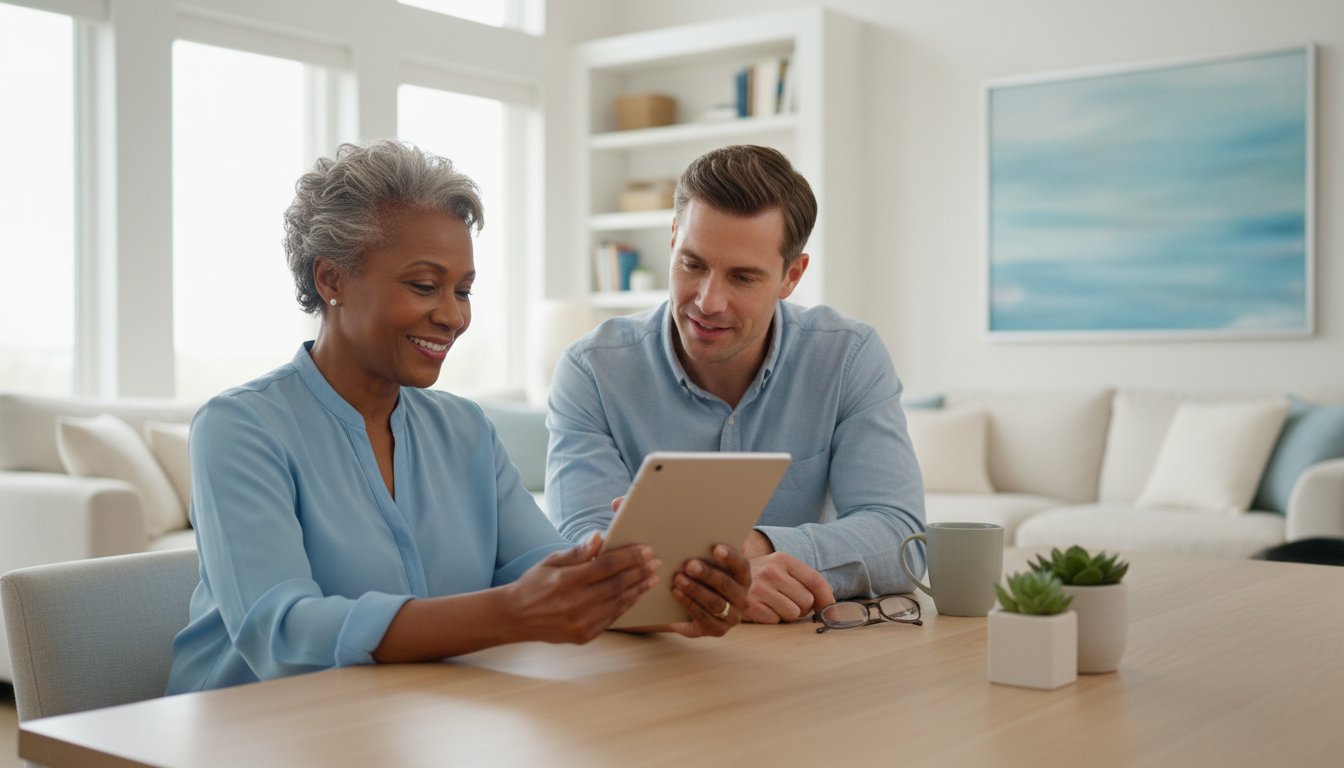
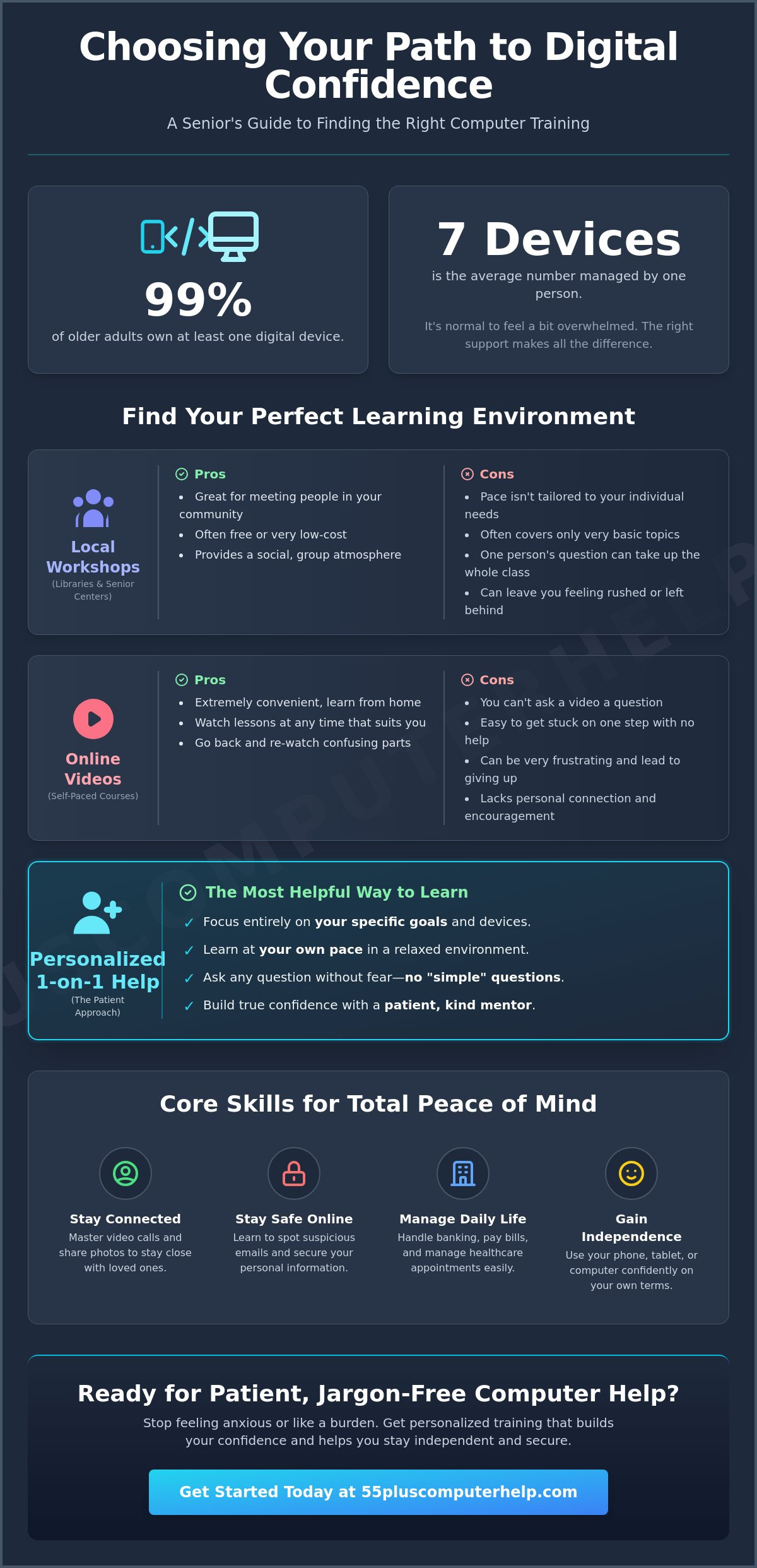
Did you know that 99% of older adults now own at least one digital device, and the average person manages seven of them? It's common to feel a bit overwhelmed when technology changes so quickly. You might worry about being a burden to your busy family members or feel anxious about clicking the wrong link. Finding the right computer classes seniors can trust is the first step toward feeling at ease. You deserve a learning environment that's patient, kind, and free of confusing technical jargon.
We understand that you want to stay independent and secure while using your devices. This guide will show you how to find patient training that builds your confidence, protects you from online scams, and helps you stay connected with the people you love. We'll look at how to identify supportive instructors and local resources that focus on your specific goals. You'll learn what to look for in a program so you can master video calls, manage your digital photos, and browse the internet with total peace of mind.
Key Takeaways
- Understand how mastering a few digital tools can help you stay connected with loved ones and manage your healthcare more easily.
- Explore the differences between local community workshops and online courses to see which environment fits your learning pace.
- Learn why personalized computer classes seniors find most helpful are those that focus on your specific goals without the fear of asking "simple" questions.
- Identify the core digital skills you need to stay safe online, including how to spot suspicious emails and secure your personal information.
- Discover how working with a patient mentor can help you gain the confidence to use your smartphone, tablet, or computer independently.
Why Computer Literacy Matters More Than Ever for Seniors
Technology is no longer just a hobby for the younger generation. It has become the bridge to our families, our healthcare, and our personal freedom. For many, computer classes seniors choose to take are the first step toward reclaiming that independence. These skills allow you to manage your daily life from the comfort of your favorite chair. You can check your bank balance, pay bills, or order your weekly groceries with just a few clicks. You can even manage your medical appointments and prescriptions without waiting on hold. It is about having the power to handle your business on your own terms.
Beyond the practical tasks, technology is a wonderful tool for staying close to the people you love. We know that feeling connected is vital for your well-being. Being able to start a video call to see a grandchild’s face or sharing photos with friends helps reduce the feeling of being left out. These interactions keep your spirits high and your social life active. Learning new digital skills is also excellent exercise for your brain. It helps keep your mind sharp and builds cognitive resilience by challenging you to think in new ways.
Overcoming the 'Tech Anxiety' Barrier
It is very common to feel a sense of tech anxiety when you look at a new smartphone or tablet. The icons might look strange, and the language can feel like a secret code. You might even worry that you will press the wrong button and break the device. We want to reassure you that these tools are much tougher than you think. They are designed to be used and explored. Most mistakes are easily fixed with an undo button or by simply turning the device off and back on again. Everyone learns differently, and there is no reason to feel rushed if you need to see something explained a few times.
The Link Between Learning and Safety
Education is your strongest defense against the risks of the digital world. When you understand the basics of how websites and emails work, you can spot red flags before they cause trouble. This is a key part of technology adoption among older adults. Many people feel hesitant to go online because of news stories about scams. However, once you learn what a secure website looks like, that fear begins to fade. You will gain the confidence to know which links are safe to click and which emails should go straight to the trash. If you ever suspect a problem, having a basic understanding of virus and malware removal will help you stay in control of your digital security.
Types of Computer Classes for Seniors: Finding Your Fit
Choosing the right environment makes all the difference when you are learning new skills. There are several popular options for computer classes seniors can join today. Each format has its own strengths depending on what you want to achieve. Some people prefer a social setting with their neighbors. Others want to learn from the comfort of their own living room. Understanding these differences helps you pick a path that feels comfortable and productive.
Many people start their journey at a local library or senior center. These workshops are often free and provide a great way to meet others in your community. You can find many Digital Literacy Resources for Seniors through government programs. However, these classes usually stick to very basic introductory topics. They might show you how to turn on a computer or use a mouse, but they might not get into the specific apps you actually use at home.
Online video courses are another choice. These are very convenient because you don't have to travel. You can watch a lesson at any time of day. The downside is that you cannot ask a video a question. If you get stuck on a specific step, there is no one there to help you move forward. This often leads to a sense of frustration that stops people from continuing their education.
Pros and Cons of Group Learning
Group classes offer a wonderful sense of community. It's reassuring to see that your peers are facing the same challenges. You realize you aren't alone in your struggle with technology. But group settings have a major drawback. One student's question can sometimes take up the entire hour. This often leaves the rest of the class feeling rushed or bored. It's hard to retain what you learned when the pace isn't tailored to you. If you prefer a more relaxed environment, our personalized technology training focuses entirely on your specific goals at your own pace.
The Benefits of In-Home and Remote Tutoring
Personalized one-on-one lessons are often the most effective choice for computer classes seniors need. When a teacher works with you individually, the entire session focuses on your needs. You learn on your own equipment. This is vital because every computer and tablet looks slightly different. Learning on your own device ensures you can repeat the steps once the lesson is over. Remote sessions are also a great option. They allow for quick troubleshooting without anyone having to leave their house. This type of attention allows the teacher to adjust to your specific speed and comfort level.
Group Classes vs. Personalized Lessons: Which is Best?
Deciding how to learn is just as important as deciding what to learn. Many organizations offer computer classes seniors can attend in local community centers. These are often structured around a fixed syllabus. While this works for some, it might not address your specific needs. If you only want to learn how to send emails to your family, you don't need a three-day course on spreadsheets. Personalized lessons allow you to skip the parts you don't need. You get to focus entirely on the tasks that make your life easier.
One of the biggest hurdles for many learners is the fear of looking "silly" in front of others. In a group setting, you might hesitate to ask a question because you think it is too basic. Private tutoring removes this pressure. There are no "simple" questions; there are only steps you haven't mastered yet. Additionally, group classes often use generic lab computers. These machines may look and feel very different from the laptop or tablet you have at home. Working on your own equipment ensures that the buttons and menus stay exactly where you learned them.
When to Choose a Classroom Setting
Classroom settings are a wonderful choice if you are looking for a social outing. They provide a chance to get out of the house and meet neighbors who share your interests. These sessions are ideal for broad overviews of technology where you don't have a specific goal in mind. Keep in mind that you will need to travel to a physical location on a set schedule. This format requires a bit more coordination and patience as the instructor balances the needs of many different students at once.
Why Personalized Training Leads to Better Retention
Research into improving senior digital literacy shows that a supportive environment is key to success. Hands-on practice on your own device builds what we call "muscle memory." Your fingers learn exactly where to go on your own keyboard or screen. We often hear people say, "I'm afraid I'll forget everything tomorrow." Personalized training addresses this fear directly. Your mentor can help you write down notes that match your specific software versions. You can even record parts of the session to watch later. This direct approach ensures that you feel confident and capable long after the lesson ends.
A personal tutor does more than just teach; they help you solve real problems in your home. If your printer isn't connecting or your Wi-Fi is acting up, a group instructor cannot help you. This is why many people prefer private sessions over the traditional computer classes seniors find at local colleges. A private session allows for immediate troubleshooting of your specific setup. Whether it is a slow internet connection or a tricky software update, you get the help you need right when you need it. This makes the learning experience feel much more relevant to your daily life.
5 Essential Digital Skills Every Senior Should Know
Many computer classes seniors attend focus on fun activities like editing photos or using social media. While those are enjoyable, they aren't always the most important skills for staying independent. To truly feel in control of your technology, you need a strong foundation in a few key areas. These skills act as your digital toolkit. They help you solve problems before they become frustrating and keep your personal information private. Focusing on these priorities ensures that you can use your devices with confidence every single day.
File organization is a skill that many people overlook. You might download a document or save a photo from an email; then it seems to "disappear" into your computer. Learning where your downloads and photos actually go saves you hours of searching and stress. Another vital skill is basic device maintenance. Knowing when to install a software update and how to properly reboot your machine can solve most common glitches. Finally, you must learn to manage your accounts safely. This means creating strong passwords and storing them in a secure place so you never get locked out of your favorite sites.
Communication also includes mastering video calls and messaging. Tools like Zoom or FaceTime allow you to see your family even if they live across the country. It is helpful to learn how to adjust your camera and microphone so everyone can see and hear you clearly. Texting is another essential skill to master. Research shows that texting has now surpassed email as the preferred way for people over 50 to stay in touch. Knowing how to send a quick text message keeps you involved in daily family conversations and group chats without feeling left behind.
Mastering Email and Staying Connected
Email remains a wonderful way to share memories and stay organized. You can learn to send attachments, such as photos of your garden or important documents, with just a few clicks. It is also important to understand the difference between "Reply" and "Reply All." Using the wrong one can accidentally send a private message to a dozen people. If you need help getting started, our email setup and troubleshooting guide provides clear steps to keep you connected with your loved ones.
The Basics of Cybersecurity and Scams
Phishing is a type of fake email designed to look like it came from a real bank or business to steal your information. You should never give remote access to your computer to anyone who calls you out of the blue. These callers often claim to be from "Microsoft" or "Apple" to scare you into paying for repairs you do not actually need. It is best to develop a skeptical mindset when you see pop-up ads or urgent warnings on your screen. Most of these are just tricks to get your attention. If you want to feel truly safe while browsing, our personalized tech training can teach you how to spot these red flags instantly.
How 55 Plus Computer Help LLC Makes Learning Easy
Finding the right path to digital literacy doesn't have to be a stressful experience. Many computer classes seniors find elsewhere are held in crowded rooms with rigid schedules that don't account for individual questions. 55 Plus Computer Help LLC offers a different way. We provide patient and empathetic support designed specifically for your needs. We understand that every person starts at a different place. Some people need help with a brand new Computer Setup after unboxing a laptop. Others want to focus on Smartphone and Tablet Training to keep up with family group chats. Our approach is always flexible. We center every lesson on what you want to achieve today.
We believe that technical support should be an empowering educational experience. We don't just fix a problem and leave you wondering what happened. Instead, 55 Plus Computer Help LLC uses plain English to explain every step. You won't hear us use confusing industry jargon or complex terms. We want you to feel in control of your tools. Our services cover the essentials you need for a smooth digital life, including:
- Email Setup and Troubleshooting to keep your inbox organized and safe.
- Internet and Wi-Fi Troubleshooting to ensure a steady connection for your calls.
- Virus and Malware Removal to give you peace of mind while browsing.
- Printer Setup and Smart Home Device Setup for a more convenient home.
- Software Installation and Updates to keep your devices running at their best.
- Data Backup and Recovery so your precious photos and files are never lost.
The Patient Mentor Approach
Our team at 55 Plus Computer Help LLC acts as a patient mentor rather than a faceless technician. We treat every session as a chance for you to grow your skills. We specialize in the unique challenges that seniors face daily. Our goal is to transform your frustration into a sense of accomplishment. We know that building confidence takes time and repetition. We are happy to go over a step as many times as you need until it feels natural. This specialized focus ensures you leave every session feeling more independent than when we started.
Ready to Start Your Digital Journey?
You should never feel like a burden when you ask for help. No question is too small or too basic for our team to answer. 55 Plus Computer Help LLC is here to help you experience the freedom that comes with truly understanding your devices. You can choose the convenience of remote help for quick questions. If you prefer, we also offer the comfort of onsite visits to work with you in person. We want to help you stay secure and connected with the people you love. Contact us today to schedule your first personalized technology session and take the first step toward digital independence.
Take the Next Step Toward Digital Confidence
Learning to navigate the digital world is a journey that should feel rewarding, not exhausting. You have seen how the right training can bridge the gap between feeling stuck and feeling secure. Whether you choose a local workshop or private tutoring, the best computer classes seniors can join are those that prioritize patience and clear communication. Remember that mastering your device is about more than just clicking buttons. It is about staying close to family and managing your life with total independence.
Since 2014, we have focused on empowering older adults through specialized technology support. We specialize in everything from unboxing your new device to teaching you the secrets of safe internet browsing. Our fixed-rate hourly pricing ensures you can budget for your learning without any hidden surprises. You don't have to face technical hurdles alone.
Schedule your personalized, patient computer lesson today. We are ready to help you turn technology from a source of stress into a tool for joy. You have the ability to master these skills, and we would be honored to show you the way.
Frequently Asked Questions
Are there free computer classes for seniors available?
Yes, you can find free options at many public libraries and local senior centers. Organizations like AARP's Senior Planet also provide no-cost workshops and digital literacy events. These are excellent for basic overviews and meeting neighbors. If you need help with a specific device or a tricky software issue, you might prefer the individual attention of private computer classes seniors can book for their specific needs.
What is the best way for a senior to learn how to use a computer?
The most effective way to learn is through hands-on practice on your own device. Personalized training allows you to focus only on the skills you will actually use every day. This approach prevents you from feeling rushed by a group or bored by topics that do not apply to you. A patient mentor can adjust the speed of the lesson to match your comfort level.
Do I need to buy a specific type of computer before taking a class?
You do not need to purchase a new device before you start learning. It is actually better to learn on the computer or tablet you already own. If you are planning to buy something new, manufacturers like Dell and Lenovo offer senior discounts for individuals aged 55 or 60 and older. A tutor can even help you with the initial Computer Setup once your new device arrives.
Can someone come to my home to teach me how to use my computer?
Yes, many professional tutors offer onsite visits to work with you in your own home. This is helpful because it allows the instructor to see your specific printer and Wi-Fi setup. If you prefer, remote help is also an option for quick troubleshooting questions. This flexibility ensures you get support in the environment where you feel most comfortable and relaxed.
How many lessons does it usually take to learn the basics?
Most students can master the core basics in about three to five sessions. This usually covers essential skills like sending emails, making video calls, and browsing the internet safely. Everyone learns at their own pace, so you should never feel pressured to hurry. The goal is to build a strong foundation of computer classes seniors can rely on to stay independent and secure.
What if I have an iPad or a smartphone instead of a laptop?
Training is available for all types of devices, including iPads, Android tablets, and smartphones. Many people now prefer these portable devices over traditional laptops. We offer specialized Smartphone and Tablet Training to help you master touchscreens and apps. You will learn how to send texts, take photos, and stay connected with your family through the tools you use most often.
Is it safe for a senior to learn how to use the internet alone?
It is safe to use the internet as long as you have the right security tools and knowledge. A good training program will teach you how to identify secure websites and avoid suspicious links. You should also have professional Virus and Malware Removal services check your device if you suspect a problem. Learning these safety habits early on will give you the confidence to explore online without fear.
How do I know if a computer tutor is qualified to work with seniors?
A qualified tutor should possess both technical skill and extreme patience. Look for someone who uses plain English instead of technical jargon. They should be comfortable working with your specific age group and understand your unique concerns. A great mentor treats every session as an empowering educational experience. They should focus on your comfort and security just as much as the technical solution.


