
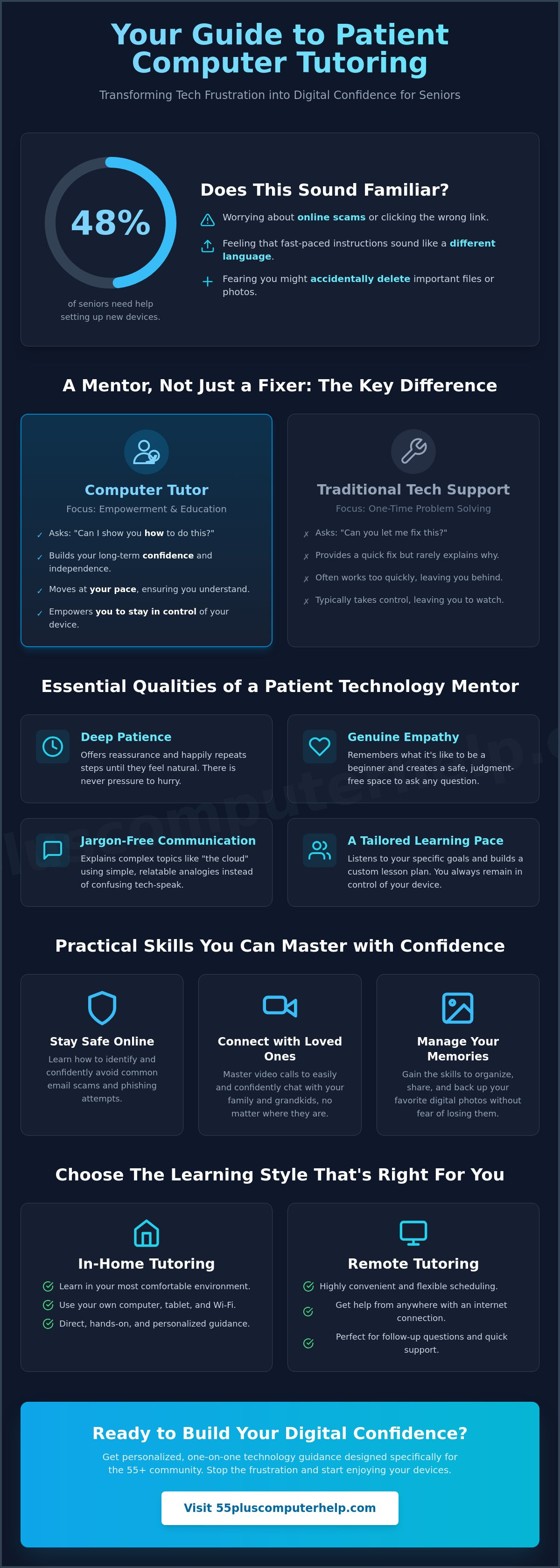
Last week, Mary sat at her kitchen table staring at her new tablet. She felt more confused than capable. Her grandson tried to help, but he talked so fast it felt like a different language. If you have ever felt that same knot of frustration, you are not alone. Research shows that 48% of seniors need help setting up new devices. It is hard to feel secure when you worry about online scams or accidentally deleting your favorite photos.
You deserve a learning experience that is calm and rewarding. This guide explains how to find a patient computer tutor who makes technology easy to understand. We will show you how to choose a mentor who respects your pace and listens to your concerns. You will learn where to look for reliable assistance and what to expect from tutoring sessions in 2026. Our guide helps you gain the skills to video call your grandkids and manage your digital life with total confidence.
Key Takeaways
- Understand the difference between a technical repair service and a mentor who focuses on teaching you how to use your own devices.
- Identify the essential qualities of a patient mentor who uses plain English instead of confusing industry jargon.
- Discover how a computer tutor can help you safely spot email scams and confidently video call your family.
- Compare the benefits of in-home learning versus remote sessions to choose the most comfortable environment for your needs.
- Learn how personalized guidance designed for the 55-plus community transforms technical frustration into a sense of accomplishment.
What is a Computer Tutor and How Do They Help Seniors?
A computer tutor is a professional mentor who provides personalized, one-on-one guidance. They don't just fix a problem and leave. Instead, they sit with you and explain how your devices work. This type of support focuses on your specific needs and interests. You might want to learn how to organize digital photos or how to join a video call. A tutor makes these tasks feel easy and manageable.
The primary goal of tutoring is to help you achieve digital literacy. This means you gain the skills and confidence to use technology in your daily life. Unlike a classroom setting, these sessions move at your preferred pace. You can ask as many questions as you need. There is no pressure to hurry. This personalized approach ensures that you feel comfortable and secure every step of the way.
The Difference Between Tech Support and Tutoring
Standard tech support is designed to fix a broken device. If your computer won't turn on, you call support. They provide a quick technical fix, but they rarely explain what happened. A computer tutor does the opposite. They empower you to handle the technology yourself. Instead of asking "can you fix this?", you learn to say "can you show me how to do this?". This shift in mindset builds long-term confidence. You stop relying on others and start enjoying your independence.
Why Seniors Benefit from Specialized Instruction
Seniors often face unique challenges that younger teachers might overlook. For example, smaller text can be hard to read. Using a touch screen requires specific dexterity. A specialized mentor understands these concerns. They know that repeating steps is essential for building muscle memory. Working with a patient expert ensures that your learning experience is stress-free.
- Instruction is tailored to vision and hearing needs.
- Steps are practiced until they feel natural.
- Every question is welcomed in a safe, judgment-free space.
Learning feels better when you aren't afraid of making a mistake. A patient mentor creates an environment where you can explore your tablet or smartphone safely. This supportive atmosphere turns frustration into a sense of accomplishment. You gain the tools to stay connected with loved ones and navigate the digital world with ease.
Essential Qualities of a Patient Technology Mentor
When you look for a computer tutor, technical skill is only half of the equation. You need someone who understands that learning a new device can feel intimidating. The most successful mentors possess deep patience and a genuine desire to see you succeed. They don't get frustrated when you need to repeat a step several times. Instead, they offer reassurance and help you build the confidence to try again. This supportive approach is what transforms a confusing gadget into a helpful tool.
Empathy is just as important as patience. A great teacher remembers what it's like to be a beginner. They recognize that technology can be a source of anxiety, and they work to create a safe environment. Government initiatives like the Digital Connections Program emphasize that this human touch is what makes training effective for seniors. Without a supportive attitude, even the best technical advice can feel cold and confusing. You deserve a teacher who values your comfort as much as the solution.
Jargon-Free Communication
Tech-speak is often the biggest barrier to learning. Words like "cloud," "syncing," or "drivers" can sound like a different language. A patient mentor uses relatable analogies to bridge the gap. They might compare a computer folder to a physical filing cabinet or an email address to a house address. This helps you understand the "why" behind every action. If you want to learn in a supportive environment, you can find a patient mentor with 55 Plus Computer Help LLC who speaks your language.
A Tailored Learning Pace
One-size-fits-all lesson plans usually fail older adults. Everyone has different goals and comfort levels. Some people want to master social media, while others just want to print recipes. A good mentor creates a custom plan just for you. They also prioritize short, focused sessions to prevent information overload. A key part of this process is making sure you drive. A tutor should never take the mouse or tablet out of your hand. Doing the work yourself is the best way to build muscle memory and lasting confidence.
- The tutor listens to your specific goals before the lesson starts.
- Instructions are broken down into simple, manageable steps.
- You always stay in control of your own keyboard and screen.
Finding a computer tutor who understands these needs is the first step toward digital independence. When the teacher is patient and the language is clear, the technology stops being a burden. It becomes a bridge to your family and your interests.
Practical Skills You Can Master with Personalized Help
Many technical courses focus on getting a job or earning a certificate. But for most adults over 55, the goal is simply to make life easier and more fun. A computer tutor helps you master the tools you use every day. You don't need to learn how to code or build a database. You just want to see your grandchildren's faces on a screen or send a quick photo of your garden. These practical skills are what truly matter for your daily independence.
Staying Connected with Family
Seeing family shouldn't be a struggle. A patient mentor can help you set up FaceTime, Zoom, or Skype on your tablet or smartphone. You will learn how to join a call without the audio cutting out. We also cover social media basics. Facebook and Instagram are great for seeing family updates, but they can be confusing at first. Your tutor will show you how to scroll through photos and leave comments safely. You can also master sending text messages with attachments like videos or pictures so you never miss a moment.
Digital Safety and Security
Fear of scams is a major reason seniors avoid the internet. Research from 2026 shows that 77% of seniors would need assistance to use a new social media site, often due to security worries. A computer tutor teaches you how to recognize the red flags of a phishing email. You will learn why a bank will never ask for your password over the phone. Creating strong passwords that are easy to remember is another key skill. If you ever suspect your device has been compromised, you should seek professional virus and malware removal to protect your personal data.
Managing your digital life also includes keeping your inbox organized. We provide detailed guidance on email setup and troubleshooting for seniors so you never miss an important message. Beyond email, you can learn to organize and share digital photos. Many seniors have thousands of pictures sitting on their phones but don't know how to send them to a friend or print them for an album. A mentor shows you how to create folders and back up your memories so they are never lost. Mastering these skills turns your computer from a source of stress into a helpful companion.
Choosing the Right Format: In-Home vs. Remote Tutoring
Deciding how you want to learn is just as important as what you want to learn. Some people feel most comfortable with a mentor sitting right next to them at their own desk. Others prefer the speed and convenience of a video call. In 2026, the average rate for a professional is $24.61 per hour. However, specialized support for seniors typically ranges from $25 to $80 per hour depending on the format you choose. Understanding these options helps you find the best fit for your budget and your personal learning style.
Many seniors find that a hybrid model offers the most flexibility. You might start with an in-home visit to get your computer setup and printer setup handled correctly. Once your equipment is ready, you can switch to shorter remote sessions for quick questions or monthly check-ins. This approach ensures you always have the support you need without feeling overwhelmed by a long lesson. It also allows you to manage your costs while keeping your digital skills sharp.
The Benefits of Onsite Visits
Onsite visits are often the best choice for beginners who need help with physical equipment. A mentor can check your connections and make sure your Wi-Fi signal is strong throughout your home. They can also help with the ergonomic setup of your computer station to ensure you are comfortable while you work. This face-to-face time builds a strong bond of trust. You can see their expressions and hear their encouragement clearly, which helps reduce the anxiety of learning something new.
When Remote Assistance Makes Sense
Remote assistance is a great tool for software-only tasks or urgent troubleshooting. If you just need help with an email attachment or a software update, a 30-minute remote session is very efficient. It often costs less than an in-home visit because there is no travel time involved. Learning how to share your screen is a valuable skill in itself. Your computer tutor can see exactly what you see, which allows for faster solutions. For these shorter lessons, our personalized remote computer support is a perfect way to get help exactly when you need it.
Evaluating your personal goals will help you decide which path to take. If you are setting up a new smart home device or a printer, an in-home visit is likely the best starting point. If you already have your equipment working and just want to learn a new app, remote tutoring is a smart and affordable choice. Both formats provide the patient, one-on-one guidance that makes technology feel easy and rewarding.
Building Digital Confidence with 55 Plus Computer Help LLC
Technology should empower you, not make you feel small. At 55 Plus Computer Help LLC, we specialize in the specific needs of the senior community across the country. We believe that everyone has the ability to learn new digital skills when they have the right support. Our mission is to transform your technical anxiety into a sense of pride and accomplishment. You deserve a computer tutor who respects your life experience and understands your learning style.
Transparency is a hallmark of our service. We offer a clear and simple pricing model of $55 per half hour. You never have to worry about hidden fees or complicated service contracts. This approach allows you to book exactly as much time as you need to solve a specific problem or learn a new skill. Whether you choose in-home assistance or a remote session, our scheduling is flexible to fit your lifestyle. We prioritize your peace of mind as much as the technical fix.
Our Senior-First Philosophy
We have been dedicated to helping seniors since 2014. Over the last decade, we've learned that technical skill is secondary to human connection. We never get frustrated and we never rush through a lesson. Our "Patient Mentor" approach creates a safe space where you can explore your devices without fear. One of our clients, Mrs. G, recently told us that she finally felt "in control" of her digital life after years of feeling left behind. This humanizing touch is what makes our personalized, relationship-based service different from a corporate help desk.
Getting Started with Your First Lesson
Taking the first step is often the hardest part, but we make it easy. We suggest identifying your top three goals for our first meeting. Maybe you want to organize your email inbox, learn how to back up your family photos, or get your printer working again. Focusing on these specific tasks ensures you see immediate results. This targeted approach helps you build momentum and stay motivated as you learn.
- Ensure your smartphone, tablet, or laptop is fully charged before we start.
- Write down your passwords in a safe place so they are ready to use.
- Clear a small, quiet area at a table where you can work comfortably.
You can book a friendly consultation today to begin your journey toward digital freedom. A computer tutor will guide you through the process at a pace that feels right for you. We are here to help you turn your computer into a tool for a better, more connected life. Let's work together to build your confidence and make technology a rewarding part of your daily routine.
Start Your Journey Toward Digital Confidence
Mastering your devices doesn't have to be a source of stress. You have learned that the right computer tutor focuses on your comfort and specific goals rather than just fixing a technical problem. Whether you want to share photos with family or stay safe from online scams, personalized guidance makes the process easy. Remember that choosing between in-home visits and remote support depends on your unique needs and what makes you feel most at ease.
Since 2014, we have helped seniors navigate the digital world with confidence. Our transparent pricing of $55 per half hour ensures you know exactly what to expect. We provide friendly, expert assistance right in your own home or through a secure remote connection. You don't have to struggle with technology alone any longer. We are here to translate the digital world into plain English just for you.
Get Patient, Friendly Computer Help Today and see how rewarding learning can be. It's never too late to gain new skills and enjoy the benefits of staying connected. We look forward to helping you feel secure and successful with your technology.
Frequently Asked Questions
How much does a professional computer tutor cost for seniors?
Average rates for a professional in 2026 are about $24.61 per hour, though specialized senior support often ranges from $25 to $80 per hour. At 55 Plus Computer Help, our transparent pricing is $55 per half hour. This allows you to get the specific help you need without committing to long, expensive blocks of time. You only pay for the expert guidance you actually use during your session.
Can I learn how to use a computer if I have never touched one before?
You can absolutely learn to use a computer even if you have never touched one before. A patient mentor starts at the very beginning by showing you how to turn the machine on and move the mouse. We focus on building your confidence through simple steps and plenty of repetition. There are no "silly" questions here. We move at your pace to ensure you feel comfortable with every new skill.
Do you provide help with smartphones and tablets as well as computers?
Yes, we provide comprehensive training for smartphones and tablets in addition to traditional computers. Whether you have an iPhone, an Android device, or an iPad, we can help you navigate the settings and apps. We show you how to send texts, take photos, and stay connected with your family. Learning to use these mobile devices is a great way to stay active in the digital world.
Will a tutor come to my house or is it only online?
A computer tutor can visit you at your home in Denver or provide assistance through a remote online connection. In-home visits are excellent for setting up physical equipment like printers or routers. Remote support is a convenient option for quick software questions or email troubleshooting. You can choose the format that makes you feel most secure and comfortable in your own environment.
How many lessons will I need to become confident with my device?
The number of lessons you need depends entirely on your personal goals and current comfort level. Some seniors feel confident after just one or two sessions focused on a specific task like video calling. Others prefer a regular monthly check-in to learn new skills and keep their devices running smoothly. We tailor every lesson plan to your specific needs so you never feel rushed or overwhelmed.
Can a computer tutor help me set up a new printer or Wi-Fi?
Yes, helping you set up a new printer or troubleshooting your Wi-Fi connection are core parts of our service. We ensure your devices are communicating correctly and that your internet signal is strong throughout your home. A computer tutor can also help with smart home device setup and software installations. We make sure everything is working perfectly before the session ends so you can use your technology without stress.
Is it safe to let a tutor access my computer remotely?
It is very safe to use remote access when you work with a trusted and verified professional. We use secure, industry-standard software that requires your permission before any connection is made. You can see everything the tutor is doing on your screen at all times. You also remain in total control and can end the session whenever you like. This is a fast and reliable way to get help with software or email issues.
What happens if I forget what I learned after the session ends?
It is completely normal to forget a few steps after a lesson ends. We encourage you to take notes during our time together, and we can provide simple written guides for common tasks. Repetition is a key part of our teaching philosophy. If you feel stuck later, we are always available for a quick follow-up session to refresh your memory and rebuild your confidence.


