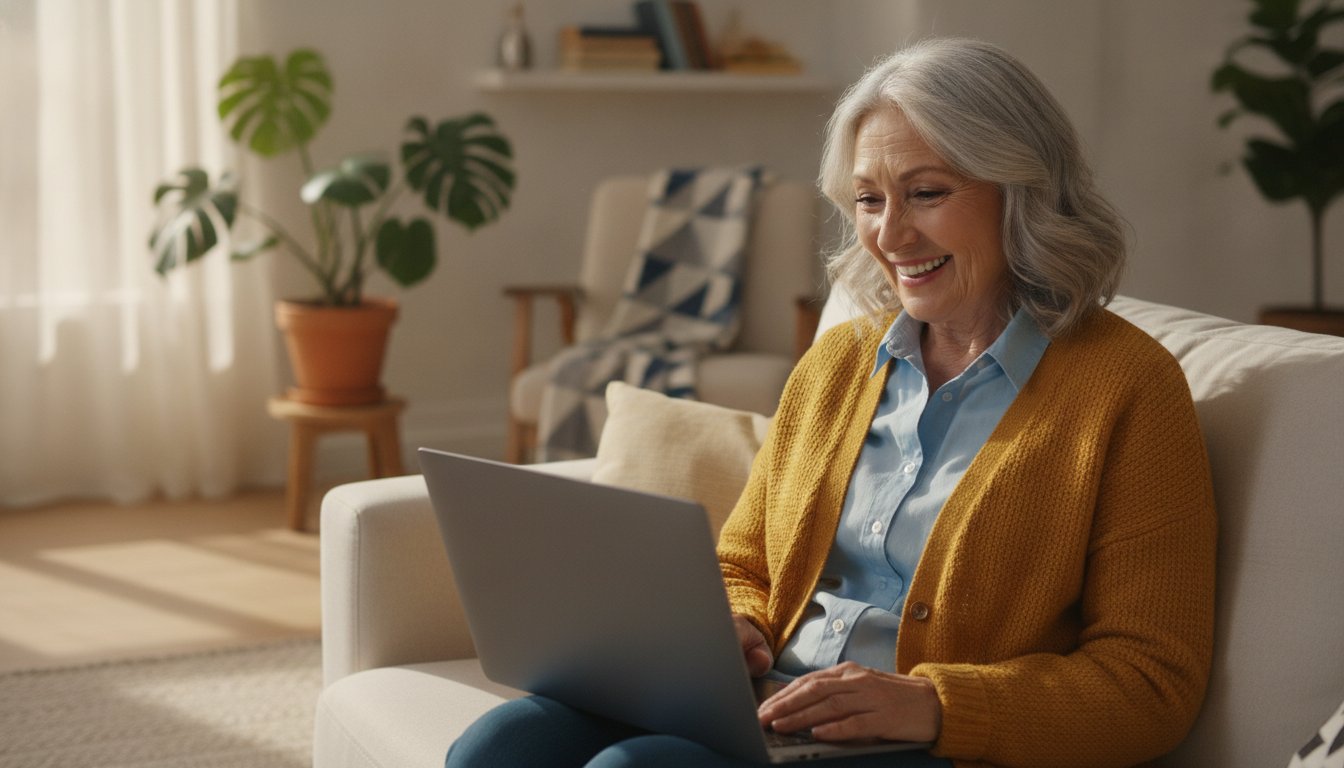
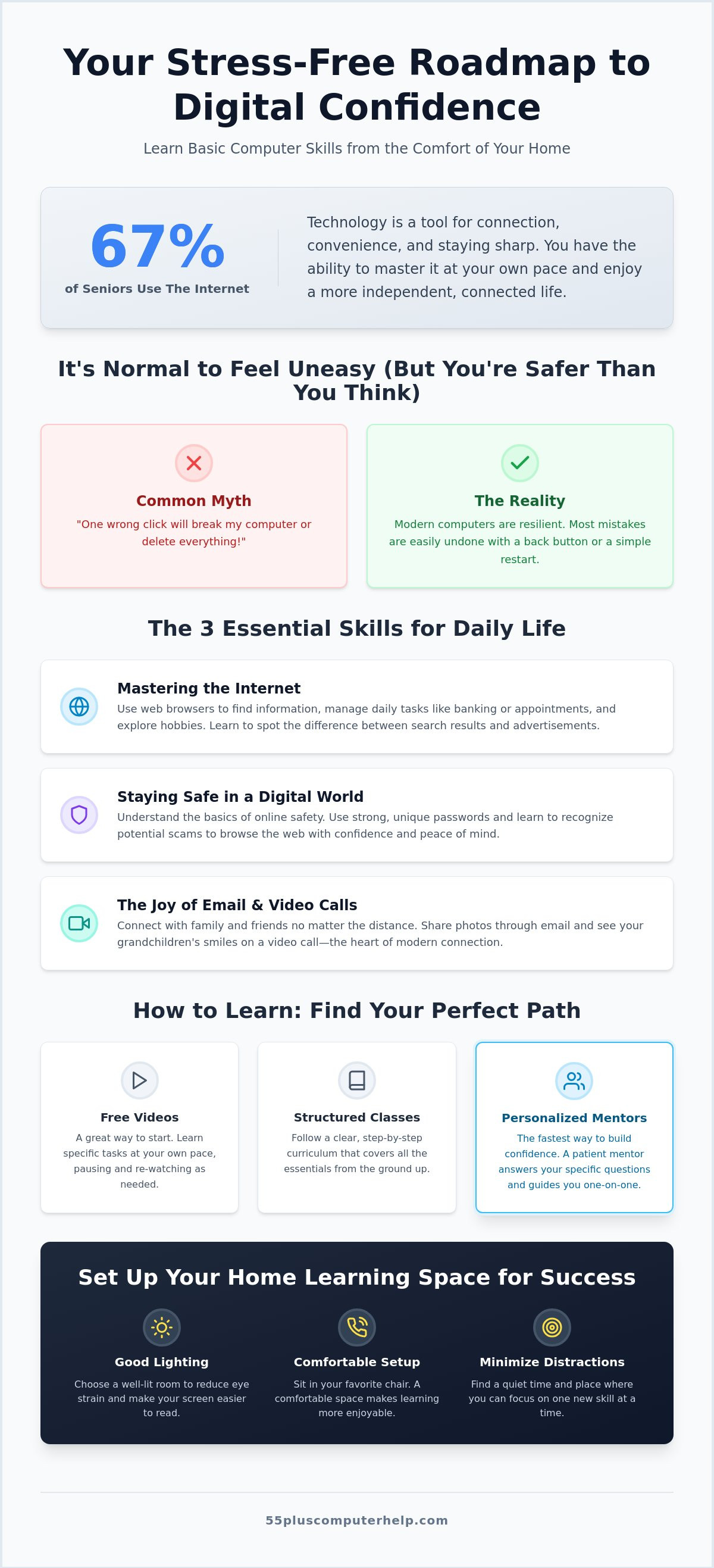
Imagine sitting in your favorite armchair and seeing your grandchild's smile on a video call without needing to call for help first. It is a wonderful feeling to be independent. You can discover how to learn basic computer skills at home without the fear of "breaking" the machine or getting lost in confusing jargon. Research from 2026 shows that 67% of seniors now use the internet, and three-quarters of those go online every single day. You have the same ability to master these tools at your own pace.
We know that technology often feels like a foreign language. It is normal to feel a bit overwhelmed or worry about being a burden to your family. This guide offers a stress-free roadmap to mastering your devices from your own living room. We will show you how to spot email scams instantly, use the internet for daily tasks, and connect with loved ones with confidence. You will find that staying safe and connected is much simpler than it seems. Let's start this journey together.
Key Takeaways
- Understand why feeling overwhelmed by technology is normal and learn why you cannot "break" your computer just by clicking.
- Master essential skills like safe internet navigation and video calling to stay connected with your family and friends.
- Explore practical ways on how to learn basic computer skills at home using free videos or structured online classes.
- Create a comfortable learning environment that reduces eye strain and helps you focus on your new digital skills.
- Discover how personalized support from a patient mentor can build your confidence faster than self-study.
Starting Your Digital Journey: Overcoming the Fear of Technology
It is completely normal to feel a bit uneasy when you sit down in front of a computer. The world of technology moves quickly; it can feel like everyone else already knows the rules. If you feel overwhelmed, you are not alone. Many people worry that one wrong click will "break" the system or delete important files. In reality, computers are much more resilient than they seem. You can explore and click with confidence knowing that most mistakes are easily fixed. There is almost always a way to go back or start over.
When you look at how to learn basic computer skills at home, it helps to view the machine as a tool for connection. It is not just another chore on your to-do list. It is a gateway to seeing your family's faces and managing your life with ease. Taking things one skill at a time prevents burnout. It makes the process enjoyable rather than stressful. Think of it like learning to drive a car. You don't need to be a mechanic to get to the grocery store; you just need to know how to steer and when to brake.
Why It is Never Too Late to Learn
Learning new things is one of the best ways to keep your mind sharp and healthy. Digital literacy provides a wonderful boost to cognitive health by challenging your brain in new ways. Beyond the mental benefits, there is the simple joy of connection. You can find old friends from years ago or see photos of your grandchildren the moment they are posted. Technology also makes daily life much more convenient. In 2025, 46% of older adults used medical services online to manage their health. You can refill prescriptions, check your bank balance, or order groceries without leaving your favorite armchair. These small steps lead to a greater sense of independence and self-assurance.
Common Myths About Seniors and Computers
One common myth is that you need a "math brain" to understand technology. This is simply not true. You only need to learn how to use the buttons that matter to you. Another fear is that every link is a security risk. While safety is important, understanding what computer literacy means helps you recognize real threats from harmless buttons. Even the most advanced tech experts started exactly where you are right now. They made mistakes, asked questions, and learned by doing. With a patient approach, you will find that discovering how to learn basic computer skills at home is a rewarding journey that you are fully capable of completing.
The 4 Essential Computer Skills Every Senior Should Know
Many online guides focus on business tasks like typing speed or using complex spreadsheets. For most people, those skills are not the priority. You want to use technology to enrich your daily life and stay close to the people you love. Learning how to learn basic computer skills at home is about mastering the specific tools that bring you joy and peace of mind. We focus on the lifestyle skills that matter most to your generation. These four areas will give you the foundation you need to feel confident every time you turn on your device.
Mastering the Internet and Web Browsers
A web browser is your window to the world. It is the program you use to visit websites and find information. You can use search engines to get answers to almost any question imaginable. It is helpful to know the difference between a helpful website and an advertisement. Advertisements often appear at the very top of your search results. They usually have a small "Sponsored" label next to them. Once you can tell these apart, you can explore the internet with much more ease and clarity.
Staying Safe in a Digital World
Security is a very common concern for new learners. Malware is harmful software designed to damage your computer or steal your private information. To stay secure, you should use strong and memorable passwords for your accounts. Avoid using simple words or your birth date. If you ever worry that your device is acting strangely, you can read our detailed guide on virus and malware removal. Understanding these risks helps you browse without the constant fear of making a mistake.
The Joy of Email and Video Calls
Email and video calls are the heart of modern connection. When you send an email, you can attach a digital photo to share a special moment with a friend. If you need assistance getting your account running, we offer a complete resource on email setup and troubleshooting. For video calls, try to sit in a well-lit room. This ensures your grandkids can see your face clearly during your chat. These tools make the distance between family members feel much smaller.
Finally, learning to organize your files is a wonderful way to preserve memories. You can create digital folders to keep your family photos tidy and easy to find. This prevents your pictures from getting lost in a cluttered downloads folder. If you ever feel stuck while trying to figure out how to learn basic computer skills at home, a patient mentor from 55 Plus Computer Help can walk you through these steps with a friendly smile.
Best Ways to Learn Computer Skills at Home in 2026
Finding the right method to study is just as important as the skills themselves. You have many choices available today, ranging from free videos to private lessons. When you explore how to learn basic computer skills at home, it helps to match the method to your personal learning style. Some people prefer to watch and repeat, while others feel more comfortable with a guide who can answer questions in real time. In 2026, many organizations offer free digital literacy programs. For example, Senior Planet from AARP provides a "Computer Basics for Older Adults" course that runs through August 7, 2026. These types of structured programs are excellent for building a strong foundation.
Using Free Online Resources Effectively
YouTube is a popular place to start because it is free and visual. You can find thousands of tutorials by searching for terms like "slow-paced computer lessons for beginners." This helps you find teachers who speak clearly and avoid technical jargon. One of the best tips is to use the pause button frequently. Watch a small step, pause the video, and then try it on your own computer. This hands-on practice helps the information stick. However, be careful of sites that look like "free" learning hubs but are actually filled with confusing advertisements. If a site asks for your credit card or shows flashing pop-up windows, it is best to close that page and look elsewhere.
The Advantage of One-on-One Training
While videos are helpful, they cannot see your screen or explain why your specific mouse is double-clicking by mistake. This is where personalized training shines. A patient mentor can sit with you, either physically or through a virtual connection, to walk you through your exact needs. Personalized lessons are often much faster than generic courses because you don't waste time on things you already know. If you want to learn how to learn basic computer skills at home to specifically talk to your family, a mentor can focus entirely on that goal. They can tailor the instruction to your specific device, whether you use a Mac with OS 11 or a PC with Windows 11. Having a trusted expert by your side transforms a frustrating afternoon into a successful learning experience.
Setting Up Your Home Learning Space for Success
Your surroundings play a big part in how well you absorb new information. When you are figuring out how to learn basic computer skills at home, a quiet and well-lit corner is your best friend. Good lighting reduces eye strain and helps you stay focused on the screen. It is also helpful to choose a spot away from the television or loud household activities. A calm environment makes it much easier to listen to a tutorial or practice a new task without feeling rushed.
Before you begin a lesson, check your internet connection. A stable connection ensures that your videos don't freeze and your searches load quickly. In 2023, about 4.1% of adults aged 65 and over only had access to the internet through a phone. If you are using a computer, a steady Wi-Fi signal is essential for a smooth experience. If your connection feels slow, you might want to move your chair closer to your internet router. If you need help with your signal, you can book a session for Wi-Fi troubleshooting to ensure your home is ready for learning.
Adjusting your computer settings can also make your journey much more comfortable. You don't have to squint at tiny text. Most computers allow you to increase the size of fonts and icons with just a few clicks. Making these items larger helps you navigate your desktop with clarity and confidence. It is a simple change that transforms the way you interact with your device every day.
Ergonomics and Comfort
Comfort is key to staying motivated. Ensure your chair is at the right height so your feet rest flat on the floor. This prevents back pain during longer sessions. It is also wise to follow the 20-20-20 rule. Every 20 minutes, look at something 20 feet away for at least 20 seconds. These short screen breaks keep your eyes feeling fresh. For beginners, using a traditional plug-in mouse is often easier than a flat trackpad. A mouse provides better control and makes clicking on small buttons much more precise.
Organizing Your Learning Materials
Keep a physical notebook on your desk to jot down passwords and "how-to" steps. While you are discovering how to learn basic computer skills at home, writing things down by hand helps you remember them better. You can also create a "Tech Folder" to keep any printed manuals or instruction sheets in one place. A physical cheat sheet with your most-used commands is a great tool for quick reminders. You can also learn to bookmark your favorite learning websites so you can return to them with a single click. Staying organized removes the stress of searching for information when you need it most.
Personalized Support: Why a Patient Mentor Makes the Difference
Sometimes, even the best video tutorial leaves you with questions. This is known as the "Help Gap," where a general lesson does not quite match what you see on your own screen. When you want to know how to learn basic computer skills at home, a patient mentor can bridge that gap. 55 Plus Computer Help was created specifically to provide this specialized support for your generation. We understand that you don't want a technical lecture; you want a friendly partner to help you succeed. Personalized training builds your confidence much faster than struggling through a generic online course alone.
With 90% of adults over 50 owning a smartphone in 2026, the need for clear and patient instruction is higher than ever. We don't just fix technical problems; we teach you how to master your devices. Whether you are setting up a new computer or learning to share photos on social media, we are here to help. You can enjoy the peace of mind that comes with professional setup and troubleshooting. Instead of feeling like a burden to your family, you can handle technology with a new sense of independence and self-assurance. Discovering how to learn basic computer skills at home becomes a joyful experience when you have the right support.
What to Expect from a Professional Lesson
Our lessons take place in a calm, jargon-free environment. You will never hear that a question is "too simple" here. We don't follow a rigid syllabus designed for a classroom. Instead, we focus entirely on what you want to do. If you want to learn how to video call your grandkids, that is exactly what we will practice. We provide support for all your devices, including computers, tablets, and smartphones. This individualized approach ensures that every minute of your session is valuable and relevant to your daily life.
Getting Started with Expert Help
Booking a session is a simple and straightforward process. We offer both onsite visits and remote support to fit your comfort level. Our experts can help with a wide range of tasks, from printer setup to secure data backup. We can also assist with software updates or virus removal to keep your system running smoothly. You don't have to face technical challenges alone. Contact 55 Plus Computer Help today for patient, expert guidance and take the next step in your digital journey.
Take the Next Step Toward Digital Independence
You have already taken the first step by learning about the tools available to you. Remember that you cannot break your computer simply by exploring. By setting up a comfortable space and focusing on one task at a time, you are setting yourself up for success. Understanding how to learn basic computer skills at home is the key to staying connected with your family. You can do this.
Since 2014, 55 Plus Computer Help has provided over a decade of specialized expertise for seniors. We focus on jargon-free, patient mentorship designed specifically for those aged 55 and older. We offer national support for remote training and troubleshooting. You deserve to feel confident and independent every time you turn on your device. Book Your Personalized, Patient Computer Lesson Today. You have the ability to master technology at your own pace. We are here to support you every step of the way.
Frequently Asked Questions
Is it safe to learn computer skills by myself at home?
Yes, it is completely safe to learn on your own. You cannot physically harm your computer by clicking the wrong icon or exploring the desktop. The most important thing is to avoid sharing personal information on websites you don't recognize. Using a patient approach helps you build confidence while staying secure in your own living room. Most mistakes are easily fixed with a simple restart.
What is the easiest computer for a senior to learn on?
Many people find that tablets like the iPad are very intuitive because you use your fingers to touch the screen. If you prefer a traditional computer, a laptop with Windows 11 or a Mac with OS 11 are both excellent choices. These systems have built-in "Get Started" guides that walk you through the basics at your own pace. Choose the device that feels most comfortable in your hands.
How long does it take for a beginner to learn basic computer skills?
Most beginners feel comfortable with the basics after a few weeks of consistent practice. If you spend 20 to 30 minutes each day exploring your device, you will notice a big difference in your confidence. Learning how to learn basic computer skills at home is a journey that works best when you don't rush. Taking small steps every day prevents you from feeling overwhelmed or tired.
Do I need to buy expensive software to start learning?
No, you do not need to purchase expensive software to begin. Your computer already comes with a web browser, an email program, and basic security tools. Many wonderful learning resources, like those from Senior Planet or local library programs, are also free to use. You can master the essentials without spending extra money on complicated programs that you might not ever need for your daily tasks.
What should I do if I get a "virus warning" while I am practicing?
If a "virus warning" pops up with a flashing phone number, do not call it. These are often "scareware" ads designed to trick you into feeling panicked. Simply close your web browser or restart your computer to make the message go away. Real security software will never ask you to call a number or pay with gift cards to fix a problem on your machine.
Can I learn how to use a tablet and a computer at the same time?
You can certainly learn both, but it is often easier to focus on one device first. While tablets and computers share some similarities, their buttons and menus are positioned differently. Mastering one device gives you a solid foundation that makes learning the second one much easier. This "one at a time" mindset helps you avoid confusion and keeps your learning experience positive and productive.
How much does it cost to have a personal computer tutor?
The cost of a personal tutor varies depending on your location and the level of expertise you need. some tutors charge by the hour, while others offer fixed-rate packages for specific training goals like email setup or printer installation. It is a good idea to look for a mentor who specializes in working with your age group. This ensures they have the interpersonal skills and patience you deserve.
What are the most important computer skills for someone over 60?
The most valuable skills are those that help you stay connected and safe. Focus on learning how to use email, making video calls to family, and identifying internet scams. Knowing how to learn basic computer skills at home to manage your health or bank online is also very empowering. These practical tasks provide the most immediate benefits for your independence and help you feel more self-assured every day.


