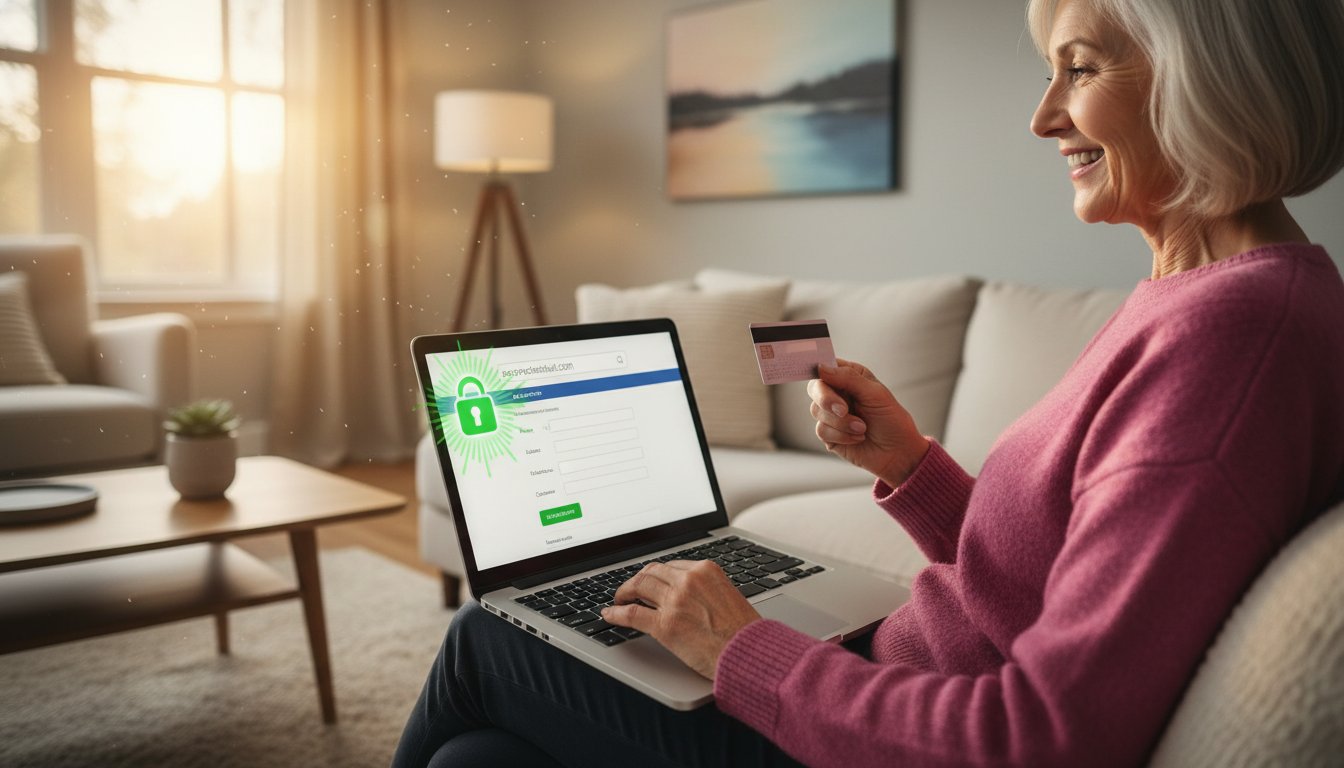
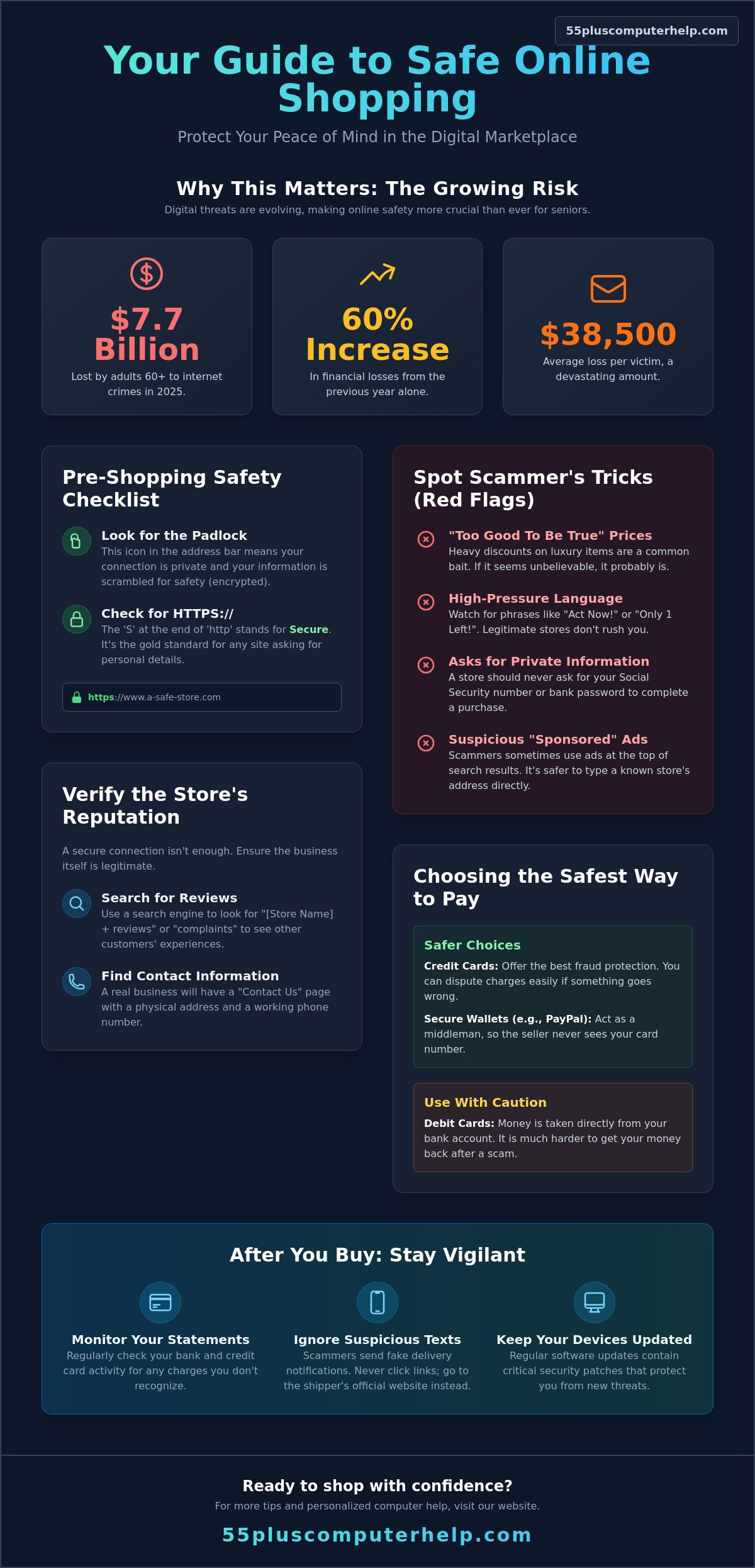
In 2025, adults aged 60 and over reported losing a staggering $7.7 billion to internet crimes. This represents a 60% increase from the previous year, showing just how quickly digital threats are evolving. It's completely natural to feel nervous when a website asks for your credit card number or personal details. With average losses per victim reaching $38,500 last year, learning how to safely shop online is more important than ever. Your caution is actually your best tool for staying safe; you shouldn't have to give up the convenience of home delivery just to feel secure.
You deserve to shop for groceries or holiday gifts with complete confidence and peace of mind. This guide will teach you simple, repeatable steps to protect your identity and your bank account from modern scammers. We'll clear up the confusion around technical symbols like the "lock" icon and show you exactly how to spot a fake website before you ever click "buy." By the end of this article, you'll have the skills to manage your own orders independently while keeping your financial information tucked away from prying eyes.
Key Takeaways
- Enjoy the freedom of having heavy groceries or unique gifts delivered directly to your front door.
- Learn how to safely shop online by recognizing the "padlock" icon and other signs of a secure website.
- Protect your bank account by choosing payment methods that offer built-in fraud protection and easy dispute options.
- Follow a simple routine to check your computer updates and Wi-Fi security before you start browsing.
- Stay in control after your purchase by monitoring your statements and ignoring suspicious delivery text messages.
Why Online Shopping is a Wonderful Tool for Seniors
Online shopping is more than just a modern convenience. It's a powerful tool for maintaining your independence. Think about the physical effort of a typical shopping trip. You have to drive through traffic, find a parking spot, and walk through long aisles. For many, the hardest part is lugging heavy bags of groceries or large gifts from the trunk to the front door. When you shop from home, those heavy items come directly to you. This simple change can save you a great deal of physical energy and keep you safer at home.
Beyond the physical benefits, the internet offers a variety of products that local shops simply can't match. Perhaps you have a specific hobby or need a particular brand of tea that your local grocer stopped carrying. The digital marketplace connects you to every specialty store imaginable. It's completely normal to feel a bit of "tech-anxiety" when you first try this. Learning how to safely shop online is a new skill, much like learning to drive a car or use a new kitchen appliance. Once you understand the basic steps, that initial confusion will be replaced by a sense of accomplishment.
Treating the Internet Like a Digital Main Street
It helps to visualize the internet as a digital version of a friendly town square. When you visit a website, you are essentially walking into a storefront. Some sites are like massive department stores, while others feel like small, local boutiques. You are always in total control of the experience. You can "walk in" by clicking a link and "walk out" at any time by closing your browser window. There's no pressure from salespeople and no one is rushing you. You can take twenty minutes or two hours to look at a single item. For a helpful Online Shopping Overview, you can see how these digital stores have changed over time to become more user-friendly.
Common Red Flags to Watch For
Just like in the physical world, it's wise to keep an eye out for anything that feels "off." Scammers often use specific tactics to trick people. If you see a price that looks too good to be true, it probably is. A brand-new luxury item sold for pennies on the dollar is usually bait for a scam. You should also watch out for high-pressure language. Legitimate stores don't need to scream "Act Now!" or "Only 1 Left!" to get your business. These phrases are designed to make you stop thinking clearly. Most importantly, remember that no real store will ever ask for your Social Security number to sell you a toaster or a sweater. Knowing these signs is the first step in understanding how to safely shop online with total peace of mind.
How to Tell if a Website is Safe and Secure
When you share your credit card information, you want to know it stays between you and the store. A secure website uses a special digital envelope to keep your details private while they travel through the internet. This encryption ensures that prying eyes can't read your personal data. Understanding these technical markers is a core part of how to safely shop online with confidence.
Look at the address bar at the very top of your browser window. You should see a small padlock icon next to the website name. This icon means your connection is private. You should also look for "HTTPS" at the start of the website address. The "S" stands for secure. It's the gold standard for any page where you enter your name, address, or payment details. An SSL certificate is a digital passport that verifies a website's identity.
You shouldn't rely on the padlock alone, though. The padlock only means your connection is private; it doesn't prove the store is run by honest people. Scammers can sometimes get a padlock for their fake sites too. That's why you need to look at the store's reputation before you click the buy button.
Verifying the Store's Reputation
Before you buy from a new site, do a little detective work. Use a search engine to look for the store's name followed by the word "reviews" or "complaints." This helps you see what other people experienced. Always visit the "Contact Us" page. A legitimate business will list a physical address and a working phone number. If you're just starting out, sticking to big-name retailers is a smart choice. These companies have massive security teams working to protect you. You can find more Safe Online Shopping Tips to help you feel even more prepared.
Avoiding the 'Ad Trap'
Search engines often show "Sponsored" results at the very top of the page. These are paid advertisements. While many are fine, scammers sometimes use these ads to trick people into visiting fake websites. It's much safer to type the store's name directly into the address bar if you know it. If you find that your browser is filled with strange ads or slow performance, it might be time for virus and malware removal. Keeping your computer clean ensures that fake ads don't lead you astray while you learn how to safely shop online. If you'd like a patient mentor to help you set up your device, personal technology support can provide the guidance you need.
Choosing the Safest Way to Pay Online
Picking the right way to pay is a huge part of learning how to safely shop online. It acts as your final line of defense if a store turns out to be less than honest. Most experts agree that credit cards are the gold standard for digital purchases. They provide a level of protection that your everyday debit card simply cannot match. If you ever feel unsure about how to enter your details, smartphone and tablet training can help you feel more comfortable with these digital tools.
The main difference comes down to whose money is at risk. When you use a debit card, the money leaves your personal bank account immediately. It's your hard-earned cash. If a scammer gets those details, your rent or grocery money could vanish before you notice. With a credit card, you're technically using the bank's money first. This gives you time to catch errors and stop a payment before you actually owe anything. Following Online Shopping Best Practices ensures you stay ahead of these risks by choosing the right tools for the job.
You should also consider third-party payment services like PayPal. These services act as an extra layer of privacy. They pay the store for you so the retailer never actually sees your credit card number. It's a great way to keep your information hidden. On the other hand, you should never pay for an order using cash, wire transfers, or gift cards. Scammers love these methods because they are like handing over an envelope of cash in a dark alley. Once the money is sent, it's gone forever and you cannot get it back.
Why Credit Cards Win Every Time
Most major credit cards come with "Zero Liability" policies. This means if someone steals your card number, you aren't responsible for the fraudulent charges. You can also set up transaction alerts on your phone. Every time your card is used, you'll get a quick text or notification. It's a great way to stay in control of your finances in real-time. If an item arrives broken or never shows up at all, you can "dispute the charge." The bank will investigate the issue and often put the money back in your account while they work on the case.
The Danger of Storing Your Information
When you finish a purchase, many sites ask to "save my card for later." It's tempting to click that box to save time. However, it's much safer to type your card details in each time, especially on sites you don't use often. If that store ever has a security leak, your card won't be in their files. You can manage your saved passwords and payment info safely within your browser settings to keep your workspace tidy. Taking these extra seconds is a small price to pay for your long-term security. Learning how to safely shop online is about building these small, protective habits over time.
Your Step-by-Step Guide to Making a Safe Purchase
Learning how to safely shop online is easiest when you have a clear, chronological plan. You don't need to be a technical expert to do this well. You just need to follow a few simple steps in a specific order. Think of this as your pre-shopping checklist that ensures every transaction is secure and organized.
Once you've prepared your device, use the search bar on a trusted site to find exactly what you're looking for. Take a moment to read "verified" customer reviews. These are written by people who actually purchased the item. They can tell you if the product matches the description or if the shipping was slow. When you find the right item, click "Add to Cart." Before you move to the final step, open your cart and review it carefully. Check your quantities. It's easy to accidentally add two of the same item. Look for the total price, including any shipping costs, so there are no surprises later.
Preparing Your Device for Shopping
Before you even open a store's website, check your surroundings. Always shop from your own home using your private connection. Public Wi-Fi at a library or coffee shop is like discussing your bank details in a crowded room; anyone nearby could potentially "overhear" your data. If your connection feels slow or unreliable, internet and wi-fi troubleshooting can ensure your home network is secure and ready for browsing. Also, check that your antivirus software is active and showing a green "protected" status. Finally, close any extra tabs in your browser. This helps you stay focused and prevents accidental clicks on unrelated pages.
Completing the Transaction
When you're happy with your cart, proceed to the checkout. You'll enter your shipping and payment info on a secure page. Many stores offer a "Guest Checkout" option. This is a great choice if you don't plan to shop there often. It means you don't have to create a new password or share extra personal data. If the page freezes while you're paying, stay calm and wait a full minute. Don't click the "Submit" or "Pay" button twice. Clicking twice might cause the store to process your order two times. If you're ever worried that your computer isn't handling these tasks correctly, software installation and updates can help your browser run smoothly.
After you click pay, wait for the confirmation screen. It should show your order number. You can print this page or save it for your records. Finally, check your inbox for a confirmation message. Proper email setup is vital so you can receive your digital receipt and tracking updates. If you haven't seen an email within ten minutes, check your "Junk" or "Spam" folder. This simple routine is the most effective way to master how to safely shop online every single time.
Maintaining Your Digital Security After You Buy
Your security doesn't end when you close the browser window. It's important to keep an eye on your bank or credit card statements for at least 30 days after a purchase. Sometimes scammers test a card with a very small charge of just a few cents to see if the account is active. If you see any charge you don't recognize, call your bank immediately. This ongoing attention is a vital part of how to safely shop online while protecting your hard-earned money.
If you share a computer or tablet with a spouse or friend, always remember to log out of your account when you're finished. Simply closing the tab doesn't always sign you out. Clicking "Log Out" or "Sign Out" ensures that your payment info and home address stay private. It's a small habit that provides a large amount of security. If you're ever worried about your digital footprint, data backup and recovery services can help keep your most important files and information organized and safe.
Recognizing 'Delivery Scams'
Scammers often send fake text messages about a "missed delivery" or a "shipping fee." This is often called "smishing." A real update from a company like UPS or FedEx will never ask you to click a random link to pay a surprise fee. Instead of clicking links in a text, go directly to the store's website where you made the purchase. You can find your tracking number there. If a package is marked as delivered but you haven't seen it, contact the store's customer service department directly. This keeps you in control of the conversation and away from fake websites.
Building Your Confidence with a Mentor
Learning how to safely shop online is much easier with a patient mentor by your side. You can practice making a purchase in a guided environment without feeling rushed or overwhelmed. A trusted expert can provide virus and malware removal before you start your holiday shopping. This gives you a clean slate and ensures your browser is free of fake ads or tracking software.
Personalized smartphone and tablet training can help you turn tech-anxiety into total digital independence. You'll gain the skills to use the internet for more than just shopping. You can connect with family through video calls or share photos with friends. Technical support should be an educational experience that empowers you. Having a reliable expert to answer your questions can transform frustration into a true sense of accomplishment and security.
Take the Next Step Toward Digital Independence
You now have the tools to browse the digital marketplace with total confidence. Remember to always look for the padlock icon and stick to credit cards for the best fraud protection. By following a steady, step-by-step routine, you can enjoy the freedom of home delivery without the stress of scams. Learning how to safely shop online is a journey. You don't have to walk this path alone.
Since 2014, our patient, senior-focused mentors have helped people just like you gain mastery over their devices. We offer both in-home and remote assistance to meet your specific needs. Our goal is to empower you to use technology as a helpful tool for a better life. Book a patient, one-on-one technology lesson to master online shopping today!
You have the life experience to spot red flags. Now you have the technical knowledge to back it up. We're here to help you turn that initial tech-anxiety into a true sense of accomplishment. Your digital independence is just one lesson away.
Frequently Asked Questions
Is it safe to save my credit card information on a website like Amazon?
It is generally safe to save your card on very large, well-known sites like Amazon. These companies spend millions on security to protect their customers. However, typing your card details in every time is still the gold standard for your personal safety. This habit prevents your information from sitting in a database where it could be stolen if the store has a security leak.
What should I do if I think I accidentally bought something from a scam website?
Call your credit card company or bank immediately to report the transaction. They can stop the payment or issue you a new card number to protect your account. You should also change your passwords for that store and your email account. Reporting the incident to the FBI's Internet Crime Complaint Center at ic3.gov is another good step for your long-term security.
How can I tell if an email about my order is real or a phishing attempt?
Real order emails will usually include your specific order number and will not ask you to click a link to verify your payment. Look closely at the sender's email address for misspellings or strange characters. If you're unsure, don't click anything in the email. Instead, go directly to the store's official website and log in to check your order status there.
Is it safer to shop on my tablet or my desktop computer?
Both devices are safe as long as they have the latest software updates installed. Tablets are often very secure because their apps are checked by the manufacturer before they're released. Desktop computers are also excellent if you have active antivirus software running. The most important factor is making sure you're on your private home Wi-Fi rather than a public connection.
Why is my browser telling me a website is 'Not Secure'?
This warning means the website is not using a digital envelope to protect your information. It doesn't always mean the site is a scam, but it does mean you shouldn't enter your credit card or address there. Learning how to safely shop online means only sharing your data on sites that show the padlock icon and "HTTPS" in the address bar.
Can I use a gift card to pay for things online to keep my credit card safe?
You should avoid using gift cards as a primary way to pay for online orders. While they feel safe, they offer zero fraud protection if the item never arrives or the site is a scam. Credit cards are much safer because they allow you to dispute a charge and get your money back. Scammers often ask for gift cards because they're impossible to track once they're used.
How do I know if a customer review is real or fake?
Look for a "Verified Purchase" badge next to the reviewer's name to see if they actually bought the item. Be wary of reviews that are all written on the same day or use the exact same phrases. Real reviews usually mention specific details about the product, like how it feels or how it functions. Understanding these small signs is a big part of how to safely shop online without falling for deceptive marketing.
What is a 'Two-Factor Authentication' and should I use it for shopping?
Two-Factor Authentication is an extra security step that asks you to enter a code sent to your phone after you type your password. You should absolutely use it whenever it's offered. It acts like a second lock on your front door. Even if a scammer figures out your password, they won't be able to log in without that special code from your phone. It provides a massive amount of peace of mind for very little effort.


