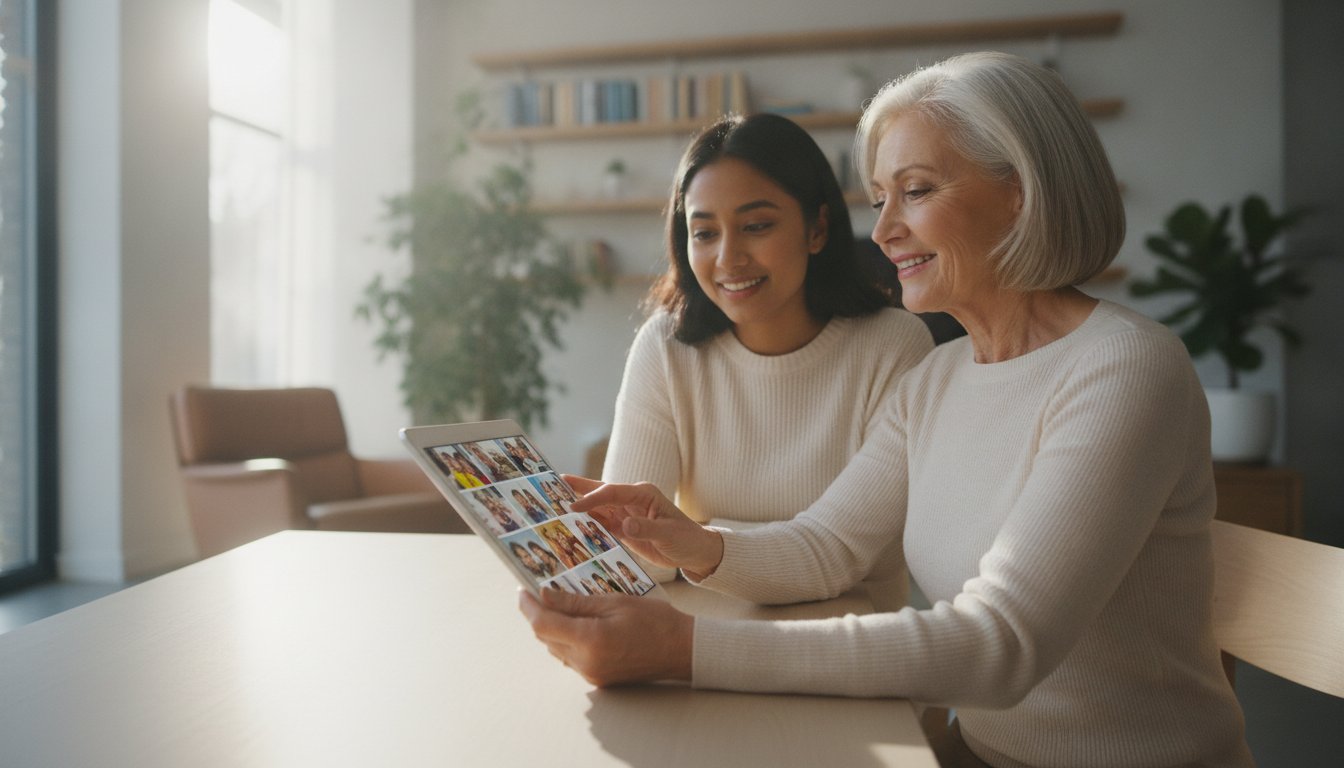
Did you know that 99% of adults over 50 now own at least one piece of modern technology? Even with a smartphone in your pocket, it's easy to feel like the digital world is moving a bit too fast. It's frustrating when family members try to help but move through screens at lightning speed. You want to see photos of your grandkids or join a video call without the stress of technical glitches. This is where one on one computer training for seniors changes everything. You deserve to feel secure when you shop or bank online rather than worrying about the next scam.
We understand that technology should be a tool for connection, not a source of anxiety. You shouldn't have to settle for feeling left behind. This guide explains how working with a patient mentor allows you to master your devices at your own pace. You will learn how to navigate the web safely and use the latest apps to stay close to those you love. We will explore the most effective training methods available in 2026 and show you how to transform technical frustration into a genuine sense of independence and security.
Key Takeaways
- Learn why a personalized pace is more effective than fast-paced group classes for mastering your specific tablet or computer.
- Understand the privacy benefits of private sessions and how they help you feel secure while banking or shopping online.
- Discover how one on one computer training for seniors helps you easily save family photos and navigate your smartphone without frustration.
- Gain confidence by learning the "undo button" philosophy and why it's nearly impossible to "break" your modern devices.
- See how patient mentorship transforms technical confusion into the independence you need to stay connected with your loved ones.
What is One on One Computer Training for Seniors?
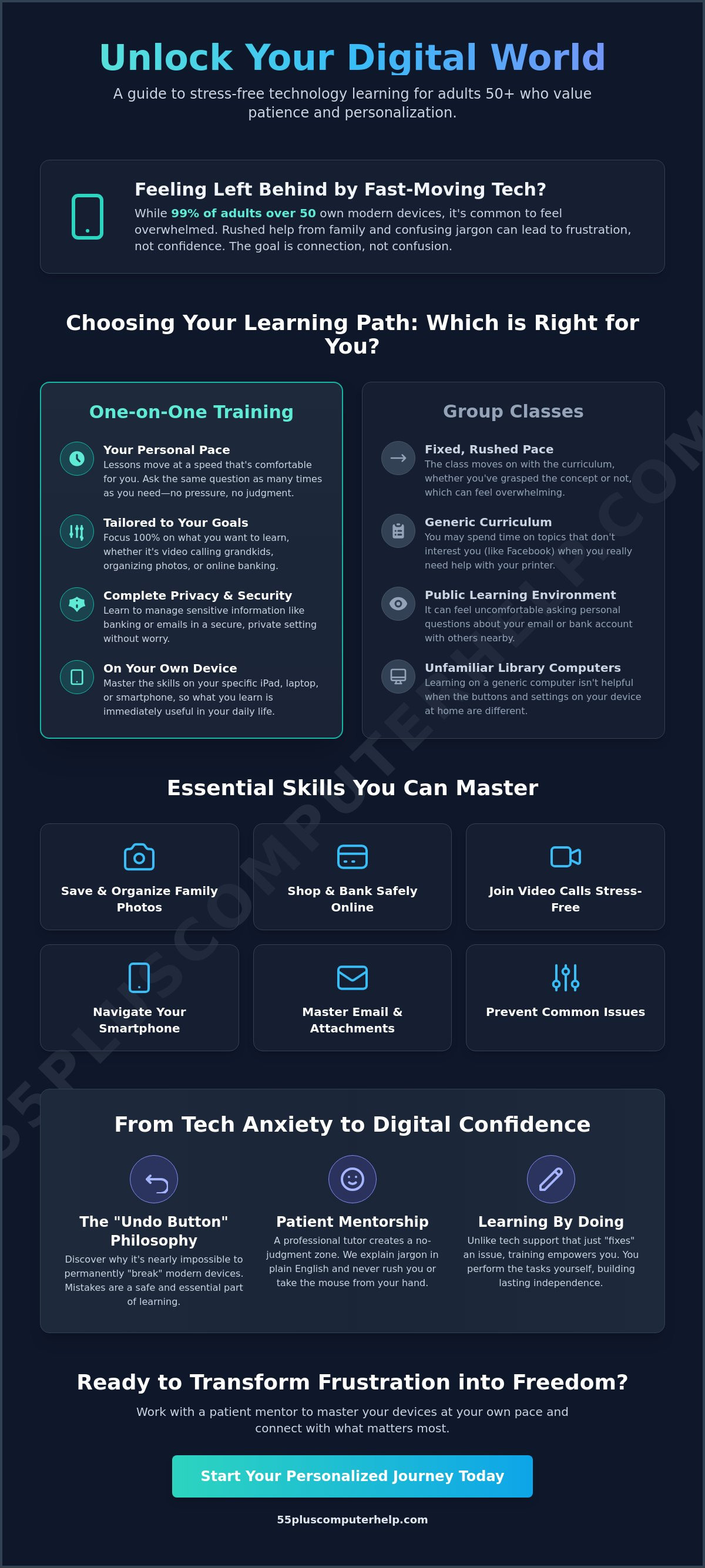
One on one computer training for seniors is a personalized educational experience. It is not like a traditional classroom where everyone follows the same lesson. Instead, this training is tailored to your specific device and your current skill level. Whether you use an iPad, a Windows laptop, or a Samsung smartphone, the lessons focus entirely on what you want to accomplish. This individualized approach acknowledges that every learner starts from a different place. Some people want to learn how to send emails, while others want to organize a lifetime of digital photos. Personalized training ensures you don't waste time on topics that don't matter to you.
Group classes often move at a pace that feels overwhelming. If one person gets stuck, the rest of the class might have to wait, or the teacher might keep going regardless. Private sessions provide a steady, methodical pace. You have the freedom to ask the same question as many times as you need. It's also vital to use your own equipment during these sessions. Learning on a library computer isn't very helpful if your buttons at home look different. By using your own tablet or computer, the skills you learn apply immediately to your daily life.
A professional tutor acts as a technology translator. They take confusing industry jargon and turn it into plain, everyday language. Instead of talking about "cloud synchronization" or "operating system kernels," they focus on how to save your pictures and keep your device healthy. This clear communication helps address the cognitive challenges with technology that can sometimes make learning feel like a burden. With a professional by your side, you get consistent guidance that volunteer programs often lack.
The Difference Between Tech Support and Tech Training
Many people confuse tech support with training, but they serve different purposes. Tech support is a one-time fix. If your printer stops working, a technician fixes it and leaves. You are still stuck the next time a problem occurs. One on one computer training for seniors is different. It focuses on "learning by doing." Under the guidance of a patient mentor, you perform the tasks yourself. This hands-on method builds long-term digital independence. You learn how to prevent common issues before they happen, which breaks the cycle of needing to call for help every week.
Why Patience is the Most Important Tool
We often hear from seniors who feel frustrated when "fast" family members try to teach them. Your children or grandchildren might be experts with phones, but they often move too quickly. They might grab the phone out of your hand to "just do it" for you. This doesn't help you learn. A professional tutor creates a no-judgment zone where there are no silly questions. This patient approach reduces the mental stress that often comes with new software. When you feel safe to make mistakes, you gain confidence much faster.
Personalized Lessons vs. Group Classes: Which is Right for You?
Choosing how to learn about technology is a big decision. Group classes at a local library or community center offer a nice social environment. You can meet other people who are also learning. However, these classes often lack the focused efficiency of private lessons. In a group, the teacher must follow a set curriculum. This means you might spend an hour learning about Facebook when you really want to know how to organize your digital photos. One on one computer training for seniors moves at your speed. You don't have to wait for others, and you don't have to feel rushed if you need a concept explained a second time.
Privacy is another major factor to consider. In a public class, you might feel uncomfortable asking questions about your bank's website or your personal email. You are often sharing a screen or sitting close to strangers. Private sessions offer a secure environment. Your personal information stays private. This security allows you to focus on the task at hand without worrying about who might be looking over your shoulder. If you have specific goals, you will likely progress much faster in a private setting where the tutor focuses entirely on your needs.
It is also helpful to think about the cost-to-value ratio. Free community classes are a wonderful resource for the basics. But your time is valuable. If you spend four weeks in a class and still don't know how to use your printer, that isn't very efficient. Professional tutoring focuses on results. You learn exactly what you need in a fraction of the time. If you want to get started quickly, you can reach out for a patient mentor who can help you reach your goals today.
When to Choose a Private Tutor
There are certain times when a private tutor is the only safe choice. For example, if your computer is acting strangely, you may need professional virus and malware removal. A private tutor can handle these sensitive issues while teaching you how to stay safe in the future. They also get to know your specific home setup. They understand how your specific printer connects to your specific Wi-Fi. Plus, you can schedule lessons at your convenience. You don't have to worry about driving to a class at a fixed time every Tuesday morning.
The Limitations of Free Volunteer Programs
Many organizations offer helpful resources, such as AARP tech classes for older adults. These programs are great for general knowledge. However, volunteer programs can be inconsistent. A volunteer might be a teenager who is very tech-savvy but lacks the patience to explain things slowly. Professional tutors have a deeper understanding of senior-specific needs. They know how to adjust accessibility settings for better visibility or hearing. One on one computer training for seniors with a professional also removes the risk of sharing your screen or personal passwords with unvetted volunteers.
Essential Skills: What You Can Master in Your Training Sessions
When you begin one on one computer training for seniors, the goal is to make your devices work for you. You don't need to learn every single button on your laptop. Instead, we focus on the skills that bring you joy and independence. This might include mastering your smartphone navigation or learning how to use a tablet for the first time. We spend time on the things you will actually use every day. This approach ensures you feel capable and in control of your digital world. Through one on one computer training for seniors, you gain the skills needed to stay connected with your community.
One of the most rewarding goals for many is managing digital family memories. We call this the "Photos for Grandkids" mission. You will learn how to receive photos through text messages or email. We will show you how to save these pictures into organized folders so you can find them later. Seeing a clear photo of a grandchild on your screen is a wonderful feeling. You can even learn how to set your favorite family picture as your device's background. It's about making those memories easy to access whenever you want to see them.
Safety is a priority in every training session. The internet is a wonderful place, but it also has risks. We teach you how to identify common scams and phishing attempts. You will learn the warning signs of a suspicious email or a fake website. Feeling secure while you shop or bank online is essential for your peace of mind. We provide simple, clear rules to follow so you can explore the web with confidence. You'll know exactly what to look for before you click on any link.
Modern technology also makes your home more comfortable. We can help you set up and control smart home devices. This includes learning how to adjust your thermostat or check your video doorbell right from your tablet. These tools provide extra security and convenience. You don't have to be a tech expert to enjoy a smarter home. We make sure these devices are easy to use and respond exactly how you expect.
Mastering Connection: Video Calls and Social Media
Staying in touch with family is easier than ever with the right tools. We provide step-by-step guidance on using Zoom, FaceTime, or WhatsApp. You will learn how to start a call and how to join one when a family member invites you. We also show you how to navigate social media platforms safely. This allows you to see updates and photos from your loved ones without feeling overwhelmed. Social media is a tool for connection rather than a source of stress.
Digital Organization and Data Security
Keeping your digital life tidy is just as important as organizing your home. We help with email setup and troubleshooting for seniors to keep your inbox from becoming a mess. You will also learn about data backup and recovery. This protects your precious photos and documents if your device ever has a problem. Managing passwords is another key skill. We show you how to keep your accounts secure without needing to memorize dozens of complex codes.
Overcoming Tech Anxiety: Building Confidence Step by Step
Many people worry they will "break" their computer by clicking the wrong button. This is a very common fear, but it's almost impossible to do. Modern devices are built to be sturdy and user-friendly. Most mistakes are easily fixed with a simple click. We focus on the "undo" button philosophy. This means showing you that almost every action on a computer or tablet can be reversed. Once you realize you are safe to explore, your anxiety starts to fade away. You can click with confidence knowing that you are in control.
During one on one computer training for seniors, we focus on small wins first. Sending your first text message or opening a family photo might seem small, but these victories build momentum. Each success gives you the confidence to try something more complex. We also use repetition to help your long-term memory. Doing a task several times with your mentor ensures the steps feel natural. You don't have to rush. We stay on one topic until you feel completely comfortable with it. This methodical approach ensures you truly master each new skill.
The "Grandchild Syndrome": Why Family Isn’t Always the Best Teacher
Family members love you, but they often struggle to be patient teachers. This is sometimes called "Grandchild Syndrome." A relative might move too fast or get frustrated when you ask the same question twice. They might even take the device out of your hand to "just do it" for you. This creates a stressful environment that makes it harder to learn. A professional tutor provides a neutral, stress-free space. We are here to support you, not to rush you. You can take pride in showing your family your new skills once you have mastered them at your own pace. If you are ready to start learning without the stress, you can book a patient tutoring session today.
Identifying and Avoiding Scams with Confidence
Scams are a real concern, but you can learn to spot them with confidence. We teach you the red flags of "tech support scams" and fraudulent emails. If a pop-up tells you that your computer has a virus and gives you a phone number to call, it's likely a scam. We empower you to say "no" to these suspicious requests. You will learn to close these windows and ignore fraudulent phone calls. The #1 rule of internet safety is to never give your password to someone who calls you. With one on one computer training for seniors, you gain the tools to protect yourself and your information.
How 55 Plus Computer Help Empowers Your Digital Journey
55 Plus Computer Help provides a supportive and welcoming environment for your learning. We are specialists in one on one computer training for seniors. Our team acts as patient mentors who understand your unique needs. We believe that technology should empower you rather than cause stress. Our mission is to provide you with the digital skills you need for a safer and more connected life. We focus on building your confidence so you can enjoy all the benefits of the modern world.
We focus on your specific goals during every session. This approach ensures that your personalized technology training fees are used effectively. You won't spend time on things you already know or don't need. Whether you want to master a single app or learn to manage your digital files, we are here to help. We value your time and your desire for independence. Every lesson is a step toward making your devices work exactly the way you want them to.
We offer both onsite technical support and remote assistance. Onsite help is perfect for tasks like Wi-Fi troubleshooting or setting up a new printer in your home. Remote assistance allows us to help you quickly through your screen when you have a specific question. This flexibility ensures you get the right kind of support for every situation. You are always in control of the pace and the setting of your lessons. We make sure you feel comfortable and secure throughout the entire process.
Tailored Lessons for Your Unique Needs
We tailor every lesson to your unique needs. This includes specialized smartphone and tablet training. We also assist with printer setup to ensure you can print family photos and documents easily. Our mentors adapt to your current skill level. We work with total beginners who are picking up a device for the first time. We also help intermediate users who want to explore more advanced features or organize their data. In-home support is especially valuable for setting up Wi-Fi and smart home devices. We make sure your home technology works reliably in the place where you use it most.
Ready to Start Your Digital Adventure?
You can start your digital adventure today. Taking the first step toward digital independence is a wonderful gift to yourself. The process for booking a session is simple and straightforward. You can schedule an initial consultation to discuss your goals and what you hope to achieve. We provide a calm and reassuring environment for every learner. Mastering new technology brings a genuine sense of accomplishment. It is never too late to gain confidence and stay connected with the people and things you love. Using one on one computer training for seniors is the best way to ensure you never feel left behind again.
Take Control of Your Technology Today
Technology should never feel like a barrier between you and your loved ones. By focusing on your specific goals and learning at your own pace, you can transform your devices into helpful tools for connection. You have seen how private lessons provide a secure environment for mastering skills like photo management and online safety. Choosing one on one computer training for seniors allows you to ask every question without judgment or rush. This personalized approach ensures that you only learn what is useful and meaningful to your daily life.
Since 2014, we have helped people move from technical frustration to genuine digital independence. Our team has over a decade of senior-focused expertise in secure system setup and virus removal. We believe in a patient, mentor-based approach that is tailored to your unique needs. You don't have to navigate these changes alone when a local expert is ready to guide you. Book Your Patient, One-on-One Computer Lesson Today and start your journey toward digital confidence. You have the ability to master these tools, and it's a joy to watch your skills grow at any age.
Frequently Asked Questions
Is it really possible to learn how to use a computer at my age?
Yes, it is absolutely possible to learn how to use a computer at any age. Your ability to learn new things does not disappear as you get older. The key is finding a method that matches your learning style and moves at your pace. We use a patient approach that focuses on your specific interests. You will find that with the right guidance, you can master your devices quite comfortably.
Can a tutor help me set up my new iPad or smartphone from scratch?
Yes, a tutor can guide you through the entire setup process for your new iPad or smartphone. We start from the very beginning by unboxing the device and turning it on. We help you connect to your home Wi-Fi and set up your Apple ID or Google account. This ensures your device is ready to use safely. You won't have to worry about missing a step during the initial configuration.
What happens if I forget what I learned in my last training session?
It is completely normal to forget steps between sessions, and we are happy to review them. Repetition is a vital part of the learning process for everyone. We never mind going over a task as many times as it takes for you to feel comfortable. Our goal is your long-term success. We can even create simple notes together that you can refer to when you are practicing on your own.
Do I need to have a high-speed internet connection before I start training?
You don't need to have high-speed internet already installed to begin your training journey. We can help you choose a provider and set up your connection as part of our service. If you already have internet but it feels slow, we provide Wi-Fi troubleshooting to improve your experience. Our goal is to make sure your home environment is fully prepared for all your digital activities and family connections.
Are one-on-one computer lessons safer than going to a public class?
Yes, private lessons are much safer because they take place in your own secure home environment. During one on one computer training for seniors, you don't have to worry about strangers seeing your screen or accessing your personal information. You are also using your own private Wi-Fi instead of a risky public network. This privacy allows you to practice sensitive tasks like online banking with complete peace of mind.
How many sessions will it take for me to feel confident using my computer?
Most people start feeling more confident after just two or three personalized sessions. The exact number of sessions depends on your specific goals and how much you want to learn. Some people only need a few visits to master email and video calls. Others prefer ongoing support as they explore new hobbies. We work at your pace to ensure you never feel overwhelmed or rushed during your journey.
Can you help me organize and back up all my digital family photos?
Yes, we specialize in helping you organize and protect your precious digital family memories. We can teach you how to move photos from your phone to your computer and sort them into easy-to-find folders. We also set up data backup and recovery systems. Protecting your family history is one of the most rewarding parts of one on one computer training for seniors and ensures your photos stay safe.
What if I have an old computer—can I still learn on it?
Yes, you can certainly learn on an older computer as long as it still turns on and functions. We can help you perform software installation and updates to make it run as smoothly as possible. If the computer is running slowly, we can also check for viruses or malware that might be causing the problem. Learning on the device you already own is a great way to build your skills comfortably.


