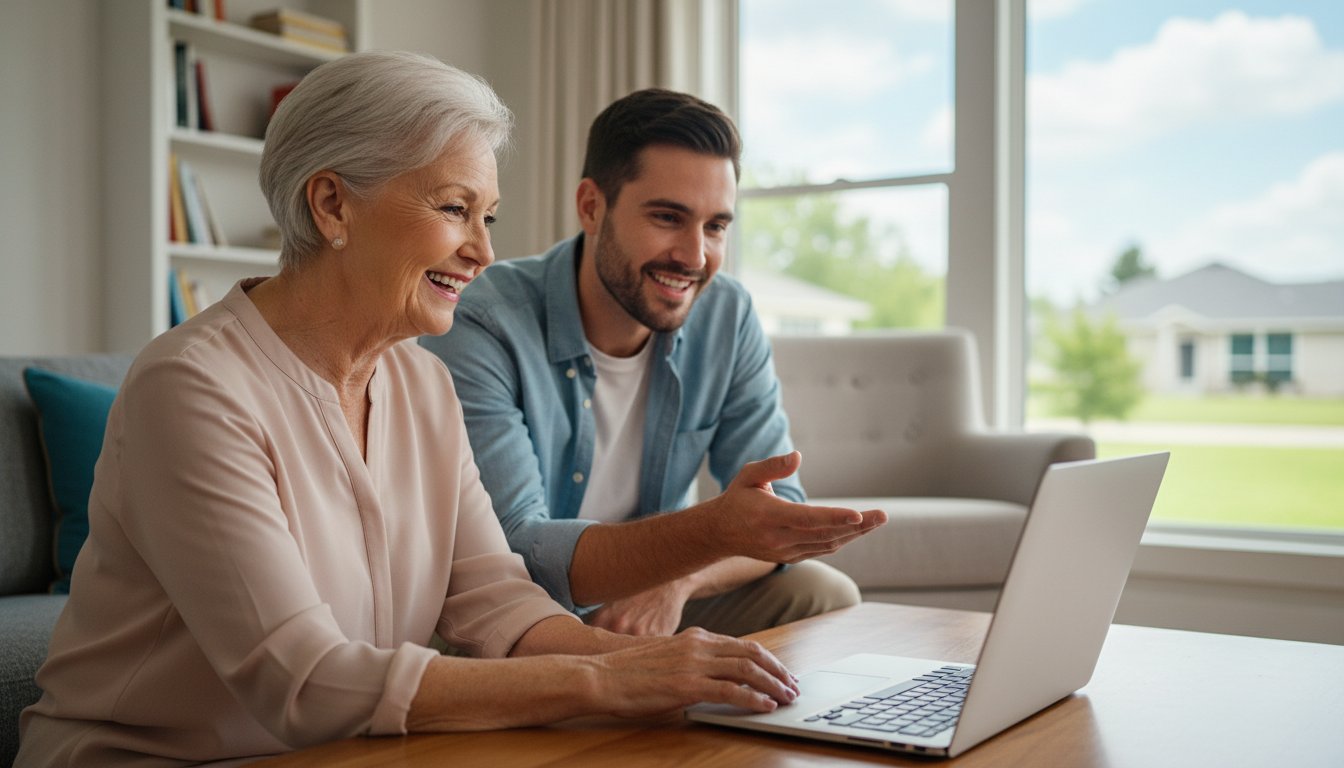
Last Tuesday, Margaret sat at her desk, staring at a frozen screen while trying to open a photo of her new great-grandson. She wanted to ask her son for help, but she didn't want to feel like a burden yet again. It's a common struggle for many of the 90% of adults over 50 who now own a smartphone. You want to enjoy the benefits of technology, but the technical jargon and fast-paced tutorials often lead to more frustration than clarity.
We understand that feeling like you're falling behind can be discouraging. You deserve to feel secure while browsing the internet and confident when you connect with your loved ones. Our personalized computer lessons for seniors are designed to replace that digital anxiety with genuine independence. Instead of someone just fixing the problem for you, we sit by your side to help you learn at your own comfortable pace.
This guide will show you how tailored, one-on-one training can help you master video calls, organize your digital memories, and stay safe from online scams. You'll discover how a patient mentor can turn technical confusion into a sense of daily accomplishment.
Key Takeaways
- Understand why educational lessons provide more long-term value and independence than simple technical repairs.
- Learn how personalized computer lessons for seniors use a "pace-first" approach to replace confusing jargon with clear, everyday language.
- Discover why one-on-one attention is often the most effective way to master new skills compared to crowded group classes.
- Get a practical checklist to help you identify your top priorities and gather necessary details before your first session.
- See how the patient mentors at 55 Plus Computer Help LLC can transform your digital frustration into the confidence to connect with family independently.
What are Personalized Computer Lessons for Seniors?
Personalized computer lessons for seniors are one-on-one training sessions designed specifically for the unique needs of adults aged 55 and older. Unlike a crowded classroom where everyone follows the same generic book, these lessons focus entirely on what you want to learn. It's a supportive environment where your questions are always the priority. We believe that everyone can master their devices when they have the right guidance and a comfortable environment.
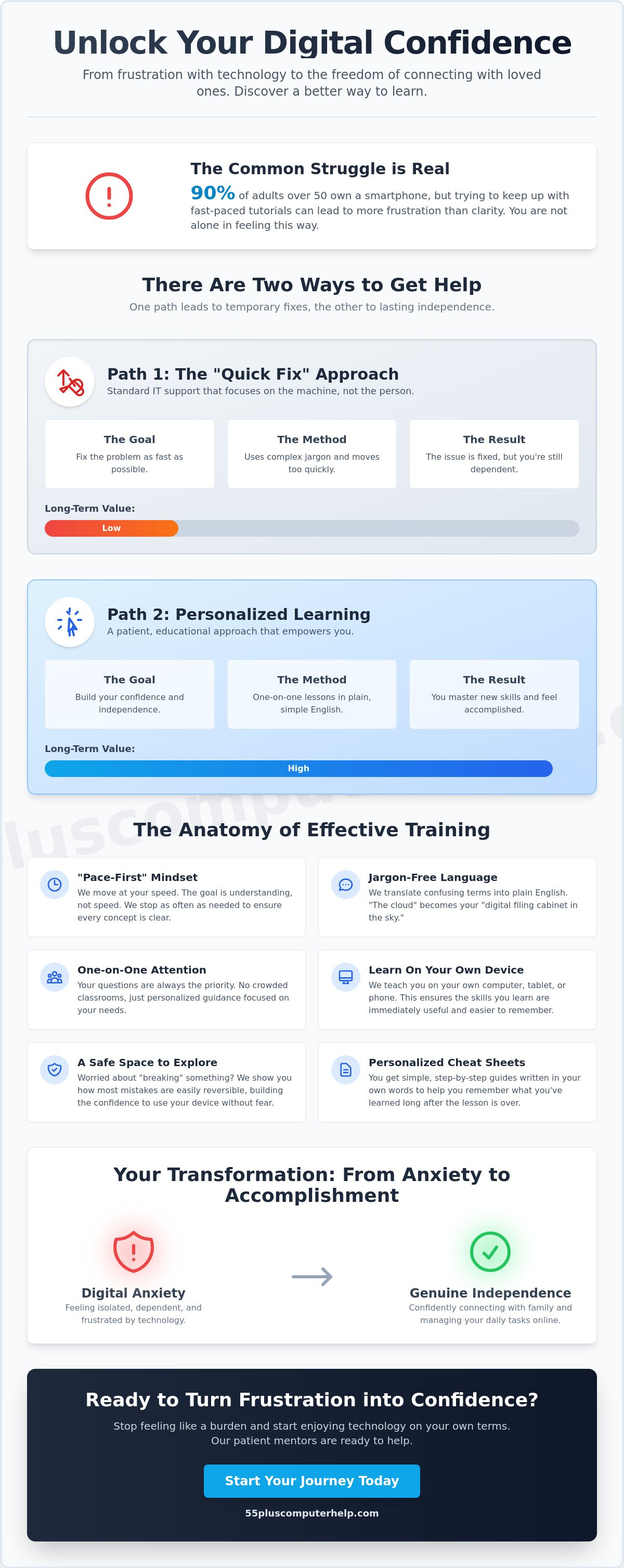
There is a big difference between a "tech repair" and an "educational lesson." When a technician comes to fix a virus or set up a printer, they often work quickly and leave as soon as the machine is running. You might have a working computer, but you still don't know how to use it yourself. An educational lesson flips this script. The goal isn't just a working device; it's a confident user. We focus on understanding technology and aging to ensure our teaching methods match how you actually learn and process new information.
Standard IT support often leaves seniors feeling more confused than before. Technicians might use complex words or move through menus too fast for anyone to follow. A patient mentor changes that dynamic entirely. They act as a translator, turning technical jargon into plain, everyday English. This approach builds long-term self-assurance. You won't have to call for help every time a small pop-up appears on your screen. You learn the "why" behind the steps, which helps you remember them later.
Beyond Basic Troubleshooting
Our personalized computer lessons for seniors don't follow a rigid, one-size-fits-all syllabus. If you want to learn how to backup your photos but don't care about complex spreadsheets, that's exactly what we focus on. You move from passive observation to active, hands-on participation. Instead of watching someone else click the mouse, you do the clicking yourself while your mentor guides you. Learning on your own devices at home is the most effective method. You are using the exact tools you'll use every day, which makes the skills stick.
The Emotional Benefits of Digital Literacy
Mastery of technology brings more than just practical skills; it provides significant emotional rewards. It helps reduce feelings of isolation. When you can use social media or video calls independently, your world stays connected. You can see your grandkids' faces or share photos with friends whenever you like. Mastering online banking and shopping also helps you regain a sense of daily independence. There is nothing quite like that "Aha!" moment. It's the point where tech anxiety finally turns into a genuine sense of personal accomplishment.
The Anatomy of Effective Senior Tech Training
Effective training starts with a "Pace-First" mindset. Many technicians rush through steps to show off how much they know, but speed is often the enemy of learning. It creates unnecessary pressure and makes you feel like you aren't "getting it." Instead, personalized computer lessons for seniors focus on the rhythm that works best for you. We stop often to ensure every concept clicks before moving forward. This measured approach ensures you feel in control of the process rather than overwhelmed by it.
We also work hard to remove the language barrier that often surrounds technology. Instead of using confusing terms like "the cloud," we might describe it as your "digital filing cabinet in the sky." A "browser" is simply your "window to the internet." We use these everyday terms to make complex systems feel familiar and manageable. To help you remember these steps after the lesson ends, we create personalized cheat sheets. These are simple, step-by-step guides written in your own words. Research on the Effectiveness of Senior Tech Training shows that consistent, hands-on practice with clear documentation leads to much better retention.
Many seniors worry they might "break" the computer or delete something important by clicking the wrong button. We create a safe space for exploration where those fears can fade away. We'll show you that most mistakes are easily reversible with a simple "undo" command or by restarting the device. This builds the confidence you need to explore your tablet or laptop without constant worry. When you realize the machine won't break, you're free to enjoy everything it has to offer.
Customized Curriculum Development
Our personalized computer lessons for seniors don't follow a rigid book. We start with the things that matter most to your daily life, such as seeing photos of your family or sending a quick email. We help you understand the specific foundation of your device, whether you use Windows 11 or macOS 26.5 Tahoe. Our teaching follows a scaffolded learning method where we build complex skills on top of small, successful steps you've already mastered.
Safety and Security as a Priority
Security isn't just a separate topic; it's a part of every lesson we teach. We integrate virus and malware removal concepts so you know how to keep your system clean and fast. You'll learn to spot "red flags" in suspicious emails and avoid those scary pop-up ads that try to trick you. We also show you how to manage your passwords safely without needing to memorize dozens of complicated codes. If you're ready to feel more secure, our patient technology tutors are here to help you every step of the way.
Comparing Your Options: Private Tutoring vs. Group Classes
Choosing the right way to learn technology depends on your goals and your budget. Many people start their journey at a local library or a senior center. These places often provide a wonderful starting point for those who want to dip their toes into the digital world. You might find several State-Sponsored Senior Computer Programs that offer free or low cost resources to help you get started. While these programs are valuable, they might not always provide the specific help you need for your exact devices at home.
Personalized computer lessons for seniors offer a different experience by focusing entirely on your unique situation. In a group setting, an instructor must keep the whole class moving at a set speed. If you get stuck on a single step, you might feel embarrassed to ask for help while others wait. Private tutoring removes that pressure. We believe that 1-on-1 attention is often the fastest path to mastery because the entire hour is dedicated to your questions. You don't have to wait for fifteen other people to finish a task before you move on to the next one.
Many seniors also try to rely on family members for technical help. While children and grandchildren usually have good intentions, they often move too fast. They might grab the mouse and "just do it" for you rather than showing you how to do it yourself. This can lead to feelings of frustration or like you're being a burden. Professional personalized computer lessons for seniors provide a neutral, patient environment. You are paying for a service, so you never have to feel guilty about asking the same question twice or taking your time to get a process right.
When Group Classes Make Sense
Group classes are an excellent choice if you enjoy social interaction and want to meet other active learners in your community. They work well for intermediate users who already understand the basics and want a general overview of a topic. These classes are also the best option for those on a very strict fixed income. However, keep in mind that the "one-size-fits-all" teaching style can be a challenge. The instructor cannot stop to help you troubleshoot your specific printer or organize the unique folders on your laptop.
The Advantages of Professional Private Tutoring
Professional tutoring creates a zero-pressure environment where there is no such thing as a silly question. You can schedule your sessions at times that work around your lifestyle, whether that's early morning or late afternoon. The biggest advantage is the direct focus on your specific hardware. We help you with the tools you actually use every day, from your specific smartphone model to your home Wi-Fi and printer setup. This hands-on approach ensures that the skills you learn stay with you long after the session is over.
Preparing for Your First Lesson: A Success Checklist
Preparation is the secret to a successful and stress-free learning experience. When you take a few minutes to get ready, you feel more in control from the moment your tutor arrives. Start by identifying your top three priorities. These should be specific tasks you want to do independently, such as attaching a photo to an email or setting up a video call with your family. Writing these goals down helps us focus our time on the things that will improve your daily life immediately.
Gathering your passwords and account information is another vital step. It can be frustrating to spend half a lesson trying to remember a login code or searching for a scrap of paper. Keep a small notebook or a folder with these details in one safe, accessible place. Also, please ensure your devices are fully charged or plugged into a power outlet. A comfortable workspace with good lighting and a sturdy chair will help you stay focused and relaxed during our time together. We want you to feel at ease so you can focus on the screen rather than a sore back or a dim room.
We highly recommend keeping a "Questions List" on your desk between your personalized computer lessons for seniors. Place a notepad next to your computer or tablet. Every time you run into a confusing pop-up, a weird error message, or a button that doesn't do what you expect, jot it down. This list becomes our roadmap for your next session. It ensures we address every single pain point you encountered during the week. This simple habit turns a moment of frustration into a valuable teaching opportunity.
Setting Realistic Goals
Mastery takes time and consistent practice. It is much better to master one skill completely than to try and learn five different things halfway. This approach prevents information overload and helps you feel a sense of victory at the end of every hour. Don't be afraid to tell your mentor how you learn best. If you prefer to watch a demonstration before trying it yourself, just let us know. We are here to adapt to your specific learning style.
Organizing Your Digital Space
Clear any physical clutter from your desk or table before we begin. A tidy space leads to a focused mind. Many of our students find that email setup and troubleshooting for seniors is the most helpful starting point. Once your email is working smoothly, other tasks like online shopping or banking become much easier to manage. Keep a dedicated notebook ready to serve as your personal guide. We will help you fill it with simple instructions written in plain English.
If you are ready to move from digital frustration to mastery, schedule your first in-home tech lesson with our patient and friendly team.
Empowering Your Digital Life with 55 Plus Computer Help LLC
At 55 Plus Computer Help LLC, our philosophy is simple. We don't just fix your technical problems; we teach you how to handle them yourself. Since 2014, our specialized team has focused exclusively on helping seniors master their technology. We understand that you value your independence. You don't want to wait for a busy relative to stop by and do it for you. By choosing personalized computer lessons for seniors, you are investing in your own confidence. We act as your patient mentor and trusted technology partner.
We offer the convenience of onsite support where a friendly tutor comes directly to your home. This allows us to see how your specific Wi-Fi and printer are set up in your actual environment. If you have a quick question or a minor software issue, we also provide remote assistance. This flexibility ensures you always have a reliable expert to call. We aim to build a long-term relationship with you. We want to be the person you trust whenever a new device arrives or a confusing update appears on your screen.
Our service is built on local accountability. We aren't a faceless global corporation. We are members of your community who care about your success. We provide transparent, fixed-rate pricing so you always know what to expect. There are no hidden fees or complicated contracts. We simply provide the help you need when you need it most. Our goal is to transform your frustration into a genuine sense of security and accomplishment.
A Wide Range of Personalized Topics
We cover everything from basic computer setup to mastering your smartphone or tablet. We help you with the hardware that connects your daily life. This includes troubleshooting Wi-Fi signals, setting up new printers, and managing smart home devices. Our commitment is to provide patient, jargon-free education that makes every step easy for you to follow. We also provide software installation and updates to keep your systems running smoothly and safely.
Ready to Feel Confident Online?
Booking your first session is easy and stress-free. When you contact our team, we listen to your specific needs and goals first. We don't use high-pressure sales tactics. Instead, we focus on your digital safety and your desire for independence. Our personalized computer lessons for seniors are about more than just clicking buttons. They are about opening up your world and keeping you connected to the people you love. Take the first step toward tech mastery today. Reach out to 55 Plus Computer Help LLC to see how we can help you turn tech frustration into a sense of daily accomplishment.
Take the Next Step Toward Digital Independence
You don't have to feel like a burden to your family or worry about making mistakes on your own. You have discovered that the right environment and a patient pace make all the difference in your digital journey. By choosing personalized computer lessons for seniors, you gain more than just technical skills; you reclaim your confidence. Our mentors have specialized in bridging the digital divide for the 55+ community since 2014. We offer transparent hourly rates with no hidden fees, so you can focus entirely on your progress.
You now have a clear checklist to prepare for your first session and a roadmap to stay safe while browsing. Whether you want to manage your digital photos or secure your private email, we are here to walk beside you. Technology should be a tool that brings you joy and connection rather than stress. You are fully capable of mastering these devices, and we are excited to help you reach your goals.
Book Your Personalized Computer Lesson Today
Frequently Asked Questions
Are personalized computer lessons worth the investment for beginners?
Yes, because they save you hours of frustration and help you avoid costly mistakes. Personalized computer lessons for seniors focus on your specific goals so you don't waste time on things you won't use. You get the undivided attention of a mentor who understands your pace. This targeted approach helps you build a strong foundation much faster than trying to learn on your own.
How long does a typical technology training session last?
Most sessions last about one hour. We find that this is the perfect amount of time to learn a new skill without feeling overwhelmed. It allows us to cover a specific topic, practice it together, and write down notes for you to keep. If you have a larger project like a full computer setup, we can discuss longer sessions to fit your schedule and comfort level.
Do I need to have a brand-new computer to take lessons?
No, you don't need a brand-new machine to begin learning. We work with the equipment you already own and use every day. As long as your computer turns on and connects to the internet, we can help you master it. If your device is running slowly, we can perform software updates or virus and malware removal to make it more reliable for your training sessions.
Can you help me with my smartphone and tablet as well as my computer?
Yes, we provide comprehensive smartphone and tablet training for both Apple and Android devices. Many seniors find that their phones are actually their most important tool for staying connected. We can show you how to send text messages, share photos, and use helpful apps. Our goal is to make all your devices work together seamlessly so you feel confident using any of them.
What happens if I forget what I learned after the lesson ends?
We provide personalized "cheat sheets" and notes during every lesson to help you remember the steps. These guides are written in plain English and follow the exact process we practiced together. If you get stuck between sessions, you can simply refer to your notebook. We also encourage repetition in our personalized computer lessons for seniors to ensure the skills become second nature over time.
Is it safe to have a technology tutor help me with my accounts?
Yes, your safety and privacy are our top priorities. We act as a trusted technology partner and teach you how to manage your own passwords securely. We never share your personal information or take control of your accounts without you present. Our mentors focus on empowering you to handle your digital life safely so you can browse the internet with total peace of mind.
Do you offer remote lessons if I prefer not to have an in-home visit?
Yes, we offer remote assistance for those who prefer to learn without an in-home visitor. We use simple screen-sharing tools that allow us to see what you see on your monitor. This is a great option for quick fixes or follow-up questions after an initial visit. We make the connection process very easy so you don't have to worry about the technical setup on your own.
Can you help me set up a way to see my grandkids on my iPad?
Yes, setting up video calls is one of our most popular and rewarding services. We can help you install and use apps like FaceTime, Zoom, or Skype on your iPad. We'll walk you through the process of starting a call and managing the camera and volume. This allows you to enjoy face-to-face time with your family no matter how far away they live.


