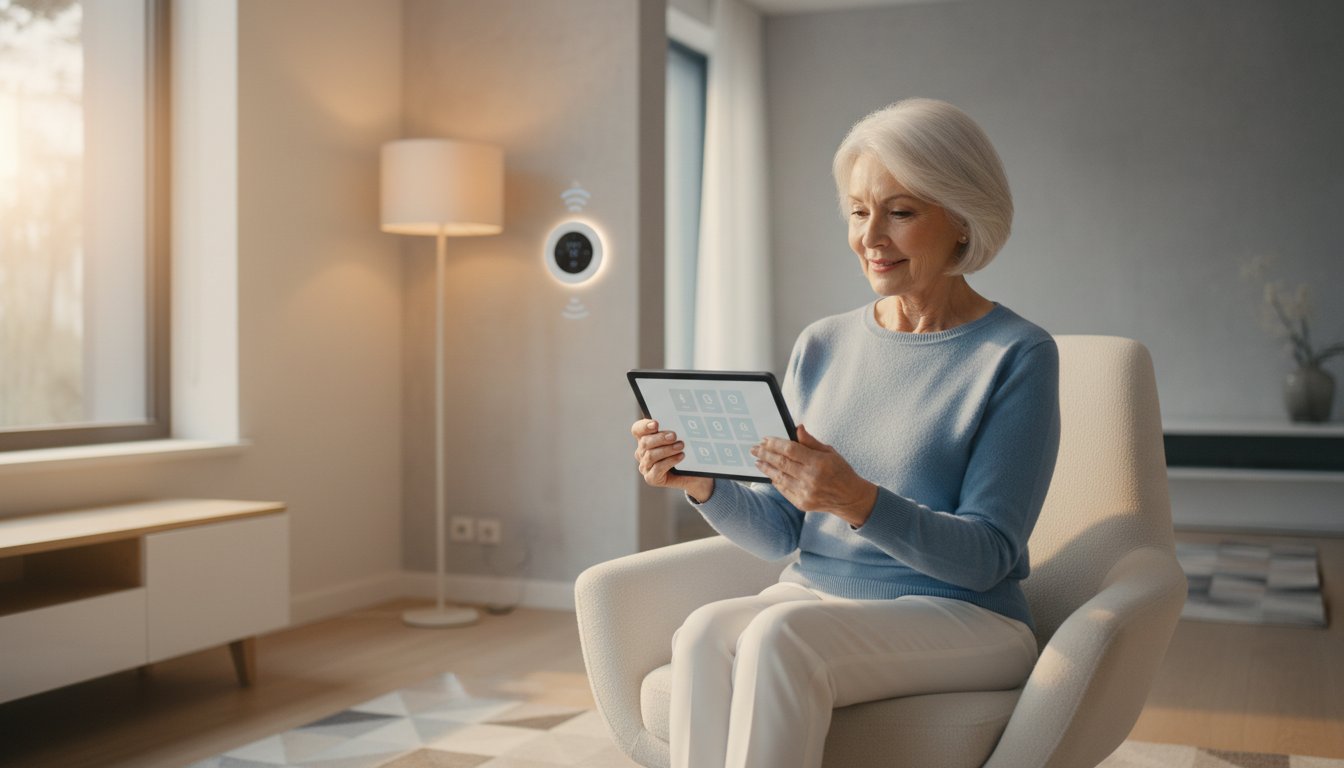
Did you know that 33% of homeowners now use smart technology specifically to help their elderly family members live safely and independently? It is a powerful statistic that shows how much these tools can help us as we age. Even so, we know that the initial smart home device setup can feel like a daunting task. You might worry about clicking the wrong button or getting lost in a maze of different apps and passwords. It is completely normal to feel a bit overwhelmed by the technical jargon that seems to change every week.
You deserve a home that works for you, not against you. Our guide makes the process simple and stress-free by focusing on a patient, methodical approach designed for your peace of mind. We will show you how to simplify your life and gain independence using technology that actually makes sense. We'll walk through choosing the right Matter-certified devices for your home, managing your accounts with confidence, and creating a living space that keeps you safe and connected to the people you love most.
Key Takeaways
- Understand how to pick the best smart hub to act as the central brain for your home.
- Discover which smart devices offer the most comfort and security with the least amount of daily effort.
- Follow a simple 5-step framework to complete your smart home device setup with patience and clarity.
- Learn how specialized support and training can help you gain independence and stay connected with your family.
What is a Smart Home and How Can it Help You?
When you think about a smart home, you might imagine a house from a science fiction movie. In reality, it is much simpler and more practical. A smart home is just a collection of helpful devices that use your internet connection to perform tasks for you. If you have ever asked, What is a Smart Home?, think of it as a house that helps you stay safe and comfortable. These tools are designed to look out for you.
Many seniors feel they need to be a "tech genius" to get started. This is a common worry, but it is not true. Technology in 2026 is more intuitive than ever. You don't need to master every gadget at once. It's perfectly okay to start small with just one device, like a single smart light or a voice assistant. This slow approach makes your initial smart home device setup feel like a win rather than a chore. You are part of a growing group. In 2026, about 51.37% of American households use these devices. Even better, 97% of people who use them say they're very satisfied with the results.
Real-World Benefits for Your Daily Routine
The main goal of this technology is to make your life easier. For many, the biggest draw is energy efficiency. Statistics show that 56% of users adopt smart tech to save on utility bills. Beyond the savings, these devices offer incredible daily support:
- Enhanced Safety: Video doorbells let you see who is at the door from your tablet or phone. You can talk to visitors without having to get up from your favorite chair.
- Improved Comfort: Smart thermostats learn your preferences. You can adjust the heat or cooling using your voice or a simple app. You won't have to walk to the hallway to change the temperature.
- Peace of Mind: Smart lights can be programmed to turn on automatically at sunset. This ensures you never have to walk into a dark room or fumble for a switch in the middle of the night.
Common Terms You Might Hear
Technical words can sometimes feel like a foreign language. Here are three simple definitions to help you feel more confident during your smart home device setup:
- Wi-Fi: This is the invisible signal in your home that lets your computer, phone, and smart devices talk to each other. It's like a private radio station just for your house.
- Apps: Think of these as digital remote controls. You install them on your smartphone or tablet to manage your different devices.
- The Cloud: This is just a secure place on the internet where your settings and videos are saved. It keeps your information safe so you don't lose it if a device breaks.
Choosing the Right "Brain" for Your Smart Home
Every smart home needs a central leader to keep things running smoothly. This leader is often called a smart hub or a voice assistant. It acts as the brain of your house. It listens to your commands and tells your lights, locks, and thermostats what to do. Choosing the right brain is the most important step in your smart home device setup. When your devices share a single language, they work together without any fuss. This choice determines how you will interact with your home every day.
There are three main systems to consider: Amazon Alexa, Google Home, and Apple HomeKit. Amazon Alexa is a popular choice because it works with thousands of different gadgets. You can start small with a budget-friendly Echo Dot for about $49.99. Google Home is excellent if you like to ask questions about the weather, news, or history. The Google Nest Hub Max costs around $229.99 and features a large screen that is easy to see. Apple HomeKit is known for its strong privacy, which is a top concern for 65% of Americans. If you stick with one system, you only have to learn one way of doing things. This makes your home much easier to manage.
In 2026, look for the Matter 1.5 logo on any device you buy. This is a universal standard that helps different brands talk to each other. New hubs also use Thread 1.4 technology. This makes your network more reliable and keeps your setup simple. To learn more about the process, you can follow A Simple 5-Step Framework for Smart Home Device Setup provided by safety experts. Using these certified standards ensures your new gadgets will work together for years to come.
Voice Assistants: Alexa vs. Google Assistant
Using your voice is often easier than squinting at small buttons. Alexa is a great budget-friendly option with a wide range of compatible devices. Google Assistant is a bit better at understanding natural conversation and answering general questions. Both allow you to say things like "turn on the hallway light" to get things done instantly. Voice commands replace confusing menus and help you feel in control of your space.
The Role of Your Tablet and Smartphone
Your smartphone or tablet is your primary remote control. You will use it to name your devices, set schedules, and check your cameras. It's helpful to keep your home screen organized so you can find your home apps quickly. If you feel unsure about using these gadgets, our team offers smartphone and tablet training to build your confidence. We enjoy helping neighbors master their technology at their own pace so they can enjoy a more independent lifestyle.
Top Smart Devices for Comfort and Security
Choosing the right equipment makes your life safer and more relaxed. You want technology that works in the background without needing constant attention. Experts often call this "set it and forget it" technology. These tools help you stay in the home you love for a longer time by handling small tasks for you. When you look at different options, always choose devices with large, clear screens or simple voice controls. This ensures that your smart home device setup leads to a frustration-free experience every single day. Focusing on a few high-impact gadgets is better than filling your rooms with things you don't need.
Many people find that a smart display is a great starting point. For example, the Google Nest Hub Max costs $229.99 and features a large, bright screen. It is easy to read from across the room. If you prefer a smaller, more private option, the Apple HomePod mini is available for $100. These devices act as the interface for your entire home. They allow you to see your schedule, check the weather, or call a family member with just your voice. This kind of accessibility is a major reason why 97% of smart home users report high satisfaction with their new systems.
Safety First: Video Doorbells and Smart Locks
A video doorbell is one of the best tools for home safety. It lets you see who is on your porch using your tablet or smartphone. You don't have to rush to the door or risk a fall to see a visitor. For instance, the Ring video doorbell provides a clear view of your entryway. You should keep in mind that some features require a small monthly fee. The Ring Protect Plan starts at $4.99 per month for a single camera. Smart locks are another excellent addition to your security. They allow you to let in family members or trusted neighbors using a simple code. You can even check if the door is locked from your bed at night. These devices can alert your family if a door is left open, which provides extra peace of mind for everyone involved.
Convenience: Smart Lighting and Thermostats
Lighting plays a huge role in preventing accidents at home. Smart bulbs allow you to turn lights on or off with a simple voice command. You can dim them for a cozy evening or brighten them for reading. If you have an old lamp you love, you can use a smart plug. This small gadget plugs into the wall and makes any standard lamp part of your smart home system. Thermostats are also very helpful for maintaining a comfortable environment. A smart thermostat adjusts the temperature automatically based on your daily routine. This keeps your home at the perfect temperature and helps you manage your utility bills without any extra effort. These small changes create a home that truly supports your independence.
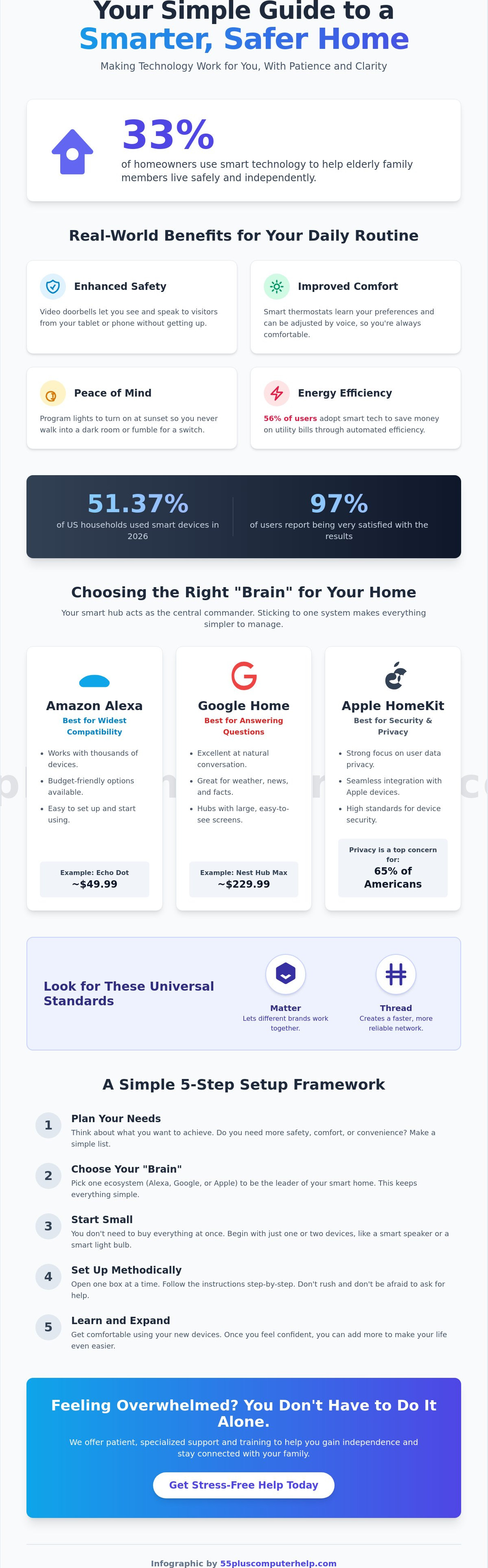
A Simple 5-Step Framework for Smart Home Device Setup
Setting up new gadgets doesn't have to be a race. A methodical approach helps you stay calm and avoid common mistakes. Before you begin your smart home device setup, gather your Wi-Fi password and your tablet or smartphone. It's also helpful to have a notebook and pen nearby to jot down any new account details. Remember that it's completely normal for things to take a few tries to work correctly. Technology can be finicky at times, but with a little patience, you'll get there. Every expert was once a beginner, too.
Step 1-3: Unboxing, Power, and Apps
Always download the manufacturer app on your tablet or phone before you plug in your new device. You can find these apps by opening the App Store on an Apple device or the Google Play Store on an Android device. Simply type the name of the brand, such as "Ring" or "Nest," into the search bar. Once the app is installed, plug in your device and follow the prompts to create a new account. It is vital to choose a strong, memorable password for each new service. This simple step ensures that your home remains your private and secure sanctuary.
Step 4-5: Connecting and Customizing
Next, you'll go through a process called "pairing." This is when your app searches for the new device using your home internet connection. Once the two find each other, you can give your gadget a friendly name. Instead of using a long model number, name it "Living Room Lamp" or "Front Door Camera." This makes voice control much easier to use later on. You should also check your email setup and troubleshooting for seniors to ensure you can receive important security alerts or password resets. If you find yourself stuck at any point, we offer personalized smart home device setup support to help you cross the finish line with confidence.
Digital Safety and Security
Security is a top priority for many of our neighbors. A simple tip for a safer home is to change your Wi-Fi network's name and password from the factory settings provided by the phone company. Never share your smart home passwords with strangers or untrusted callers. Keeping your control devices healthy is also vital for your privacy. You can read our guide on virus and malware removal to learn how to protect your smartphone and tablet from digital threats. Taking these small steps will help you feel self-assured as you enjoy your more connected home.
How 55 Plus Computer Help LLC Makes Smart Living Easy
Learning about new technology is a great first step, but you don't have to go through the process alone. Many of our neighbors find that having a friendly expert by their side makes all the difference. At 55 Plus Computer Help LLC, we specialize in making technology accessible and friendly for seniors. Our smart home device setup service is designed to take the stress out of the equation. We provide a supportive environment where you can ask any question without feeling rushed or judged. Our goal is to transform your frustration into a genuine sense of accomplishment and security.
We believe that technology should serve you, not the other way around. This is why our approach is centered on one-on-one training. We don't just set up the equipment and walk away. Instead, we act as patient mentors. We show you how to navigate the apps, how to use voice commands, and how to manage your settings. This educational focus is what sets us apart. We want you to feel empowered to manage your own home with confidence and ease. Having a trusted expert visit your home provides a level of convenience that makes the whole experience much more pleasant.
In-Home Setup and Personalized Training
Our onsite service is perfect for those who want a hands-on experience. We visit your home to handle the technical details of your smart home device setup. This includes the physical placement of devices and the configuration of your home network. We believe in total transparency, so we use a fixed-rate hourly pricing structure. You will always know what to expect without any hidden fees or complicated contracts. We tailor every session to your specific needs. If you are already comfortable with your tablet, we can move faster. If you need more time to practice, we will stay with you until you feel ready. Your comfort is our top priority at 55 Plus Computer Help LLC.
Ongoing Support and Peace of Mind
Technology can sometimes behave in unexpected ways. You might have a question a few days after your initial setup. We offer remote support options to help you with those quick follow-up needs. This allows us to guide you through a solution right over the phone or computer. We are not a faceless global corporation. We are your local experts who value community and reliability. Our focus is on building a lasting relationship with you. We want to be the person you call whenever you need help staying connected. Reclaiming your digital independence is much easier when you have a trusted partner like 55 Plus Computer Help LLC to help you every step of the way.
Embrace a Safer and More Connected Future
You now have a clear roadmap to transform your house into a supportive and modern home. We have explored how picking the right brain for your house and starting with simple gadgets like smart plugs can make your daily routine much easier. By following a methodical plan, you can move past the technical jargon and focus on what really matters: your comfort and safety. These tools are meant to serve you and help you stay in the home you love for many years to come.
If you still feel a bit hesitant about your smart home device setup, you don't have to do it alone. At 55 Plus Computer Help LLC, we have over 10 years of experience providing patient, mentor-style technical support specifically for our senior neighbors. We believe in building long-term relationships through trust and reliability. Our services come with transparent hourly pricing and no hidden fees, so you always know what to expect from our visit.
Get Patient Help with Your Smart Home Setup Today
You are fully capable of mastering these helpful new tools at your own pace. We look forward to helping you reclaim your digital independence and stay connected with the people you love.
Frequently Asked Questions
Do I need a new computer to set up smart home devices?
No, you don't need a computer at all. Most people complete their smart home device setup using a smartphone or a tablet. These portable gadgets act as your main remote control. They allow you to manage your home from your favorite chair or even while you are away visiting family.
What happens to my smart devices if the Wi-Fi goes out?
Your devices will still work manually, but you won't be able to control them through an app or your voice. For example, a smart bulb will still turn on if you flip the wall switch. Once your internet connection returns, the "smart" features will automatically start working again without you needing to do anything.
Is it expensive to run smart home devices on my electric bill?
No, these devices use a very small amount of electricity. In fact, many tools like smart thermostats and LED bulbs are designed to lower your monthly costs. Since many users adopt this technology specifically for energy efficiency, you will likely see small savings on your utility bills over time.
Can my family members also control the devices from their phones?
Yes, you can easily share access with your children or grandchildren. Most apps have a "Home Sharing" feature that lets you invite trusted family members. This is a great way to stay connected. It ensures that a loved one can help you adjust your settings if you ever feel stuck.
Are smart home devices always "listening" to my conversations?
Smart speakers only listen for their specific "wake word," such as "Alexa" or "Hey Google." They do not record your private conversations. If you ever want total privacy, most of these devices have a physical mute button. Sliding this switch turns off the microphone completely until you decide to turn it back on.
How do I know if a device is compatible with my smartphone?
Look for the "Matter" logo on the box for the easiest smart home device setup experience. This symbol means the gadget will work with almost any modern phone or tablet. You can also check the App Store or Google Play Store to ensure the manufacturer's app is available for your specific device.
What is the easiest smart home device for a beginner to start with?
A smart plug is often the best place to begin. It is a small gadget that plugs into any standard wall outlet. You can then plug a regular lamp or a coffee maker into it. It is a simple and low-cost way to practice using your phone to turn items on and off.
Can I still use my physical light switches with smart bulbs?
Yes, you can still use your wall switches. However, the switch must stay in the "on" position for the smart features to work. If you turn the switch off, the bulb loses power. It will not respond to your voice or your smartphone app until you flip the switch back up.


