
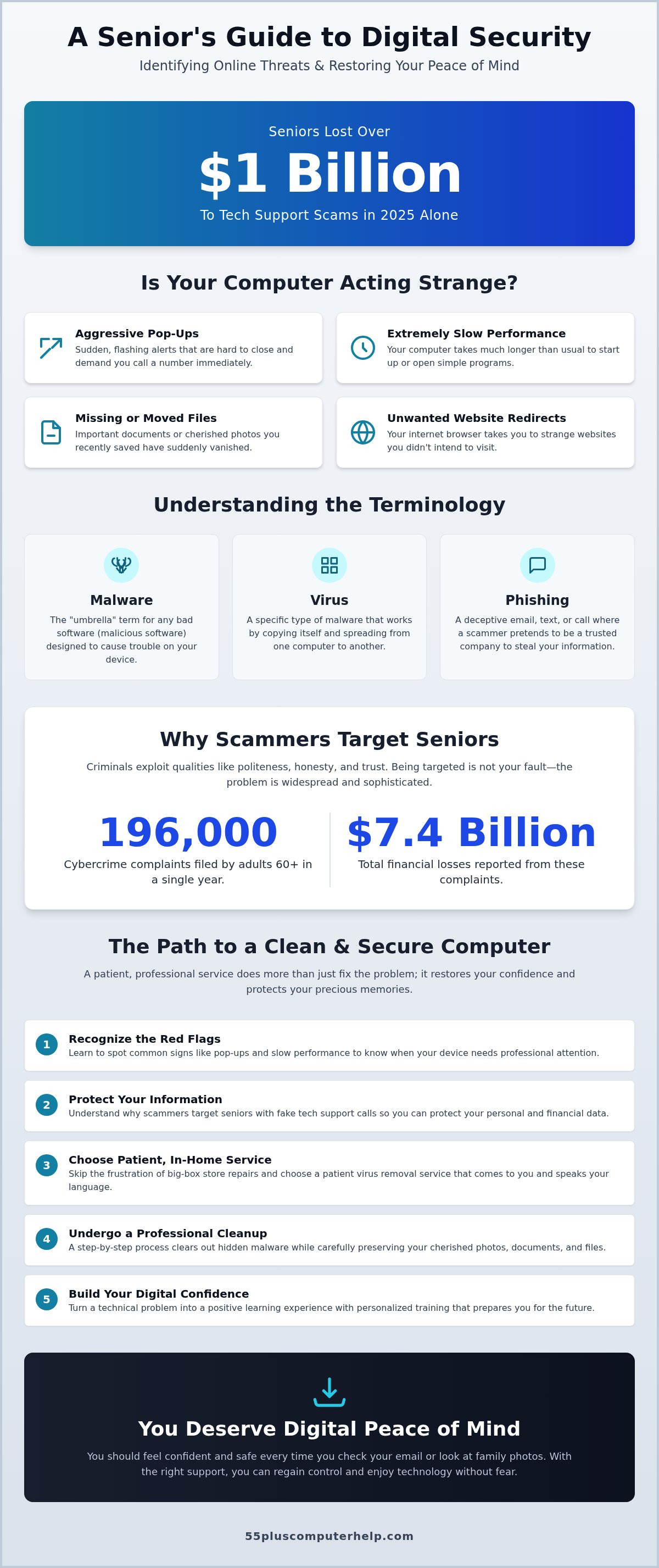
You open your laptop to see a blinking red alert, and suddenly, that familiar pit forms in your stomach. It is not just the technical trouble that hurts. It is the fear of being scammed again or the embarrassment of making a simple digital mistake. In 2025, seniors lost over $1 billion to tech support scams. Your caution is actually a sign of wisdom, not weakness. You deserve a computer that works and a tech expert who speaks your language.
We know how frustrating it feels when technology moves too fast and support agents who talk too quickly leave you feeling more confused than before. You should feel confident and safe every time you check your email or look at family photos. This article will help you identify modern computer threats and find a patient virus removal service for seniors that prioritizes your security and your dignity.
We will explain how to get your computer running fast again while teaching you the skills to stay safe in the future. You will also learn about new 2026 privacy protections that put you back in control of your personal information. By the end, you will have a clear path to restoring your digital peace of mind with a trusted partner by your side.
Key Takeaways
- Learn to recognize common red flags like sudden pop-ups and slow performance so you know when your device needs professional attention.
- Discover why scammers target seniors with fake tech support calls and how to protect your personal information from these threats.
- Understand the difference between frustrating big-box store repairs and a patient virus removal service for seniors that comes to you.
- Follow the step-by-step process of a professional cleanup that clears out hidden malware while keeping your cherished photos and files safe.
- Find out how to turn a technical problem into a learning experience with personalized training that builds your digital confidence for the future.
Is Your Computer Acting Strange? Common Signs You Need a Virus Removal Service
It's a quiet afternoon, and you're just trying to check your email or look at photos of the grandkids. Suddenly, your screen freezes. A bright red box flashes, telling you your computer is infected and you must call a number immediately. That sinking feeling in your chest is completely normal. It's frustrating and scary when your digital lifeline feels like it's working against you. You might feel worried about your privacy or embarrassed that something went wrong. Please know that these feelings are valid, but you aren't alone. A computer virus is simply a program designed to interfere with your privacy or slow down your device performance. If you're seeing these signs, a professional virus removal service for seniors can help restore your peace of mind.
Most of what we call "infections" today are actually clever psychological tricks. Scammers want you to panic so you'll give them access to your machine. Your computer isn't "broken" in the way a car engine breaks; it's just been tricked into running software it shouldn't. You can spot these issues by looking for a few specific red flags:
- Sudden, aggressive pop-ups that won't go away.
- The computer takes much longer than usual to start up or open programs.
- Files you recently saved have suddenly vanished or moved.
- Your internet browser takes you to strange websites you didn't ask for.
The Difference Between Malware, Viruses, and Scams
To protect yourself, it helps to understand what malware is. Malware is a broad "umbrella" term for any "bad software" designed to cause trouble. A virus is just one specific type of malware that copies itself. You might also encounter phishing. This is a deceptive email or phone call where someone pretends to be from a big company to steal your information. When these things happen, your computer is temporarily compromised, but it's not ruined. A dedicated virus removal service for seniors focuses on cleaning these interruptions so your device feels like yours again.
Why Your Antivirus Software Might Have Missed It
You might wonder why the security software you already have didn't stop the problem. Thousands of new digital threats are created every single day. Standard security programs sometimes struggle to keep up with these rapid changes. There's also the "human element" to consider. Many modern threats are designed to bypass software by tricking a person into clicking a link or granting permission. Even very tech-savvy people get caught by these tricks because scammers are very good at appearing official. You haven't done anything wrong. You've simply encountered a sophisticated trap that requires a patient expert to untangle.
Understanding the Risks: Why Seniors are Targeted by Digital Threats
Scammers don't target people because they are "bad with computers." They target seniors because they often value politeness, honesty, and trust. These are wonderful qualities to have. Unfortunately, cybercriminals look for ways to exploit those values for financial gain. In 2025, adults aged 60 and older filed nearly 196,000 cybercrime complaints. The total losses exceeded $7.4 billion. These statistics aren't meant to scare you. They are meant to show you that if you've been targeted, you aren't alone. The goal of these threats is almost always money, not just causing technical trouble.
The "Tech Support Scam" is one of the most common methods used today. A fake person might call you or send a pop-up message. They claim to be from a major company like Microsoft or Apple. They tell you that your computer is broken and they need access to fix it. In reality, they want to install tracking software. Seniors lost over $1 billion to this specific type of fraud in 2025. This is why professional virus and malware removal is so important. It doesn't just clean your machine; it protects your identity and your hard-earned savings.
Common Scams to Watch For in 2026
As we move through 2026, scammers are using more polished tricks. You should be aware of these three common patterns:
- The Grandchild in Trouble: Scammers use information found online to pretend a family member needs money for an emergency.
- Urgent Security Alerts: These are fake warnings that lock your browser screen and demand you call a "help desk" number immediately.
- Social Media Links: You might get a message from a "friend" asking you to click a link. If it looks unusual, it's likely a bad link designed to spread viruses.
The Importance of Protecting Your Personal Information
You might hear the term "Data Harvesting." In simple terms, this is like someone sneaking into your home just to read your mail and write down your bank details. Viruses can capture your passwords as you type them. This leads to a high risk of identity theft. The average financial loss per senior victim in 2025 was $37,904. This is a life-changing amount of money for most people. Your digital safety is just as important as your physical home security.
Taking care of your computer is a form of self-defense. If you feel like something is wrong, it's always better to ask for help before things get worse. You can reach out to a patient virus removal service for seniors to check your system and ensure your personal data stays private.
Comparing Your Options: Professional Virus Removal vs. DIY Solutions
When you realize your computer has a problem, you have a few choices. You might think about taking it to a "Big Box" electronics store. This experience is often stressful. You have to unhook all your cables and carry a heavy machine to your car. Once you arrive, you usually wait in a long line. The technicians often speak very quickly and use jargon that is hard to follow. They focus on the speed of the repair rather than your comfort. You deserve an experience that doesn't leave you feeling rushed or confused.
Some people try to use DIY software they find online. These programs are helpful for regular maintenance. However, they often fail to remove threats that hide deep inside your system. Using a professional virus removal service for seniors ensures that no hidden dangers are left behind. A specialized expert takes a patient approach. They look at your whole digital life. This often includes helpful checkups like email setup and troubleshooting for seniors to make sure your communication is secure and private.
In-Home vs. Remote Technical Support
You can choose the type of help that makes you feel most comfortable. In-home support is excellent for complex issues. It's also great if you want a friendly, familiar face to guide you through the process. You don't have to move your computer at all. Remote support is perfect for quick fixes. A technician can securely connect to your machine while you watch from your own desk. Both methods are safe when you work with a trusted, verified professional. They will explain every step they take so you always feel in control.
What to Look for in a Senior-Focused Service
Not all tech support is created equal. When you search for a virus removal service for seniors, look for these three qualities:
- Patience: Does the expert speak clearly? They should avoid technical jargon and answer all your questions with a calm demeanor.
- Empowerment: A good service doesn't just fix the problem. They act as a patient mentor and teach you how to avoid the same issue next time.
- Fixed Pricing: You should never be surprised by a bill. Look for transparent, fixed-rate pricing that is easy to understand before the work begins.
Choosing the right help transforms a frustrating technical failure into a sense of accomplishment. You aren't just getting a clean computer; you're gaining a trusted person to call whenever things go wrong.
The Step-by-Step Process of Professional Malware Cleanup
A professional cleanup is much more than just clicking a "delete" button. It is a methodical process designed to protect your privacy and restore your computer's speed. You should never feel like a number in a repair queue. Instead, a specialized virus removal service for seniors treats the process like a partnership. We work through the technical issues while keeping you informed every step of the way. This ensures you understand what is happening to your machine and why.
- Step 1: The Initial Consultation. We start with a calm conversation. You describe the strange behavior you've noticed, such as slow speeds or odd messages. This helps us understand the specific symptoms of your computer.
- Step 2: Deep System Scanning. We use specialized professional tools to look deep into your system files. These tools find hidden threats that standard, off-the-shelf software often misses.
- Step 3: Safe Removal. This is the most delicate part. We isolate and delete the bad software. We do this carefully to ensure your personal documents and programs remain untouched.
- Step 4: System Optimization. Viruses often leave behind digital "clutter" that keeps your computer slow. We clean up these leftovers so your device runs smoothly again.
- Step 5: Verification. Finally, we test the computer with you. We make sure your favorite websites open correctly and your printer works as it should.
Will I Lose My Photos and Files?
This is the most common worry we hear, and it is completely understandable. Your family photos and personal letters are irreplaceable. A professional virus removal service for seniors makes your memories the top priority. Before we begin any deep cleaning, we discuss the importance of a data backup. Our process focuses on isolating the "bad" software without hurting your "good" data. We treat your digital files with the same care you would give to a physical photo album.
Updating and Securing Your Software
Think of outdated software as an unlocked door to your home. Scammers look for these openings to slip in unnoticed. As part of a thorough cleanup, a professional ensures your operating system is fully patched and updated. In 2026, high-quality antivirus software is your first line of defense, but it must be configured correctly to work. We help you set up these protections so you can browse the internet with confidence. If you're ready to get your computer back to normal, you can schedule a session with 55 Plus Computer Help today.
Beyond the Fix: Building Your Digital Confidence
A technical problem often feels like a setback. However, it can actually be the start of a new chapter in your digital journey. Once the immediate threat is gone, the focus shifts from the machine to the person using it. You don't have to live in fear of the next pop-up or strange email. By choosing a virus removal service for seniors that values education, you gain the tools to protect yourself. We believe that a clean computer is only half the solution. The other half is your own digital confidence.
Our approach at 55 Plus Computer Help goes beyond simple repairs. We act as a patient mentor for your digital journey. We offer Personalized Technology Training to help you understand your device better. This training is not like a fast-paced classroom. It is a one on one experience tailored to your specific needs and speed. We want you to feel empowered. It is never too late to master the basics of internet safety. When you understand how threats work, they become much less intimidating.
Simple Habits for a Safer Computer
Staying safe online does not require you to be a computer expert. It mostly requires a few good habits. You can protect your device by following these simple rules:
- The "Think Before You Click" Rule: If you get an unexpected email, even from someone you know, stop and look closely. If the message feels urgent or asks for money, it might be a trick.
- Keep Passwords Private: No legitimate company will ever call you and ask for your password. If someone asks for it over the phone, hang up immediately.
- Schedule Regular Checkups: Just like a car needs an oil change, your computer needs regular maintenance. A quick professional checkup can find small issues before they become big problems.
How 55 Plus Computer Help Can Support You
Having a trusted tech partner makes all the difference. We know your skill level and we respect your pace. You don't have to worry about fast-talking technicians or confusing jargon anymore. We provide a safe and supportive environment where no question is a "silly" question. Whether you need a virus removal service for seniors or just want to learn how to use your tablet better, we are here to help.
We offer both onsite and remote assistance options to fit your lifestyle. You can rest easy knowing that professional help is just a phone call away. You deserve to enjoy your technology without the stress of constant security worries. Take the first step toward a worry-free digital life today. Schedule your patient virus removal or tech checkup today.
Take the First Step Toward a Safer Digital Life
You don't have to let the fear of viruses keep you away from the things you love online. We've discussed how to spot red flags like strange pop-ups and why protecting your personal data is so important. Remember that a professional cleanup is not just about fixing a machine; it's about making sure your family photos and privacy stay secure. Choosing a patient virus removal service for seniors gives you a trusted expert to call whenever you feel uncertain.
Since 2014, we've acted as patient mentors who speak your language without using confusing jargon. Whether you prefer in-home visits or the convenience of remote support, we are here to help you feel capable and confident. You deserve to enjoy your computer with total peace of mind. Every technical challenge is an opportunity to learn something new and strengthen your digital self-defense. Get Patient, Professional Help for Your Computer Today. It's never too late to master your technology and stay safe in our digital world.
Frequently Asked Questions
How much does a virus removal service for seniors typically cost?
Professional virus removal costs vary depending on how complex the infection is and whether you choose onsite or remote help. We offer transparent, fixed-rate pricing so you never have to worry about hidden fees or surprises. Most services are billed by the hour. This ensures you only pay for the time needed to get your computer running smoothly again. Our priority is providing high-quality care that fits your budget and restores your confidence. We always discuss potential costs with you before we begin any work.
Can you remove a virus from my computer remotely if I cannot leave my home?
Yes, we can resolve many common issues through a secure remote connection while you stay comfortable at home. This is a perfect option for software troubleshooting and malware cleanup. As long as you have a working internet connection, a patient technician can view your screen and fix the problem while you watch. It's a safe, convenient way to get help without waiting for a visitor or unhooking your machine. We guide you through the simple setup process over the phone.
Will I lose all my saved photos and emails if my computer has a virus?
You will likely keep your precious memories and messages when you use a professional virus removal service for seniors. Our first step is always to protect your data. We focus on isolating and deleting the "bad" software while leaving your family photos and documents untouched. We also help you set up a reliable data backup system. This ensures your irreplaceable files are safe from future threats and technical glitches. We treat your personal files with the utmost care and respect.
How do I know if the person calling me about a computer problem is a scammer?
You can be sure it's a scam if someone calls you out of the blue claiming your computer is broken. Companies like Microsoft, Apple, and Google do not monitor your individual machine for viruses. They will never call you to ask for access or payment. If you receive one of these calls, simply hang up. Scammers often use high-pressure tactics to make you panic. A real professional will always wait for you to reach out first and will never demand immediate payment.
Is it better to buy a new computer or pay for professional virus removal?
Professional virus removal is usually much more cost-effective than buying a brand-new computer. Most infections are software-related and don't mean your machine is ruined. We can clean your system and optimize it so it runs like new again. This saves you the high cost of new hardware and the frustration of moving all your files. We will always give you an honest assessment if your computer is too old to be worth the repair. Our goal is to find the best solution for you.
Does 55 Plus Computer Help work with both Apple Macs and Windows PCs?
Yes, we are happy to help you whether you use a Windows PC or an Apple Mac. Our patient technicians have years of experience with both systems. We understand the unique security features and common problems associated with each brand. We can also assist with your smartphones and tablets. Our goal is to be your one-stop resource for all your home technology needs, regardless of which devices you prefer to use. We stay updated on the latest changes for both platforms.
How long does it take to professionally clean a computer of malware?
A thorough malware cleanup typically takes between one and two hours to complete. The exact time depends on the speed of your computer and the severity of the infection. We don't rush the process because we want to ensure every hidden threat is gone. During this time, we also check for necessary software updates. We use this time as an educational experience to show you how to keep your computer healthy and fast. We make sure you feel satisfied before we finish.
What should I do immediately if I think I clicked on a scam link?
You should immediately close your browser and disconnect your computer from the internet if you think you clicked a bad link. This stops the scammer from communicating with your machine. Do not enter any passwords or credit card numbers afterward. Next, call a trusted virus removal service for seniors to perform a security scan. It's better to be safe and have a professional verify that your personal information is still secure and your machine is clean. We can help you change your passwords safely.


