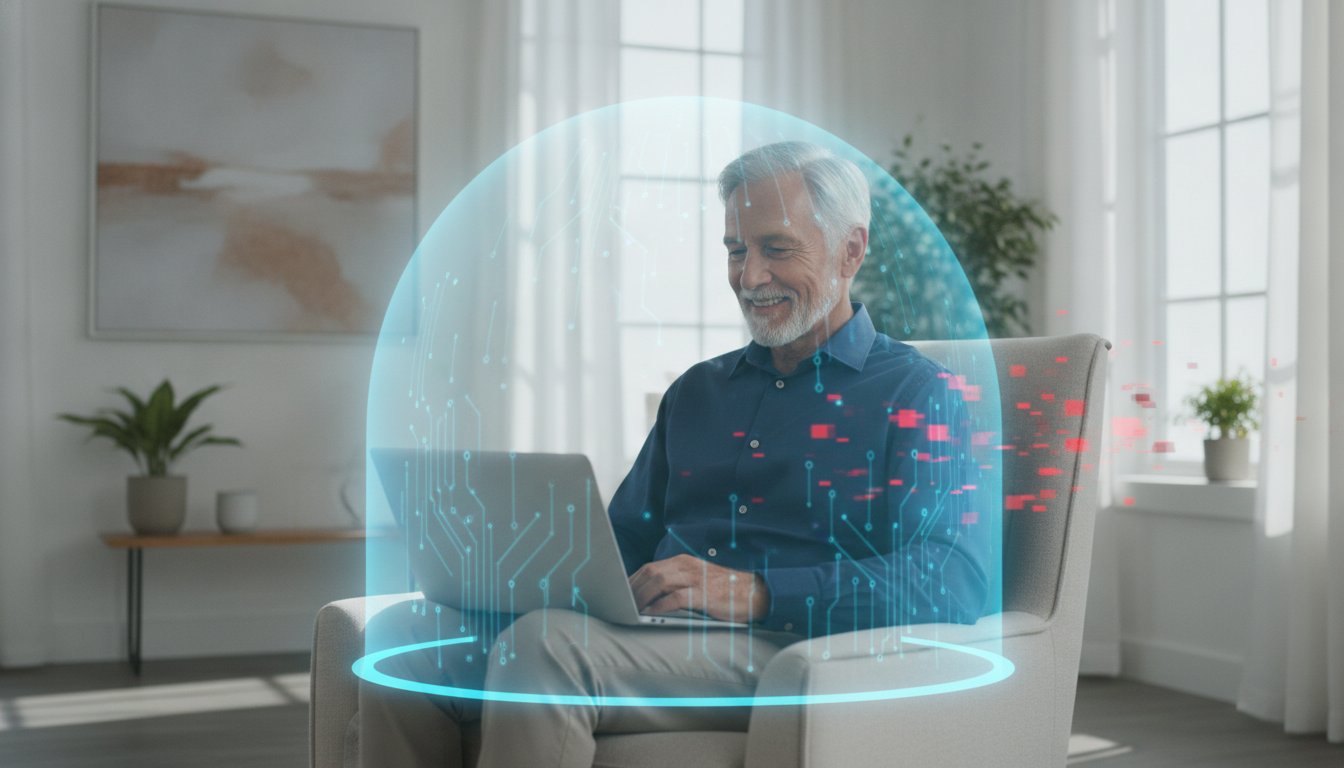
What if the most important security tool for your computer is something you already own, but have never actually seen? Imagine your computer is like a cozy home with a sturdy screen door. That door lets the fresh air in while keeping the bugs and pests out. In the digital world, that screen door is called a firewall. If you've ever felt worried about hackers or complicated scams, you aren't alone. It's very common to feel overwhelmed by technical talk and wonder, "what is a firewall and do I need one to stay safe?"
You deserve to feel relaxed and confident whenever you go online to check your email or visit with family. The good news is that protecting your private information doesn't have to be difficult or expensive. This guide will show you exactly how a firewall works without any confusing jargon. I'll help you understand the basics of digital security and show you how to check if your computer is already protected. By the time you're done reading, you'll have the peace of mind that comes with knowing your digital screen door is closed and locked tight.
Key Takeaways
- Understand why a firewall is like a dedicated security guard for your home network, checking every visitor before they can enter.
- Get a clear answer to "what is a firewall and do I need one" and find out why this tool is essential for every device you use.
- Learn the difference between software and hardware firewalls and how they work together to create a double layer of protection for your house.
- Discover the specific types of threats a firewall cannot stop so you can stay one step ahead of online scammers.
- Find out how to check your current security settings to ensure your computer is safe and your mind is at ease.
What is a Firewall? Think of It as a Digital Security Guard
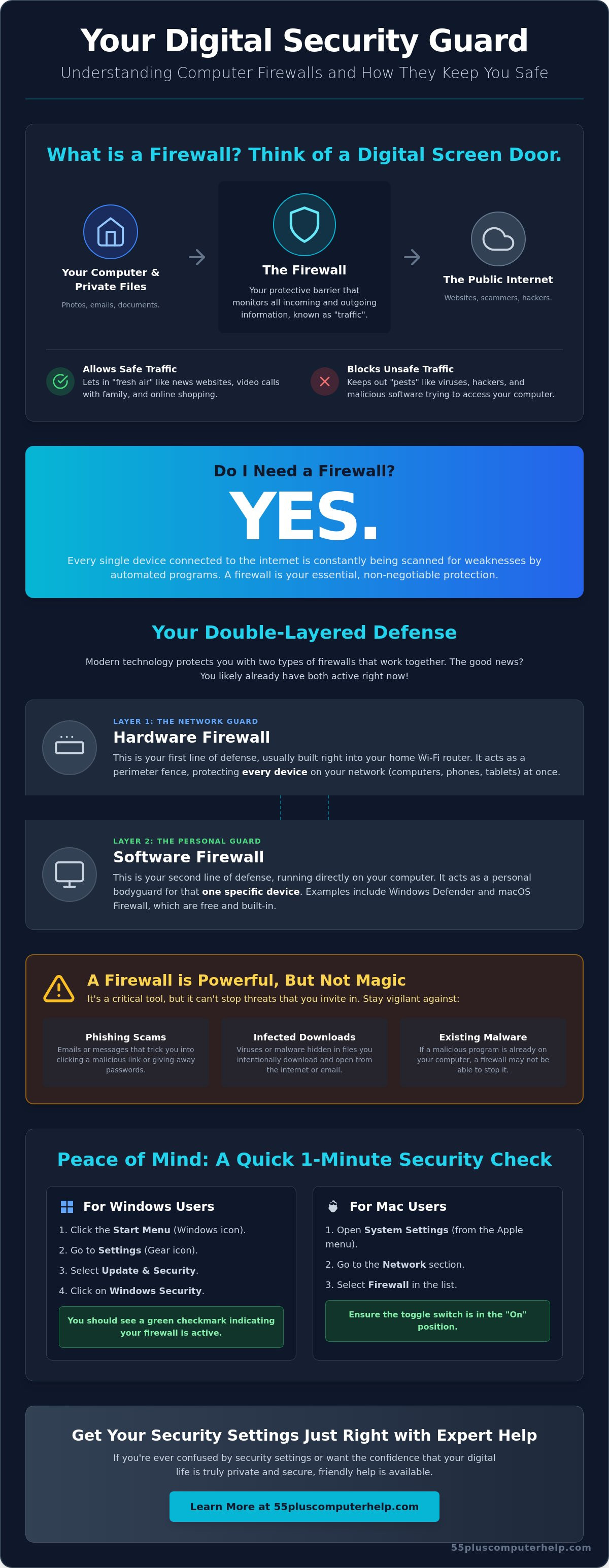
Imagine your computer is a home in a friendly neighborhood. The internet is like the vast world outside your front door. While the internet offers many wonderful things, like video calls with family and online shopping, it also has its share of digital "pests." If you have ever wondered, "what is a firewall and do I need one," the easiest way to understand it is as a digital security guard. This guard stands at the entrance to your computer and checks everyone who tries to come in or go out.
A firewall is a protective barrier. It sits between your private device and the public internet. It constantly monitors "traffic," which is just a technical word for the information moving back and forth. Understanding what a firewall is helps you see that its primary goal is simple. It blocks unauthorized strangers from getting inside while letting your safe, everyday activities continue without any trouble. It is a vital part of keeping your digital life private and secure.
How a Firewall Protects Your Privacy
Your computer contains a lot of personal information. You likely have private emails, family photos, and perhaps even tax documents saved on your hard drive. Without a firewall, a hacker could potentially "peek" into your computer to see these files. The firewall acts as a locked door that keeps these intruders out. It also watches for any sneaky programs that might try to send your data out to a stranger without your permission. A firewall is a silent protector that works in the background of your daily life.
The "Screen Door" Comparison
Think about the screen door on your porch during a warm summer evening. You leave the main door open because you want the fresh air to flow through your house. However, you keep the screen door closed to stop mosquitoes and flies from getting inside. A firewall works the exact same way. It is smart enough to know the difference between a "friend" and an "intruder."
It lets the "fresh air" of the internet through, such as a website where you read the news or a service you use to see photos of your grandkids. At the same time, it catches the "mosquitoes," such as viruses or malicious software that could harm your device. You don't have to worry about the firewall getting in your way. A properly set up firewall is designed to be invisible. It keeps you safe while you enjoy your time online, ensuring you have the peace of mind you deserve. Knowing "what is a firewall and do I need one" is the first step toward feeling truly confident in your digital home.
Do I Need a Firewall? The Short Answer is Yes
The internet is a busy place. Every single second, automated programs created by hackers are "probing" the web. They look for any computer or tablet that isn't properly protected. These programs don't care who you are or what you do. They simply look for an open digital door. Because of these constant, invisible scans, "what is a firewall and do I need one" is a question every senior should ask. The answer is a resounding yes. You need this protection to keep your personal life private and your devices running smoothly.
There is wonderful news, though. You likely already have one or even two firewalls active right now. You don't have to be a computer whiz to stay safe. Modern technology is designed with these protections built right in. Your home Wi-Fi router acts as your first line of defense. It is a physical hardware firewall that guards every device in your house at once. For more help with your home network, the government provides an excellent guide on Understanding Firewalls for home use.
Why You Probably Already Have One
Years ago, you had to buy and install your own security software. It was expensive and often very frustrating to set up. Today, Microsoft and Apple include high-quality firewalls as a standard feature. They are the "built-in" heroes of your digital world. If you use a PC, you have Windows Defender. If you use a Mac, you have the macOS Firewall. These tools are free and start working the moment you turn on your computer. In most cases, you don't need to buy extra firewall software. The built-in versions are excellent for daily home use. They stay updated automatically to catch new threats as they appear.
How to Check if Your Firewall is On (Windows & Mac)
Checking your status is a great way to gain peace of mind. It only takes a minute. If you are using a Windows computer, click the Start Menu and select Settings. From there, go to Update & Security and click on Windows Security. You will see a green checkmark if your firewall is active. If these menus feel a bit confusing, a friendly expert can help with computer setup to ensure your settings are perfect.
For Mac users, the process is just as simple. Click the Apple Menu in the top left corner and choose System Settings. Select Network from the list on the left, then click Firewall. You will see a simple toggle switch that should be set to "On."
Sometimes, a firewall might be turned off by mistake during a software update. If you see a red warning or if the status says "Off," simply click the button to turn it back on. Don't worry if things look a little different on your specific screen. Technology changes quickly, but the goal is always the same. Keeping that digital door locked is the best way to enjoy the internet without fear.
Software vs. Hardware Firewalls: Understanding the Two Layers
When people ask, "what is a firewall and do I need one," they are often surprised to learn they have a team of protectors. Think of your home as a private sanctuary. To keep it truly safe, you wouldn't just lock the front door. You might also have a sturdy gate at the end of the driveway. This is exactly how your digital security works. You have two distinct layers working together to keep the bad guys away from your personal life.
The first layer is your Hardware Firewall. This is almost always built into your Wi-Fi router. It protects every single device in your house at the same time. The second layer is your Software Firewall. This lives inside your computer or tablet and guards that specific device. Using both together is a smart strategy. This "defense-in-depth" approach ensures that if a threat somehow slips past the first gate, it still faces a locked door at your device.
The Role of Your Wi-Fi Router
Your router is your first line of defense against the vast internet. It acts like a clever disguise for your home. Every computer has a "digital address" called an IP address. Without a hardware firewall, that address is visible to everyone online. Your router hides this address from the outside world. It only lets in information that you specifically asked for, like a website you typed in or an email you opened. Keeping your router updated is just as important as updating your computer software. If you ever feel stuck, Internet and Wi-Fi troubleshooting services can help ensure your router is set up correctly.
Why the Software Firewall Still Matters
If the router is so good, you might wonder why the software firewall is still necessary. Experts at PCMag explore this topic in their guide, Do You Need a Personal Firewall? which explains that your device needs its own internal security. This is especially true if you take a laptop to a library or a coffee shop. In those places, you aren't behind your home's "front gate" anymore. Your software firewall steps up to keep you safe on public Wi-Fi.
It also keeps an eye on the apps already on your computer. Sometimes, a program might become infected without you knowing. The software firewall can block that specific app from talking to the internet. This stops it from sending your files to a stranger. Having this internal security guard gives you an extra layer of protection that is very effective for home safety. It ensures that your private photos and messages stay right where they belong.
The Limits of a Firewall: What It Won’t Protect You From
Now that you know your built-in tools are working, it's helpful to understand their limits. A firewall is a powerful tool. However, it is not a magic shield that stops every possible danger. It blocks digital break-ins. But it cannot stop you from accidentally inviting a scammer into your home. This is a common point of confusion when people ask, "what is a firewall and do I need one." While you definitely need one, you also need to stay alert to other types of tricks. It's best to think of your firewall as a sturdy lock that keeps the door shut, but it won't help if you decide to open that door for a stranger.
Firewalls vs. Scams and Phishing
Firewalls are designed to monitor the "where" of internet traffic. They check if data is coming from a known bad neighborhood. They don't always check "what" you are doing once you are on a website. If you receive a phishing email and click a link to a fake bank website, the firewall might not stop you. If you then type in your password, the firewall assumes you are making a valid choice. This is why staying informed about email setup and troubleshooting for seniors is so important. Learning how to spot these fake messages is the perfect partner to your firewall's protection. It ensures that you aren't accidentally handing over your private information to a criminal.
The Importance of Human Awareness
Your best security tool is always your own caution. Scammers often use phone calls or fake tech support pop-ups to bypass your computer's defenses. They might try to scare you by saying your computer has a virus. They will then ask for remote access to fix it. A firewall cannot stop you from giving them that permission. Once a stranger has remote access, they can walk right past your digital security guard. Always remember that a legitimate company will never call you out of the blue to ask for access to your device. This is a vital part of answering what is a firewall and do I need one; it is a guard for your door, but it cannot stop you from handing over your keys.
Because a firewall only blocks the entry point, it won't help if a malicious program is already hiding on your hard drive. This is why combining your firewall with virus and malware removal knowledge is essential. Think of it as having a security guard at the gate and a cleaning crew inside to keep things tidy. If you feel worried that a scammer may have already tricked you, don't panic. You can get professional virus and malware removal to make sure your computer is clean and safe again. Staying safe online is a team effort between your technology and your own good judgment.
Getting Your Security Settings Just Right with Expert Help
Technology should make your life easier. It shouldn't be a source of stress or fear. You now have a better understanding of the answer to "what is a firewall and do I need one," but it's perfectly normal to still feel a bit unsure about your own settings. Computers can be unpredictable. Sometimes, a simple update can change things without you realizing it. Professional help is always available to give you that extra bit of confidence. A quick security check-up can ensure your built-in tools are doing their job correctly so you don't have to worry.
At 55 Plus Computer Help LLC, we specialize in making these complex settings simple and easy to manage. We understand that technical terms often feel like a different language. Our team acts as a patient bridge between you and your device. We translate the technical side of things into plain English. We want you to feel secure without having to become a computer expert yourself. Our goal is to transform any technical frustration you feel into a sense of accomplishment and security.
Personalized Security Training for Your Peace of Mind
We believe that knowledge is the best way to reduce anxiety. During our one-on-one sessions, we don't just click buttons for you. We show you exactly where your security settings live on your specific computer. We help you understand the "Why" behind the "How." For example, we can show you how to check your own firewall status whenever you like. This type of personalized training gives you the independence to use your computer without fear. You'll feel much more in control when you can see the protections working with your own eyes.
In-Home and Remote Support Options
Every person has a different way they like to learn. Whether you prefer a friendly in-home visit or a quick phone call with screen sharing, we are here to help. We can use our expertise in Internet and Wi-Fi troubleshooting to look at your router. This ensures your "front gate" is locked tight and configured correctly for your specific house. Even if you feel you have a good grasp on the basics, having a professional look at your specific setup provides a final layer of certainty.
We can also help with software installation and updates to make sure your computer stays current. Keeping your system updated is one of the best ways to keep your firewall strong. If you're ready to stop worrying and start enjoying your digital life, we're ready to help. Contact us today for a patient, expert security review of your devices. 55 Plus Computer Help LLC will make sure your digital home is safe, secure, and easy for you to enjoy every day.
Take Control of Your Digital Safety Today
Protecting your personal information doesn't have to be a mystery. You now know that a firewall acts as your digital screen door, and your Wi-Fi router provides a sturdy front gate for your home. These built-in tools are likely already working hard to keep you safe. Now that you can clearly answer the question, what is a firewall and do I need one, you can navigate the internet with much more confidence. You understand that while technology guards the door, your own caution is the key to staying safe from scams.
If you still feel a bit unsure about your settings, our team is here to support you. Our patient, senior-focused experts have been empowering users with digital confidence and safety since 2014. We offer in-home or remote assistance that is always tailored to your specific pace. Get a personalized "Security Check-Up" for your computer and Wi-Fi today! We will ensure your protections are active so your mind can stay at ease. You deserve to enjoy your computer without any fear. Let's work together to make your digital life simple, safe, and stress-free.
Frequently Asked Questions
Is a firewall the same thing as antivirus software?
No, they are two different parts of your security team. A firewall acts like a locked gate that stops strangers from entering your digital home. Antivirus software is more like a cleaning crew that searches for and removes any "germs" or viruses that might have already snuck inside. You need both working together to stay truly safe while you are online.
Does having a firewall slow down my internet connection?
A modern firewall will not noticeably slow down your internet speed. While it does take a tiny fraction of a second to check each "visitor" for safety, today's computers are fast enough to do this without you ever feeling a delay. You can enjoy your videos and emails at full speed while the firewall works quietly in the background of your device.
Can I have more than one firewall running at the same time?
It is actually very common to have two types of firewalls working together. Your Wi-Fi router provides a hardware firewall for the whole house, while your computer has its own software firewall. However, you shouldn't run two different software firewalls on the same computer. They might argue with each other and cause your device to run slowly or behave strangely.
Do I need a firewall for my iPad or smartphone?
Your iPad and smartphone are naturally very secure, but they still benefit from protection. When you use these devices at home, your Wi-Fi router's firewall is already guarding them from internet threats. If you are asking "what is a firewall and do I need one" for your mobile devices, the answer is that the built-in security and your home router have you covered.
Is the built-in Windows or Mac firewall good enough for me?
Yes, the firewalls that come with Windows and macOS are excellent for almost every home user. They are designed to be "set and forget" tools that update themselves automatically. Unless you have very specialized business needs, you don't need to spend extra money on a separate firewall program. The free versions included with your computer are very reliable.
What happens if I turn my firewall off?
Turning off your firewall is like leaving your front door wide open while you aren't home. It makes it much easier for automated hacking programs to find and enter your computer. Without this guard, your personal files and private information are exposed to anyone on the internet who knows how to look for them. It is always best to keep it turned on.
How often do I need to update my firewall?
You don't usually need to update your firewall manually. Most firewalls are part of your computer's operating system. They update whenever you install your regular Windows or Mac updates. This is a great reason to say "yes" when your computer asks if it can install new updates. It keeps your security guard informed about the newest digital threats.
Can a firewall protect me from identity theft?
A firewall helps prevent identity theft by blocking hackers from stealing files directly from your computer. However, it cannot stop a scammer if you accidentally give them your information through a fake email or a phone call. Understanding what is a firewall and do I need one helps you see that it's just one piece of the safety puzzle. You still need to stay alert to scams.


