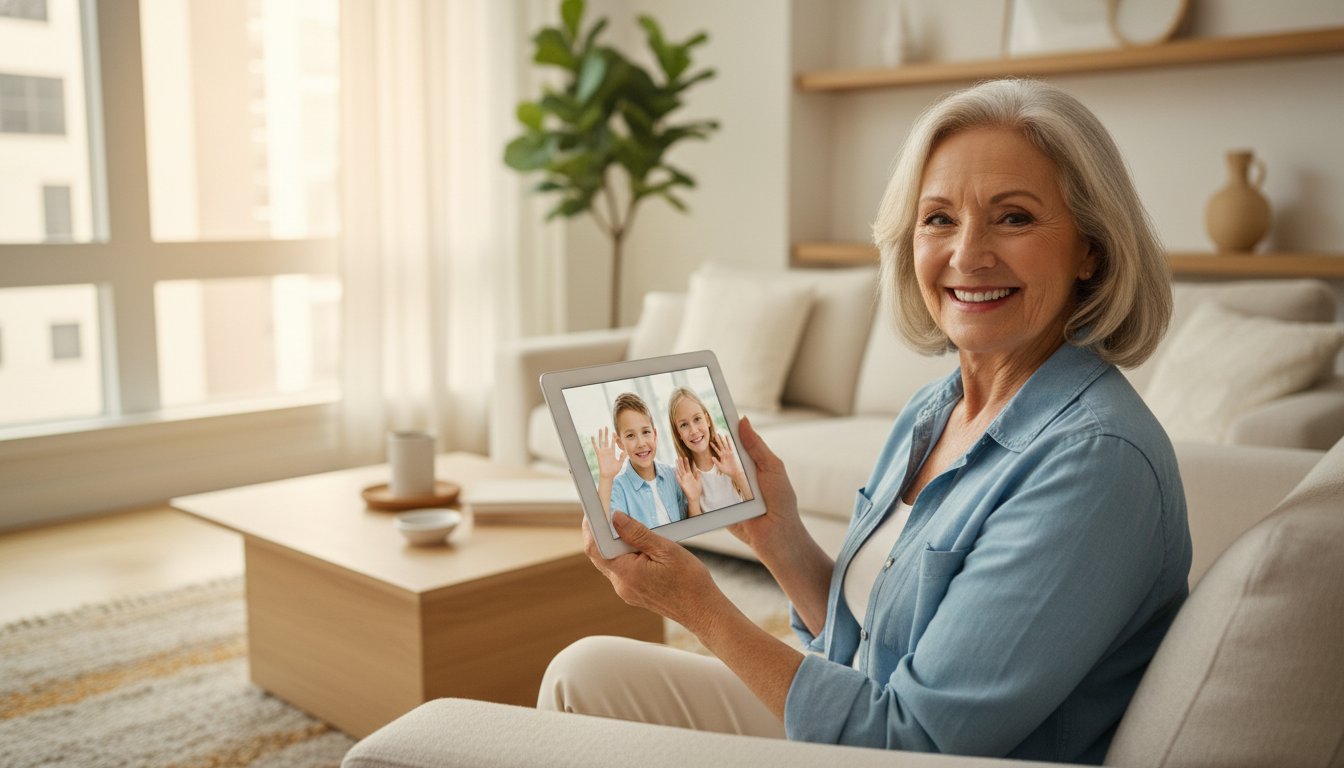
Imagine sitting down to video call your grandkids, but instead of a smiling face, you see a confusing error message. It's even worse when tech support agents talk so fast that you feel more lost than when you started. You aren't alone in feeling this way. Finding patient one on one computer lessons for seniors is the best way to move past these hurdles. While 99% of older adults now own at least one digital device, many still feel overwhelmed by how quickly things change in 2026.
We understand that group classes can feel intimidating and impersonal. You deserve to learn in a way that respects your pace and your privacy. You shouldn't have to worry about online scams or feel "stupid" for asking a simple question. We promise that personalized instruction will help you master your devices, from managing your inbox to finally feeling comfortable with your smartphone or tablet.
This guide will show you how tailored tech mentoring makes it easy to stay connected with family and browse the web with total confidence. We'll explore how simple it is to get help with email setup, virus protection, and those tricky software updates. Let's look at how you can claim your digital independence today.
Key Takeaways
- Learn how one on one computer lessons for seniors create a patient, non-judgmental space where you can ask any question without feeling rushed.
- Discover the easiest ways to master your smartphone or computer, from the initial setup to sending your first secure email.
- See why choosing a professional tech mentor offers better privacy for sensitive tasks like checking health portals or personal accounts.
- Learn how to find a patient mentor who understands the unique needs of the 55 plus community and avoids confusing technical jargon.
- Focus on the specific tech goals that matter most to you, from setting up a new printer to keeping your personal data backed up and secure.
Why Personalized Computer Classes for Seniors are the Best Choice in 2026
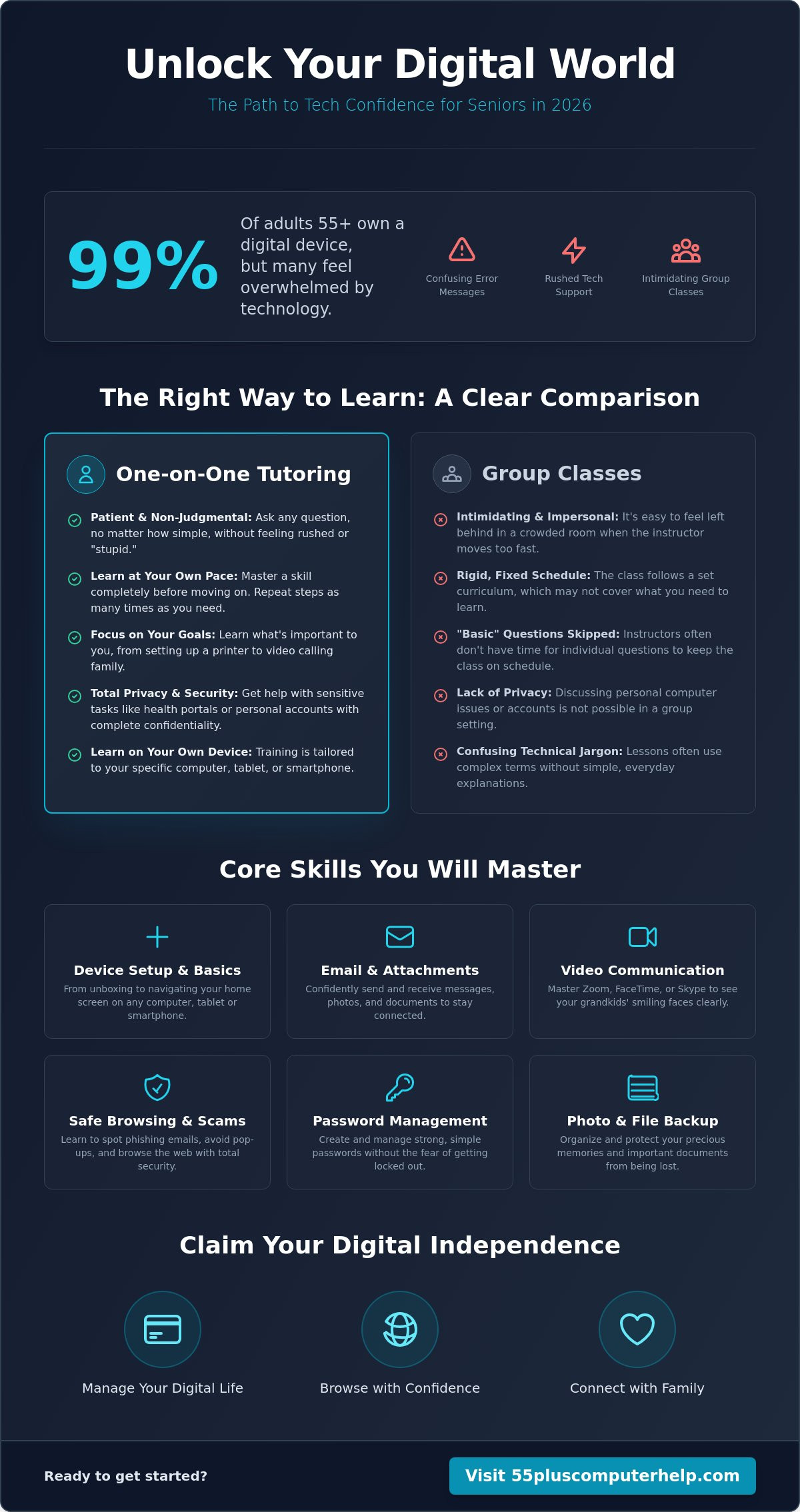
Learning a new skill should feel like a warm conversation with a friend, not a stressful race against a clock. High-quality one on one computer lessons for seniors provide a customized, mentor-led experience designed specifically for your needs. Unlike a crowded classroom where a teacher might talk over your head, private lessons focus entirely on you. You get to set the agenda. If you want to spend the whole hour learning how to attach a photo to an email, that's exactly what you'll do.
Many people find that group settings fail them because the instructor has to follow a strict schedule. They might skip over "basic" questions to keep the class moving. This leaves you feeling left behind or even embarrassed. Personalized instruction changes that dynamic. It builds long-term digital confidence. Instead of just having someone fix a single issue for you, you learn the "why" and "how" behind the solution. This ensures you can handle the task independently the next time it comes up.
Overcoming Tech Anxiety with Patient Instruction
It's very common to feel a sense of dread when a new update appears on your screen. You might worry that one wrong click will break your device or delete your precious photos. This fear is a major part of the discussion regarding technology use among seniors today. A patient mentor validates these feelings rather than dismissing them. We use simple, everyday language to replace confusing industry jargon. You'll find that technology stops being a burden and starts becoming a bridge to the people you love.
The Value of an Individualized Learning Pace
There is no such thing as a "one-size-fits-all" path to learning. Some people pick up smartphone gestures quickly but struggle with printer setups. Others might be experts at browsing the web but feel lost when managing passwords. In a private setting, you can repeat difficult steps as many times as you need. There is no pressure to "catch up" to anyone else. Choosing one on one computer lessons for seniors means your training always happens on the specific hardware you already own. Whether it's your specific tablet or your home Wi-Fi, the training is always relevant to your daily life.
Core Skills: What You Can Learn in Private Computer Lessons
Owning a computer should make your life easier, not more complicated. When you choose one on one computer lessons for seniors, you aren't just learning abstract concepts. You are learning how to use your specific tools. This starts the moment you bring a new device home. A patient mentor can help with the initial unboxing and computer setup. They will guide you through navigating the home screen on your tablet or the desktop on your laptop. Whether you are using the latest Windows 11 version 26H1 or a new tablet with Android 17, we make sure you feel comfortable from day one.
Communication is the heart of technology. It's how we stay close to family and friends. In these private sessions, you'll learn to master the apps that keep you connected. We can help you organize years of digital photos into folders so they aren't lost. We also focus on data backup and recovery to ensure your memories are safe if your device ever has a problem. You will learn how to manage your files and find what you need without searching for hours. This organization is a key step toward feeling like you are in total control of your digital life.
Mastering Email and Video Communication
Staying in touch shouldn't feel like a chore. We provide detailed email setup and troubleshooting for seniors to make sure your messages always go through. You will learn how to use video tools like Zoom, FaceTime, or Skype. These lessons show you how to see your grandkids' faces clearly on your screen. You'll also learn the safe way to attach photos or documents to your messages. We take the time to practice these steps until they feel like second nature to you.
Safe Browsing and Scam Prevention
The internet is a vast resource, but it requires a careful eye. Our lessons include practical exercises to help you spot "phishing" emails. These are fake messages designed to look like they are from your bank or a store. You'll learn how to identify suspicious pop-up ads and browse the web securely. We also help you create a simple system for managing passwords. This keeps your accounts safe without the frustration of forgetting your login details. If you ever worry about your security, we can assist with virus and malware removal to give you peace of mind while shopping or banking online.
Learning these skills at your own pace is the fastest way to feel independent. If you're ready to start, our team is here to provide personalized technology training that focuses on your unique goals and needs.
Professional Tutoring vs. Free Community Classes
Community centers and local libraries often offer free tech help. These programs are wonderful for social interaction, but they usually rely on rotating volunteers. You might work with a different person every time you visit. This makes it hard to build a consistent learning plan. Professional one on one computer lessons for seniors provide a steady relationship with a single mentor. Your tutor gets to know your specific learning style and your unique device. They remember what you mastered last week and what still feels a bit tricky. This consistency helps you progress much faster than starting over with a new volunteer every session.
Privacy is another vital reason to choose professional help. In a public class, you are surrounded by strangers. This is not the right place to discuss sensitive tasks like logging into a health portal or checking your bank balance. A private mentor provides a safe and secure environment. You can learn how to manage your personal accounts without worrying about who might be watching or listening. We focus on building your confidence so you can handle these important tasks privately and securely from your own home.
Many seniors fall into the "quick fix" trap. This happens when a well-meaning family member or volunteer simply fixes the problem for you without explaining the steps. The issue goes away for a day, but you haven't learned how to prevent it from happening again. Professional instruction focuses on the "why" behind the technology. We don't just click the buttons for you. We teach you the skills so you can feel truly independent.
When to Choose Private Instruction Over a Course
Deciding between a class and a tutor depends on your goals. If you want a general overview of technology while meeting new people, computer courses for seniors are a great choice. However, group courses are not ideal for deep troubleshooting. If you need help with a specific printer setup or internet and Wi-Fi troubleshooting, a private session is much more effective. Your tutor focuses only on your equipment. They won't waste your time teaching you about software you don't own or features you will never use.
The Long-Term ROI of Professional Help
Investing in professional one on one computer lessons for seniors saves you time and money in the long run. You'll learn to avoid costly mistakes, like buying unnecessary software or accidentally clicking on a tech support scam. Learning it right the first time prevents bad digital habits that lead to frustration later. Most importantly, you gain your independence. You won't have to wait for a busy relative to stop by just to send an email or print a document. You will have the tools and the knowledge to solve minor issues on your own schedule.
How to Choose a Patient Computer Tutor: 5 Essential Qualities
Finding the right person to guide you is just as important as the technology itself. You need more than just a "computer person." You need a mentor who knows how to teach. When you look for one on one computer lessons for seniors, check for these five qualities to ensure you have a positive experience.
- Specialized Expertise: The tutor should have a proven track record of working with the 55+ demographic. They should understand the specific challenges you face.
- Plain Language: A great teacher avoids industry jargon. They explain things using everyday words that make sense to you.
- Flexible Options: Look for someone who can visit your home for a printer setup but also offers remote help for quick questions.
- Calm Demeanor: Your comfort should be their top priority. A methodical pace prevents you from feeling rushed or overwhelmed.
- Transparent Pricing: You should always know exactly what you are paying. Look for clear, fixed-rate pricing structures with no hidden fees.
Screening for Patience and Empathy
Being "tech-savvy" doesn't automatically make someone a good teacher. Many young people are great with devices but lack the interpersonal skills to explain them. When you interview a potential tutor, ask them about their teaching philosophy. You might ask, "How do you handle it if I need to repeat a step several times?" A patient mentor will listen more than they talk. They will wait for you to perform the actions yourself rather than grabbing the mouse from your hand. This empathy is what transforms a stressful lesson into a sense of accomplishment.
In-Home vs. Remote Learning Options
The best one on one computer lessons for seniors offer a mix of learning styles. Some tasks require a person to be physically present in your home. For example, if you need help with internet and Wi-Fi troubleshooting or a new smart home device setup, an in-person visit is often best. However, remote screen-sharing is incredibly useful for software installation and updates or quick follow-up questions. This hybrid approach gives you the best of both worlds. It provides the hands-on help you need for hardware while offering the convenience of remote support for everything else.
If you're looking for a mentor who hits all these marks, we're ready to help. You can book your first personalized lesson today and start building your digital confidence.
Empowering Your Digital Independence with 55 Plus Computer Help LLC
The mission at 55 Plus Computer Help LLC is to turn tech-anxiety into digital self-assurance. We believe everyone deserves to feel confident when using their devices. High-quality one on one computer lessons for seniors focus entirely on your personal goals. You won't waste time on features you don't need. Instead, you'll learn at your own pace with a trusted mentor who understands your unique challenges. Our personalized technology training fees are designed to reflect this focus on your individual needs and the skills you want to master.
Working with an expert who specializes in the 55 plus community makes a world of difference. We know that technology can feel like a moving target. It's easy to feel left behind by rapid changes. We act as your translator, turning complex concepts into simple, actionable steps. Whether you are learning to use a new tablet or need help with data backup and recovery, we ensure you feel in control of the process. You are the one in the driver's seat; we are just here to provide the map.
Beyond Repair: A True Educational Experience
We don't just fix problems; we teach you how to prevent them. Many companies offer a quick fix, but they leave you in the dark about what actually happened. For example, when we assist with virus and malware removal, we show you how to spot the red flags in the future. We maintain a steady, calm, and methodical communication rhythm. This ensures you never feel rushed or ignored. Our clients often say they feel like they are learning from a helpful neighbor rather than a faceless corporation. We value your comfort as much as the technical solution.
Taking the First Step Toward Confidence
Starting your journey toward tech success is simple. You can book your first session through our website or by giving us a call. To get the most out of your one on one computer lessons for seniors, have your devices charged and your passwords ready. It's helpful to write down two or three things you want to learn first. This might be anything from smartphone training to a simple printer setup. Having a list helps us maximize your learning time from the very first minute.
It's never too late to master your technology. You don't need to be a "techie" to enjoy the benefits of staying connected with your family. Whether you need internet and Wi-Fi troubleshooting or help with software installation and updates, we are here to support you. You have the right to feel safe and capable every time you turn on your computer. Let's work together to make that a reality. Your digital independence is just one patient lesson away.
Take the Next Step Toward Digital Independence
Technology should open doors to new experiences, not create barriers. You've seen how personalized instruction removes the pressure of group classes and keeps your private information secure. By focusing on your specific goals, you can master your devices at a pace that feels comfortable. Choosing one on one computer lessons for seniors is the most effective way to turn your devices into helpful tools for staying connected with the people you love.
We've been helping people just like you since 2014. Our team is made of patient mentors who speak your language, not technical jargon. We are proud to be a trusted local resource for both in-home and remote support. You don't have to struggle with confusing updates or setup issues on your own anymore. We are here to help you feel safe and capable every time you sit down at your computer.
Ready to get started? Book your patient, one-on-one computer lesson today. It's never too late to learn something new, and we look forward to helping you succeed.
Frequently Asked Questions
How long does it take for a senior to learn basic computer skills?
The time it takes depends on your personal goals and current comfort level. Most students feel confident with basic tasks like sending emails and browsing the web after three to five sessions. Because we focus only on what you want to learn, you'll likely see progress much faster than you would in a traditional classroom setting. We move at your pace to ensure you feel secure before moving to the next topic.
What is the difference between a computer class and a one-on-one lesson?
The main difference is the level of personalization and privacy you receive. In a group class, the instructor follows a set schedule and cannot always stop to answer individual questions. One on one computer lessons for seniors focus entirely on your specific device and your unique questions. This creates a safe, non-judgmental environment where you can learn without the pressure of keeping up with other students.
Can I learn how to use an iPad or tablet in these lessons?
Yes, we provide comprehensive smartphone and tablet training for all major brands and models. Whether you are using an iPad with the latest software or a new tablet running Android 17, we can help you master the gestures and apps. You'll learn how to download programs, adjust your settings for better visibility, and use video calls to stay connected with your family and friends.
Do I need a new computer to start taking lessons?
You don't need to buy a brand-new device to begin your learning journey. We are happy to work with the equipment you already own and use every day. If your current system feels slow or outdated, we can help with software installation and updates to improve its performance. We'll only suggest a new computer if your current one can no longer safely support the tasks you want to perform.
Is it safe to have a computer tutor access my screen remotely?
Remote assistance is a very safe and convenient way to receive help with software questions or quick troubleshooting. You are always in total control of the session and can see every move the tutor makes on your screen. We use secure, professional tools to ensure your personal information stays private. It's an excellent option for follow-up support after we've already met for an initial in-person lesson.
What if I forget what I learned after the lesson is over?
Forgetting a step is a completely normal part of learning something new. We encourage you to take notes, and we're always happy to repeat a topic as many times as you need. Our "learn by doing" approach helps the information stick much better than just watching a demonstration. We want you to feel empowered, so we'll practice each task until it feels like second nature to you.
Can a tutor help me set up a new printer or Wi-Fi?
Yes, a patient mentor can assist you with both printer setup and internet and Wi-Fi troubleshooting. We'll make sure your devices connect correctly and that your home network is stable and secure. We can also help with smart home device setup to ensure your technology works together seamlessly. These practical, hands-on tasks are a core part of the support we provide to help you stay independent.
How much do personalized computer lessons usually cost?
The cost of one on one computer lessons for seniors typically depends on the length of the session and your specific learning goals. Some people prefer a single hour to solve a specific problem, while others choose ongoing sessions to build their skills over time. We believe in a transparent pricing structure so you always know exactly what to expect. This allows you to focus on your learning without worrying about hidden fees or surprises.


